 Owner’s manual
 Error Codes



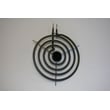
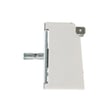
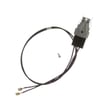
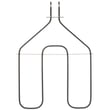
Where can I find my Kenmore electric range model number?
For Kenmore electric range model 36262781000, the model and serial number are printed on a label either behind the oven door (around the door frame area) or behind the storage drawer at the bottom. Confirming the exact model number helps us match the correct parts and diagrams.
Most common label locations
- Behind the oven door, on the frame around the opening
- Behind the storage drawer (pull the drawer out to view the label area)
- Near the lower front frame, just inside the drawer cavity
- On the range body near the door hinge area
Quick steps to find it safely
- Make sure the oven and surface elements are OFF and cool
- Open the oven door and look along the frame edges for a rating label
- If you do not see it, pull the storage drawer straight out and look on the frame behind it
- Write down both the model number and serial number exactly as shown
What the label typically includes
| Label item | What it’s used for |
|---|---|
| Model number | Ensures the right Kenmore parts fit your exact range |
| Serial number | Helps identify production details for service and part revisions |
| Electrical rating | Confirms voltage and circuit requirements |
Why it matters
Kenmore ranges often share similar looks across multiple model series, but parts like a bake element, broil element, or surface element control switch can vary by model. Using the label information prevents ordering the wrong replacement.
For a diagram showing where the label is located on many versions of this range design, check the owner's manual.
Last updated: February 2026
How do you reset a Kenmore electric stove?
To reset your Kenmore electric range model 36262781000, shut off power at the breaker (or unplug the range) for at least 10 seconds, then restore power. This clears many control glitches after a power surge and lets you reset the clock and any cooking settings.
Quick reset steps (safe and effective)
- Turn all range knobs to OFF.
- Unplug the range or switch the range circuit breaker OFF.
- Wait 10 to 60 seconds (10 seconds is the minimum we use for a true reset).
- Restore power.
- Set the clock using the steps in the owner's manual.
- Test a surface element and the oven to confirm normal operation.
If the display is blank or acting odd
A reset is especially helpful when the display goes blank or indicator lights come on when the range is not in use (often after a power surge).
Use this checklist after restoring power:
- Confirm the outlet has power (or the breaker is fully reset).
- If the clock and timer do not work, recheck the plug connection and your home fuse or breaker.
- If the oven was running during an outage, turn the oven temperature knob back to OFF, then reselect your cooking function.
What a reset fixes vs. what it will not
| Symptom | Reset likely helps? | What to check next |
|---|---|---|
| Display blank after surge | Yes | Power supply, breaker, outlet |
| Timer or clock not responding | Sometimes | Plug seated, breaker/fuse, clock settings |
| Surface element not heating | Usually not | Element receptacle, control switch, drip pan fit |
| Oven not heating | Sometimes | Controls set correctly, breaker/fuse, bake/broil components |
Why it matters
A proper power reset clears temporary electronic or control-state issues without replacing parts. If a heating problem remains after the reset, it usually points to a power supply issue, a control setting issue, or a failed component.
Last updated: February 2026
How to take the top off a Kenmore range?
On the Kenmore 36262781000 electric range, the cooktop is designed to lift up (not fully “taken off”) for cleaning and access. With all surface controls OFF and the elements cool, you can raise the cooktop and support it on the side support rods; use the steps in the owner's manual for your exact configuration.
Steps to lift the cooktop (coil-element top)
- Turn all surface element knobs to OFF and wait until the coils are completely cool.
- If needed, remove one surface element to make lifting easier: lift the coil about 1 inch, then pull it straight out.
- Lift the front edge of the cooktop up.
- Engage the two side supports so the cooktop stays in the raised position.
- Clean underneath with hot, mild soapy water; then lower the cooktop carefully.
Removing surface elements and drip pans (common “top access” task)
You often do not need to remove the entire top. For most cleaning and basic access, removing the coils and drip pans is enough.
| Task | What you remove | Key tip |
|---|---|---|
| Clean under cooktop | Usually nothing | Cooktop lifts and rests on side supports |
| Replace a drip pan | Surface element, then drip pan | Do not lift the element more than 1 inch |
| Fix loose/burned receptacle | Surface element | Inspect the receptacle and wiring for heat damage |
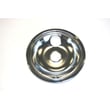
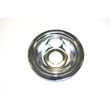
If your drip pan is damaged or rusted, the correct replacement is the range drip pan WB31T10011.
Important cautions
- Do not lift a coil element more than about 1 inch; repeated over-lifting can damage the receptacle.
- Keep fingers clear of hinges and support rods when lowering the cooktop.
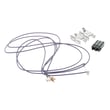
- If you see arcing, melted plastic, or a loose connection at the element plug-in point, check the range surface element receptacle WB2X8228.
Why it matters
Lifting the cooktop the right way prevents damage to the surface element receptacles and wiring, and it makes cleaning spills and checking connections much easier when a burner heats intermittently.
Last updated: February 2026
What causes a Kenmore oven to stop working?
On a Kenmore 36262781000 electric range, an oven that “stops working” is most often caused by a power supply problem (blown fuse or tripped breaker), the range not being fully plugged into a live grounded outlet, or oven controls that are not set correctly; less commonly, a failed heating component or thermostat issue can stop heating. See the owner's manual for model-specific operating checks.
Quick checks first (most common)
- Confirm the range plug is fully inserted into a live, properly grounded outlet.
- Check your home electrical panel for a tripped circuit breaker or blown fuse, then reset/replace.
- Verify the oven control settings are correct for BAKE or BROIL (a mis-set knob can look like a failure).
- If the display went blank after a surge, disconnect power at the breaker for at least 10 seconds, then restore power.
- If only the clock/timer is dead, treat it like a power issue first (outlet, fuse, breaker).
If the oven has power but will not heat
If the surface burners work but the oven will not heat, focus on oven-heating components.
Common culprits include:
- Bake element not heating (often visible blistering or a break)
- Broil element not heating (some models use broil to assist preheat)
- Oven control thermostat out of calibration or failing
Parts that commonly relate to “no heat” symptoms
| Symptom | What to check | Example part on this model page |
|---|---|---|
| No bake heat | Bake element condition and connections | Range bake element WB30X46987 |
| No broil heat | Broil element condition and connections | Range broil element WB30X46986 |
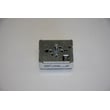
| Temps erratic or no heat control | Thermostat operation | G.e. range oven control thermostat WB20K10004 |
Why it matters
Power and control-setting issues are fast, no-parts fixes. If you replace parts before confirming power, you can waste time and still end up with an oven that will not run or heat correctly.
Helpful DIY reference
If your range is showing an error code or beeping, use Kenmore 362 freestanding range error codes to narrow the failure to a specific circuit or component.
Last updated: February 2026




