- Kenmore refrigerator water filters
- Whirlpool refrigerator water filters
- Samsung refrigerator water filters
- GE refrigerator water filters
- LG refrigerator water filters
- Frigidaire refrigerator water filters
- KitchenAid refrigerator water filters
- Maytag refrigerator water filters
- Kenmore Elite refrigerator water filters
- Estate refrigerator water filters
- GE Profile refrigerator water filters
- Amana refrigerator water filters
- Bosch refrigerator water filters
- Dacor refrigerator water filters
- Electrolux refrigerator water filters
Top DIY repair help
View All Repair Categories
Appliances
Lawn & Garden
Power Tools
Home Improvement
Sports & Leisure
Heating & Cooling
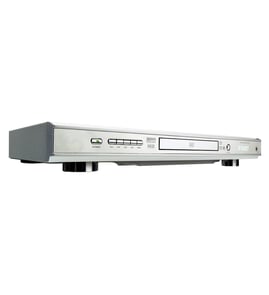
Harman Kardon Dvd player Parts — Browse All Models
Harman Kardon DVD players use the latest technology to produce the best video and audio playback possible from digital recordings. Progressive scanning in Harman Kardon DVD players create improved pictures that are near perfect. When your Harman Kardon DVD player acts up and needs repairs, find the replacement parts you need to fix the problem at Sears PartsDirect.


 Owner’s manual
Popular maintenance items for DVD Players
Pcb Assembly
In Stock
$161.04

Qty


Thermistor
In Stock
$17.87
Qty
Holder
In Stock
$29.10
Qty
Ant-008sm
In Stock
$62.37
Qty
Gear
Part #424565101
This item is not returnable
In Stock
$2.57
Qty
Fuse
Part #152306751
This item is not returnable
In Stock
$2.65
Qty
Troubleshooting your Harman Kardon DVD player when the remote control doesn't work
- Check the batteries in the remote control. Weak or dead batteries won't power up the remote device. Replace the remote control batteries if they're weak or dead.
- The remote control has an effective range of about 20-feet. Make sure that you're within range of the DVD player when attempting to use the remote.
- Check for items blocking the RF sensor on the DVD player and move any items out of the way to allow the DVD player to receive remote control RF signals.
- The microprocessor inside the remote can fill up its internal memory or the microprocessor can get the memory scrambled at times. Reset the microprocessor and drain the memory in the remote by removing the remote control batteries and holding down one or more buttons on the remote device for several minutes. Reinstall the batteries and the remote may work normally again.
- You may need to replace the remote if it won't work after resetting the microprocessor and it has good batteries.
Connecting your Harman Kardon DVD player to the television
- Refer to the user's manual of the television for information on connecting the DVD player to the television. Follow the user's manuals instructions on selecting the type of cable and television connection jack or jacks to use when connecting the DVD player to the television.
- Turn off the DVD player and the television before connecting the DVD player to the television.
- To connect the DVD player to the television using the HDMI cable, plug the HDMI cable into the HDMI Out jack on the DVD player. Plug the other end of the HDMI cable into the HDMI In jack of the television.
- To connect the DVD player to the television using an HDMI-DVI cable and audio cable, plug the HDMI plug into the HDMI Out jack on the DVD player. Plug the DVI connector into the DVI In jack on the television. Connect the audio cable to the Audio Out jacks on the DVD player and the Audio In jacks on the television.
Parts & More
Air Compressor
Bottom-Mount Refrigerator
Electric Walk-Behind Mower
Electric Wall Oven
Exercise Cycle
Front-Engine Lawn Tractor
Gas Chainsaw
Gas Water Heater
Lawn & Garden Engine
Miter Saw
Parts
Refrigerator
Side-By-Side Refrigerator