- Kenmore refrigerator water filters
- Whirlpool refrigerator water filters
- Samsung refrigerator water filters
- GE refrigerator water filters
- LG refrigerator water filters
- Frigidaire refrigerator water filters
- KitchenAid refrigerator water filters
- Maytag refrigerator water filters
- Kenmore Elite refrigerator water filters
- Estate refrigerator water filters
- GE Profile refrigerator water filters
- Amana refrigerator water filters
- Bosch refrigerator water filters
- Dacor refrigerator water filters
- Electrolux refrigerator water filters
Top DIY repair help
View All Repair Categories
Appliances
Lawn & Garden
Power Tools
Home Improvement
Sports & Leisure
Heating & Cooling
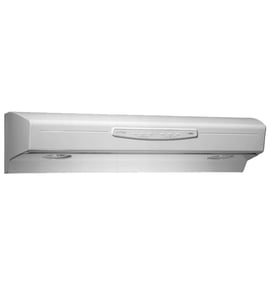
White-Westinghouse Range hood Parts — Browse All Models
Sears PartsDirect is a leading supplier or replacement and repair parts for White-Westinghouse range hoods. White-Westinghouse range hoods are dependable appliances that typically last for many years but you can never tell when a part will eventually wear out or break. When your White-Westinghouse range hood breaks down, find the repair parts you need to fix the problem at Sears PartsDirect.

Frequently bought White-Westinghouse parts
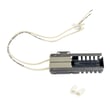
Frigidaire Range Oven Burner Igniter
In Stock
$21.50
22% OFF Phone Price : $27.50

Qty

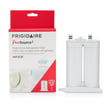
Frigidaire Puresource2 Refrigerator Water Filter
In Stock
$60.71
24% OFF Phone Price : $80.26
Qty
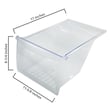
Crisper Drawer - Refrigerator Storage Component By Frigidaire
In Stock
$33.38
15% OFF Phone Price : $39.38
Qty
Tappan Range Oven Burner Igniter
In Stock
$73.41
8% OFF Phone Price : $79.41
Qty
Frigidaire Puresource Plus Refrigerator Water Filter
In Stock
$49.73
13% OFF Phone Price : $57.27
Qty
Frigidaire Refrigerator Water Inlet Valve Assembly
In Stock
$53.91
10% OFF Phone Price : $59.91
Qty
Popular maintenance items for Range Hoods
Whirlpool Range Surface Element Receptacle
In Stock
$9.71
9% OFF Phone Price : $10.71
Qty
Broan Range Hood Light Lens
$49.04
11% OFF Phone Price : $55.04
Qty
Range Drip Pan, 8-in (chrome)
Part #WPW10196405
This item is not returnable
In Stock
$6.86
13% OFF Phone Price : $7.86
Qty
Range Drip Pan, 6-in (chrome)
Part #WPW10196406
This item is not returnable
In Stock
$6.31
14% OFF Phone Price : $7.31
Qty
Broan Range Hood Grease Filter, 2-pack
In Stock
$64.94
8% OFF Phone Price : $70.94
Qty
Range Hood 30-in Hood Grease Filter, 2-pack
In Stock
$89.34
6% OFF Phone Price : $95.34
Qty
How to replace a light socket in your White-Westinghouse range hood
- Shut off the house circuit breaker to disconnect electrical power to the range hood.
- Pull the latch tabs to release the air filters and pull both filters out of the range hood. Remove the screws that secure the bottom panel to the range hood frame and pull the bottom panel out of the range hood.
- Unplug the wire harness connectors for the light sockets on the side panel. Pull the front of the side panel inward to release the locking tab and then remove the side panel.
- Grip the bottom of the light socket and turn it to the right to release the locking tabs that hold the light socket in the side panel. Pull the light socket out of the side panel and discard it.
- Install the new light socket and reassemble the range hood. Reset the house circuit breaker to restore power to the range hood.
What to do when your White-Westinghouse range hood doesn't work at all
Lack of electrical power, a failed electronic control board, faulty user interface control, failed fan or light switches, a bad fan motor or bad light sockets can prevent the range hood from working at all.
Check the house circuit breaker and reset if tripped. If the house circuit breaker didn't trip, check the range hood's electrical outlet for power by plugging a small appliance or lamp into the outlet to see if the outlet works. If the outlet works, leave the range hood's power cord unplugged and check the power cord wiring to the range hood control. Reconnect loose power cord wires or replace the power cord if it's damaged.
With the power cord still unplugged, check the electronic control board for burn marks that indicate a control board failure. Replace the control board if you find burn marks on the circuit board. If your range hood uses a user interface control to start the fan and control the lights, you may need to replace the user interface if it isn't sending signals to the electronic control board when you press user interface buttons. A user interface control is a keypad and display panel that sends signals to the electronic control board through a ribbon wire cable when you press its selection buttons. DIY testing of the user interface control isn't available for most range hood models so you can't tell whether a failed electronic control board or a failed user interface control is preventing the range hood from working. If the electronic control board doesn't respond when you press the power button, you'll likely need to replace the electronic control. If the range hood still doesn't power up after replacing the electronic control board, you'll likely need to replace the user interface control.
If your range hood uses switches for the fan and lights, disconnect power and check continuity through the switches using a multimeter to see if the switches allow current to flow to the lights and fan motor when you turn on the switches. Replace the switches if you don't measure continuity through the switches when they're turned on.
If the fan switch or the electronic control board sends electric current to the fan motor but the motor doesn't run, replace the fan motor. If the light switch or electronic control board sends current to the lights but the lights don't work and you already replaced the bulbs, replace the light sockets.
Parts & More
Circular Saw
Cooktop
Dishwasher
Dryer
Dvd Player
Electric Water Heater
Front-Engine Lawn Tractor
Furnace
Lawn & Garden Engine
Parts
Side-By-Side Refrigerator
Tool Chest
Wet/Dry Vacuum