- Kenmore refrigerator water filters
- Whirlpool refrigerator water filters
- Samsung refrigerator water filters
- GE refrigerator water filters
- LG refrigerator water filters
- Frigidaire refrigerator water filters
- KitchenAid refrigerator water filters
- Maytag refrigerator water filters
- Kenmore Elite refrigerator water filters
- Estate refrigerator water filters
- GE Profile refrigerator water filters
- Amana refrigerator water filters
- Bosch refrigerator water filters
- Dacor refrigerator water filters
- Electrolux refrigerator water filters
Top DIY repair help
View All Repair Categories
Appliances
Lawn & Garden
Power Tools
Home Improvement
Sports & Leisure
Heating & Cooling
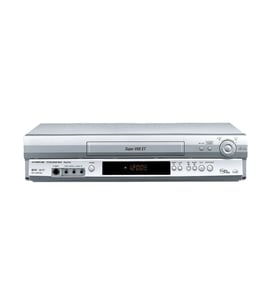
Zenith Vhs players & vcrs Parts — Browse All Models
Zenith VHS players set the standard for excellence in video cassette tape playback. You'll enjoy clear video and rich sound when playing video cassette tapes on your Zenith VHS player. When your Zenith VHS player isn't performing as it should, find the replacement parts you need to fix the problem at Sears PartsDirect.

Zenith VRG90 vcr
Shop Parts
1 Parts
 Owner’s manual
Frequently bought Zenith parts
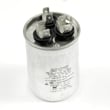
Friedrich Room Air Conditioner Fan Motor Capacitor
In Stock
$44.53
12% OFF Phone Price : $50.53

Qty

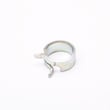
Room Air Conditioner Fan Blade Clamp
Part #3H02932B
This item is not returnable
In Stock
$5.79
15% OFF Phone Price : $6.79
Qty
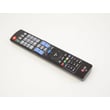
Remote Control
Part #MKJ42519614
Replaced by #AKB74115501
Manufacturer substitution
This part replaces MKJ42519614. Substitute parts can look different from the original.
In Stock
$95.10
Qty

Pcb Assembly
In Stock
$198.58
Qty
Jack
In Stock
$30.90
Qty
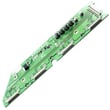
Zenith Pcb Assembly
In Stock
$127.12
Qty
Popular maintenance items for VHS Players & VCRs
Cover
In Stock
$31.99
Qty
Magnavox Part
In Stock
$25.71
Qty
Magnavox Ir Rcvr
Part #483521027018
This item is not returnable
In Stock
$7.40
Qty
Vcr Transmitter
In Stock
$25.71
Qty
Txmtr Ir Mx
In Stock
$118.99
Qty
Assembly
In Stock
$28.32
Qty
Cleaning the video cassette tape heads on your Zenith VHS player
- You'll need to clean the video cassette tape heads inside your VHS player when video or sound playback deteriorates and tracking adjustments don't fix the problem.
- Gather the cleaning supplies. You'll need pure isopropyl alcohol, cleaning swabs and a fine-woven, lint-free cloth.
- Eject the video cassette tape if you have one loaded in the VHS player then unplug the power cord from the wall outlet to disconnect electrical power from the VHS player.
- Moisten swabs in isopropyl alcohol and carefully wipe the rollers, guides and pins in the tape path.
- Gently wipe the audio and erase heads with a swab moistened in isopropyl alcohol.
- Wet the lint-free cloth in isopropyl alcohol and carefully and gently wipe the drum assembly.
- Reassemble the VHS player and plug in the power cord to restore power.
Replacing the control panel assembly on your Zenith VHS player
- Unplug the VHS player's power cord from the electrical wall outlet to disconnect electrical power.
- Remove the cabinet cover mounting screws then pull the cabinet cover off the VHS player.
- Unplug the control panel ribbon cable from the control panel.
- Remove the control panel mounting screws and pull the control panel off the front cover of the VHS player.
- Install the new control panel in the front cover and secure it with the mounting screws. Plug in the control panel ribbon cable to the new control panel.
- Reinstall the VHS player cabinet cover and secure it with the mounting screws.
- Plug the VHS player's power cord back into the electrical wall outlet to restore power.
Parts & More
Bottom-Mount Refrigerator
Dishwasher
Electric Wall Oven
Floor Scrubber
Furnace
Gas Line Trimmer
Refrigerator
Room Air Conditioner
Side-By-Side Refrigerator
Snowblower Attachment
Water Softener