- Kenmore refrigerator water filters
- Whirlpool refrigerator water filters
- Samsung refrigerator water filters
- GE refrigerator water filters
- LG refrigerator water filters
- Frigidaire refrigerator water filters
- KitchenAid refrigerator water filters
- Maytag refrigerator water filters
- Kenmore Elite refrigerator water filters
- Estate refrigerator water filters
- GE Profile refrigerator water filters
- Amana refrigerator water filters
- Bosch refrigerator water filters
- Dacor refrigerator water filters
- Electrolux refrigerator water filters
Top DIY repair help
View All Repair Categories
Appliances
Lawn & Garden
Power Tools
Home Improvement
Sports & Leisure
Heating & Cooling
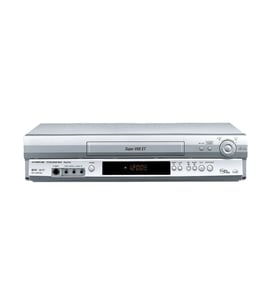
Toshiba Vhs players & vcrs Parts — Browse All Models
Toshiba VHS players are dependable and affordable units that rarely break down. Rugged drive components and reliable electronics inside Toshiba VHS players typically last for years without having problems. When parts do wear out or break on your Toshiba VHS player, find the replacement parts you need to get the player up and running at Sears PartsDirect.

Toshiba M2700 vcr
Shop Parts
6 Parts
Frequently bought Toshiba parts

Cathode Ray Tube
In Stock
$911.63

Qty

Toshiba Picture Tube
In Stock
$118.00
Qty
Magnavox Control
In Stock
$15.36
Qty
Toshiba Cathode Ray Tube
In Stock
$148.80
Qty
Montgomery Ward Transistor
In Stock
$11.00
Qty
Toshiba Txstr Npn
In Stock
$25.43
Qty
Popular maintenance items for VHS Players & VCRs
Switch Slide
In Stock
$16.50
Qty
Magnavox Owner's Manual
In Stock
$10.03
Qty
Lever Slide
In Stock
$17.76
Qty
Mode Button
Part #483541027243
This item is not returnable
In Stock
$4.74
Qty
Wa Slit
Part #483553087147
This item is not returnable
In Stock
$3.21
Qty
Magnavox Pcb Assembly
In Stock
$89.49
Qty
Top replacement parts for Toshiba VHS players
- Door flap. The door flap hinges open to allow a video cassette tape to slide into the deck assembly when you insert the tape. The door flap hinges shut to cover the video cassette tape opening when the tape is full inserted. The flap opens to allow the tape to eject then hinges shut after the video cassette tape is ejected and pulled out of the VHS player.
- Fuse. The fuse blows when an electrical short circuit in the VHS player cause too much electrical current to flow through the power cord to metal inside the VHS player cabinet to protect you from electrical shock.
- Remote control. The remote control uses RF (radio frequency) signals to communicate operational commands and setting to the VHS player from a remote location.
- Electronic control board. The electronic control board powers components inside the VHS player, processes video and audio signals from the tape heads and controls display functions in the VHS player.
Adjusting the picture tracking on your Toshiba VHS player
Although the VHS player automatically adjusts the tracking when playing a video cassette tape, picture distortion may occur if the tape is in poor condition.
To adjust tracking, press Tracking +/- to display the tracking meter on your VHS player. Press the + or – buttons to adjust tracking until picture distortion disappears.
To resume automatic tracking adjustment of video cassette tapes, eject the tape. When you insert a tape into the VHS player, automatic tracking will be enabled.
Parts & More
Camping
Dryer
Dvd Player
Front-Engine Lawn Tractor
Garage Door Opener
Gas Pressure Washer
Gas Snowblower
Gas Walk-Behind Mower
Side-By-Side Refrigerator