- Kenmore refrigerator water filters
- Whirlpool refrigerator water filters
- Samsung refrigerator water filters
- GE refrigerator water filters
- LG refrigerator water filters
- Frigidaire refrigerator water filters
- KitchenAid refrigerator water filters
- Maytag refrigerator water filters
- Kenmore Elite refrigerator water filters
- Estate refrigerator water filters
- GE Profile refrigerator water filters
- Amana refrigerator water filters
- Bosch refrigerator water filters
- Dacor refrigerator water filters
- Electrolux refrigerator water filters
Top DIY repair help
View All Repair Categories
Appliances
Lawn & Garden
Power Tools
Home Improvement
Sports & Leisure
Heating & Cooling
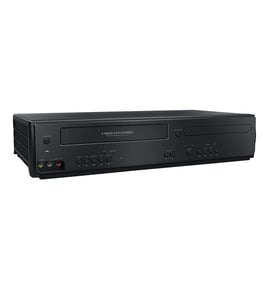
Toshiba Dvd/vcr combo Parts — Browse All Models
Toshiba DVD/VCR combo players set the standard for excellence in video and sound playback. You'll enjoy clear video and rich sound when playing media on your Toshiba DVD/VCR combo player. When your Toshiba DVD combo player isn't performing as it should, find the replacement parts you need to fix the problem at Sears PartsDirect.
Browse by Category
DVD/VCR Combos
 Owner’s manual
Frequently bought Toshiba parts

Toshiba Picture Tube
In Stock
$118.00

Qty

Montgomery Ward Transistor
In Stock
$11.00
Qty
Cathode Ray Tube
In Stock
$911.63
Qty
Toshiba Txstr Npn
In Stock
$25.43
Qty
Toshiba Cathode Ray Tube
In Stock
$148.80
Qty
Magnavox Control
In Stock
$15.36
Qty
Care and handling tips for discs used in your Toshiba DVD/VCR combo player
- Handle DVD and CD discs by the outer edge or the center hole. Don't touch the media surface of the discs.
- Keep dirt, liquids and other foreign matter away from discs. Remove any dirt, fingerprints, smudges, liquids or other foreign material from the discs by wiping discs with a clean cotton fabric in a straight line from the center of the disc to the outer disc edge. Use DVD/CD cleaning detergent, isopropyl alcohol or methanol to clean stubborn dirt or deposits from discs.
- Store DVD and CD discs upright. Don't bend discs. Don't expose discs to extreme heat or high humidity.
- Don't use adhesive labels to mark DVD or CD discs. Use a non-solvent-based felt-tip marker to label the top side of the disc.
Steps to take when the television won't play your Toshiba DVD/VCR combo player's video
- Check the television settings and select the correct video input source on the television if necessary.
- Check the HDMI or video cable connections on the back of the DVD/VCR combo player and the television. Reconnect any loose cables. Connect the cables correctly if the cables were connected to the wrong jacks.
- Check the DVD disc or video cassette to make sure it's inserted in the tray properly. The label of the DVD disc should be facing upward.
- Check the DVD disc for deposits or scratches. Clean the DVD disc thoroughly if you find spills or deposits on the disc.
- Reset the DVD/VCR combo player control board by unplugging the DVD/VCR combo player from the electrical wall outlet for several minutes. Plug the DVD/VCR combo player power cord back in to the electrical outlet and attempt to play the DVD disc or video cassette again.
Parts & More
Air Handler
Bottom-Mount Refrigerator
Chipper/Shredder
Compact Stereo System
Electric Leaf Blower
Electric Line Trimmer
Front-Engine Lawn Tractor
Gas Line Trimmer
Outdoor Grill
Refrigerator
Side-By-Side Refrigerator
Vacuum Cleaner
Weight System