- Kenmore refrigerator water filters
- Whirlpool refrigerator water filters
- Samsung refrigerator water filters
- GE refrigerator water filters
- LG refrigerator water filters
- Frigidaire refrigerator water filters
- KitchenAid refrigerator water filters
- Maytag refrigerator water filters
- Kenmore Elite refrigerator water filters
- Estate refrigerator water filters
- GE Profile refrigerator water filters
- Amana refrigerator water filters
- Bosch refrigerator water filters
- Dacor refrigerator water filters
- Electrolux refrigerator water filters
Top DIY repair help
View All Repair Categories
Appliances
Lawn & Garden
Power Tools
Home Improvement
Sports & Leisure
Heating & Cooling
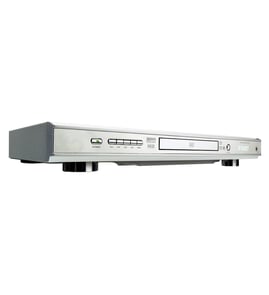
Toshiba Dvd player Parts — Browse All Models
You rely on your Toshiba DVD player to provide the clear video playback you expect from digital media. Toshiba DVD players include the features you look for in video electronics. When your Toshiba DVD player isn't working properly, you can find the repair parts you need to fix the player at Sears PartsDirect.
Browse by Category
DVD Players

 Owner’s manual
Frequently bought Toshiba parts

Cathode Ray Tube
In Stock
$911.63

Qty

Magnavox Control
In Stock
$15.36
Qty
Toshiba Cathode Ray Tube
In Stock
$148.80
Qty
Montgomery Ward Transistor
In Stock
$11.00
Qty
Toshiba Txstr Npn
In Stock
$25.43
Qty
Toshiba Picture Tube
In Stock
$118.00
Qty
Popular maintenance items for DVD Players
Tray Cover
In Stock
$14.42
Qty
Core Ferri
Part #145736912
This item is not returnable
In Stock
$7.52
Qty
Ic
Part #670988801
This item is not returnable
In Stock
$7.04
Qty
Spkr Cente
In Stock
$204.99
Qty
Base Assembly
In Stock
$334.64
Qty
Fan,dc
In Stock
$65.00
Qty
Troubleshooting your Toshiba DVD player when the remote control doesn't work
- Check the batteries in the remote control. Weak or dead batteries won't power up the remote device. Replace the remote control batteries if they're weak or dead.
- The remote control has an effective range of about 20-feet. Make sure that you're within range of the DVD player when attempting to use the remote.
- Check for items blocking the RF sensor on the DVD player and move any items out of the way to allow the DVD player to receive remote control RF signals.
- The microprocessor inside the remote can fill up its internal memory or the microprocessor can get the memory scrambled at times. Reset the microprocessor and drain the memory in the remote by removing the remote control batteries and holding down one or more buttons on the remote device for several minutes. Reinstall the batteries and the remote may work normally again.
- You may need to replace the remote if it won't work after resetting the microprocessor and it has good batteries.
Care and handling tips for discs used in your Toshiba DVD player
- Handle DVD and CD discs by the outer edge or the center hole. Don't touch the media surface of the discs.
- Keep dirt, liquids and other foreign matter away from discs. Remove any dirt, fingerprints, smudges, liquids or other foreign material from the discs by wiping discs with a clean cotton fabric in a straight line from the center of the disc to the outer disc edge. Use DVD/CD cleaning detergent, isopropyl alcohol or methanol to clean stubborn dirt or deposits from discs.
- Store DVD and CD discs upright. Don't bend discs. Don't expose discs to extreme heat or high humidity.
- Don't use adhesive labels to mark DVD or CD discs. Use a non-solvent-based felt-tip marker to label the top side of the disc.
Parts & More
Bottom-Mount Refrigerator
Central Air Conditioner
Electric Range
Fitness & Exercise
Furnace
Gas Walk-Behind Mower
Home Theater System
Ice Cream Maker
Microwave/Hood Combo
Parts
Range Hood
Receiver
Upright Vacuum
Wine & Beverage Cooler