- Kenmore refrigerator water filters
- Whirlpool refrigerator water filters
- Samsung refrigerator water filters
- GE refrigerator water filters
- LG refrigerator water filters
- Frigidaire refrigerator water filters
- KitchenAid refrigerator water filters
- Maytag refrigerator water filters
- Kenmore Elite refrigerator water filters
- Estate refrigerator water filters
- GE Profile refrigerator water filters
- Amana refrigerator water filters
- Bosch refrigerator water filters
- Dacor refrigerator water filters
- Electrolux refrigerator water filters
Top DIY repair help
View All Repair Categories
Appliances
Lawn & Garden
Power Tools
Home Improvement
Sports & Leisure
Heating & Cooling
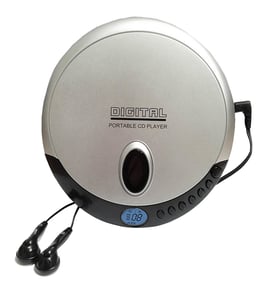
Sharp Cd player Parts — Browse All Models
Sharp CD players produce the digital sound that you expect from a compact disc. Sharp CD players seldom break down but you can never tell when a failure will occur. Find the replacement parts you need to fix any Sharp CD player failure at Sears PartsDirect.
Browse by Category
CD Players

Sharp CD-C422C surround sound cd shelf system
Sharp CD-C2800C surround sound cd shelf system
Sharp CP-C406 compact cd shelf system
Sharp WQ-CH900 compact cd player
Frequently bought Sharp parts

Magnavox Power Tran
Part #003091000174
This item is not returnable
In Stock
$2.16

Qty

Sharp Integrated Circuit
In Stock
$30.86
Qty
Refrigerator Permagum Sealer
Part #503695
Replaced by #WP503695
Manufacturer substitution
This part replaces 503695. Substitute parts can look different from the original.
In Stock
$61.94
9% OFF Phone Price : $67.94
Qty
Sharp Dc Relay
In Stock
$18.90
Qty
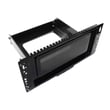
Sharp Panel Assembly
In Stock
$72.24
45% OFF Was : $131.49
Qty
Picture Tu
In Stock
$386.50
Qty
Popular maintenance items for CD Players
Ic
In Stock
$12.67
Qty
Led
In Stock
$12.25
Qty
Cord Bushing
Part #491678301
This item is not returnable
In Stock
$4.20
Qty
Magnavox Cd875x
In Stock
$10.32
Qty
Tr Pt483f1
Part #872992631
This item is not returnable
In Stock
$9.83
Qty
Shuttle
In Stock
$21.90
Qty
Handling and care tips for compact discs used in your Sharp CD player
- Handle the compact disc by grasping it on the outer edge and inner hole when removing the disc from its case or the CD player disc tray. Don't touch the media side of the compact disc with your fingers because oil and dirt from your fingers can interfere with compact disc playback.
- Don't expose compact discs to direct sunlight or extreme heat sources such as heater air ducts or a car parked in direct sunlight.
- Insert and remove compact discs in the CD player disc tray carefully to avoid scratching the media side of the compact disc. Make sure the compact disc is properly inserted in the disc tray before pressing the button to insert the disc tray into the player to avoid marring the compact disc.
- After removing the compact disc from the CD player, store the disc in its storage case.
- Don't use tape or labels on the top of compact discs. Use a non-solvent-based felt-tip marker to label the top side of the disc.
Steps to take when the receiver or amplifier won't play your Sharp CD player's audio signal
- Check the receiver or amplifier settings and select the correct audio input source on the receiver or amplifier if necessary.
- Check the audio cable connections between the CD player and the receiver or amplifier. Reconnect any loose audio cable connections. Replace the audio cables if they're damaged.
- Check the compact disc to make sure it's inserted in the tray properly. The label of the CD disc should be facing upward.
- Check the compact disc media side for deposits or scratches. Clean the compact disc thoroughly if you find spills or deposits on the disc.
- Reset the CD player control board by unplugging the CD player from the electrical wall outlet for several minutes. Plug the CD player power cord back in to the electrical outlet and attempt to play the compact disc again.
Parts & More
Bottom-Mount Refrigerator
Dishwasher
Electric Chainsaw
Electric Wall Oven
Front-Engine Lawn Tractor
Gas Cooktop
Gas Line Trimmer
Gas Snowblower
Gas Walk-Behind Mower
Laundry Center
Parts
Side-By-Side Refrigerator
Table Saw