- Kenmore refrigerator water filters
- Whirlpool refrigerator water filters
- Samsung refrigerator water filters
- GE refrigerator water filters
- LG refrigerator water filters
- Frigidaire refrigerator water filters
- KitchenAid refrigerator water filters
- Maytag refrigerator water filters
- Kenmore Elite refrigerator water filters
- Estate refrigerator water filters
- GE Profile refrigerator water filters
- Amana refrigerator water filters
- Bosch refrigerator water filters
- Dacor refrigerator water filters
- Electrolux refrigerator water filters
Top DIY repair help
View All Repair Categories
Appliances
Lawn & Garden
Power Tools
Home Improvement
Sports & Leisure
Heating & Cooling
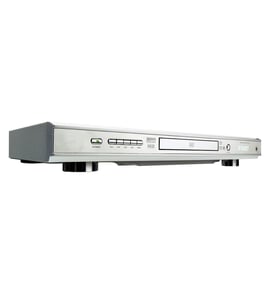
Sharp Video equipment Parts — Browse All Models
Sharp video equipment is dependable and affordable equipment that rarely breaks down. Rugged drive components and reliable electronics inside Sharp video equipment typically lasts for years without having problems. When parts do wear out or break on your Sharp video equipment, find the replacement parts you need to get the equipment up and running at Sears PartsDirect.
Browse by Category
Video Equipment
Video Equipment

 Owner’s manual
Frequently bought Sharp parts

Magnavox Capacitor
Part #46-20868-3
This item is not returnable
In Stock
$9.33

Qty

Picture Tube
Part #12VCAP4
Replaced by #12VCXP4
Manufacturer substitution
This part replaces 12VCAP4. Substitute parts can look different from the original.
In Stock
$104.99
Qty
Sharp Integrated Circuit
In Stock
$30.86
Qty
Refrigerator Permagum Sealer
Part #503695
Replaced by #WP503695
Manufacturer substitution
This part replaces 503695. Substitute parts can look different from the original.
In Stock
$61.94
9% OFF Phone Price : $67.94
Qty
Magnavox Power Tran
Part #003091000174
This item is not returnable
In Stock
$2.16
Qty
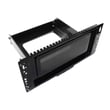
Sharp Panel Assembly
In Stock
$72.24
45% OFF Was : $131.49
Qty
Popular maintenance items for Video Equipment
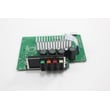
Pcb Assembly
In Stock
$161.04
Qty
Thermistor
In Stock
$17.87
Qty
Holder
In Stock
$29.10
Qty
Cover
In Stock
$31.99
Qty
Magnavox Part
In Stock
$25.71
Qty
Ant-008sm
In Stock
$62.37
Qty
Common replacement parts for Sharp video equipment
- HDMI cable. The HDMI cable connects the video equipment to the television and transmits the digital video and audio signals from the video equipment to the television for playback.
- Power cord. The power cord supplies electrical current to the video equipment components.
- Disc tray. The disc tray opens and allows you to insert a DVD or CD into the DVD player of the video equipment.
- Remote control. The remote control allows you to control video equipment settings and functions from a remote location. The remote control communicates setting and function selections to the video equipment using RF (radio frequency) signals.
Troubleshooting your Sharp video equipment when the remote control doesn't work
- Check the batteries in the remote control. Weak or dead batteries won't power up the remote device. Replace the remote control batteries if they're weak or dead.
- The remote control has an effective range of about 20-feet. Make sure that you're within range of the video equipment when attempting to use the remote.
- Check for items blocking the RF sensor on the video equipment and move any items out of the way to allow the video equipment to receive remote control RF signals.
- The microprocessor inside the remote can fill up its internal memory or the microprocessor can get the memory scrambled at times. Reset the microprocessor and drain the memory in the remote by removing the remote control batteries and holding down one or more buttons on the remote device for several minutes. Reinstall the batteries and the remote may work normally again.
- You may need to replace the remote if it won't work after resetting the microprocessor and it has good batteries.
Parts & More
Band Saw
Chipper/Shredder
Dishwasher
Dryer
Front-Engine Lawn Tractor
Gas Snowblower
Generator
Parts
Range Hood
Rear-Engine Riding Mower
Room Air Conditioner
Table Saw
Television
Vacuum Cleaner
Water Heater