- Kenmore refrigerator water filters
- Whirlpool refrigerator water filters
- Samsung refrigerator water filters
- GE refrigerator water filters
- LG refrigerator water filters
- Frigidaire refrigerator water filters
- KitchenAid refrigerator water filters
- Maytag refrigerator water filters
- Kenmore Elite refrigerator water filters
- Estate refrigerator water filters
- GE Profile refrigerator water filters
- Amana refrigerator water filters
- Bosch refrigerator water filters
- Dacor refrigerator water filters
- Electrolux refrigerator water filters
Top DIY repair help
View All Repair Categories
Appliances
Lawn & Garden
Power Tools
Home Improvement
Sports & Leisure
Heating & Cooling
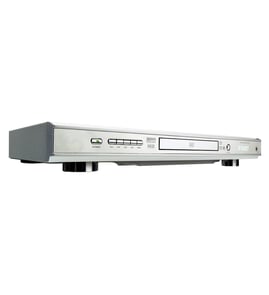
Sharp Dvd player Parts — Browse All Models
Sharp DVD players are dependable and affordable units that rarely break down. Rugged drive components and reliable electronics inside Sharp DVD players typically last for years without having problems. When parts do wear out or break on your Sharp DVD player, find the replacement parts you need to get the player up and running at Sears PartsDirect.
Browse by Category
DVD Players

 Owner’s manual
Frequently bought Sharp parts

Panasonic Motor
In Stock
$42.99

Qty

Magnavox Power Tran
Part #003091000174
This item is not returnable
In Stock
$2.16
Qty
Picture Tu
In Stock
$386.50
Qty
Sharp Panel Assembly
In Stock
$72.24
45% OFF Was : $131.49
Qty
Picture Tube
Part #12VCAP4
Replaced by #12VCXP4
Manufacturer substitution
This part replaces 12VCAP4. Substitute parts can look different from the original.
In Stock
$104.99
Qty
Magnavox Capacitor
Part #46-20868-3
This item is not returnable
In Stock
$9.33
Qty
Popular maintenance items for DVD Players
Filter
In Stock
$12.61
Qty
Cable Assembly
In Stock
$27.38
Qty
Sw Transf
In Stock
$33.23
Qty
Transformer
In Stock
$51.55
Qty
Tray Cover
In Stock
$14.54
Qty
Screw
In Stock
$27.13
Qty
Common replacement parts for Sharp DVD players
- HDMI cable. The HDMI cable connects the DVD player to the television and transmits the digital video and audio signals from the DVD player to the television for playback.
- Power cord. The power cord supplies electrical current to the DVD player.
- Disc tray. The disc tray opens and allows you to insert a DVD or CD into the DVD player.
- Remote control. The remote control allows you to control DVD settings and functions from a remote location. The remote control communicates setting and function selections to the DVD player using RF (radio frequency) signals.
Connecting your Sharp DVD player to the television
- Refer to the user's manual of the television for information on connecting the DVD player to the television. Follow the user's manuals instructions on selecting the type of cable and television connection jack or jacks to use when connecting the DVD player to the television.
- Turn off the DVD player and the television before connecting the DVD player to the television.
- To connect the DVD player to the television using the HDMI cable, plug the HDMI cable into the HDMI Out jack on the DVD player. Plug the other end of the HDMI cable into the HDMI In jack of the television.
- To connect the DVD player to the television using an HDMI-DVI cable and audio cable, plug the HDMI plug into the HDMI Out jack on the DVD player. Plug the DVI connector into the DVI In jack on the television. Connect the audio cable to the Audio Out jacks on the DVD player and the Audio In jacks on the television.
Parts & More
Engine & Drivetrain
Exercise Cycle
Front-Engine Lawn Tractor
Gas Chainsaw
Laundry Center
Others
Parts
Snow Blade
Television
Treadmill
Vhs Players & Vcrs