- Kenmore refrigerator water filters
- Whirlpool refrigerator water filters
- Samsung refrigerator water filters
- GE refrigerator water filters
- LG refrigerator water filters
- Frigidaire refrigerator water filters
- KitchenAid refrigerator water filters
- Maytag refrigerator water filters
- Kenmore Elite refrigerator water filters
- Estate refrigerator water filters
- GE Profile refrigerator water filters
- Amana refrigerator water filters
- Bosch refrigerator water filters
- Dacor refrigerator water filters
- Electrolux refrigerator water filters
Top DIY repair help
View All Repair Categories
Appliances
Lawn & Garden
Power Tools
Home Improvement
Sports & Leisure
Heating & Cooling
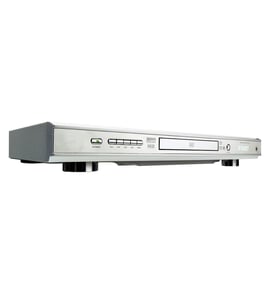
Magnavox Video equipment Parts — Browse All Models
Magnavox video equipment uses the latest technology to produce the best video and audio playback possible from video recordings. Progressive scanning in Magnavox video equipment creates improved pictures that are near perfect. When your Magnavox video equipment acts up and needs repairs, find the replacement parts you need to fix the problem at Sears PartsDirect.
Browse by Category
Video Equipment
Video Equipment

Frequently bought Magnavox parts

Montgomery Ward Ic Kit
In Stock
$47.69

Qty

Magnavox Owner's Manual
In Stock
$10.03
Qty
Magnavox Part
Part #482212143061
This item is not returnable
In Stock
$8.99
Qty
Switch
Part #46-720453-3
Replaced by #001606780399
Manufacturer substitution
This part replaces 46-720453-3. Substitute parts can look different from the original.
This item is not returnable
In Stock
$4.50
Qty
Magnavox Home Electronics Diode
Part #46-862451-3
This item is not returnable
In Stock
$6.93
Qty
Cd Mechani
In Stock
$189.29
Qty
Popular maintenance items for Video Equipment
Ic
In Stock
$30.60
Qty
Filter
In Stock
$21.77
Qty
Switch Slide
In Stock
$16.50
Qty
Magnavox Owner's Manual
In Stock
$10.03
Qty
Ic
In Stock
$29.76
Qty
Pcb Assembly
In Stock
$96.35
Qty
Care and handling tips for DVD and CD discs used in your Magnavox video equipment
- Handle DVD and CD discs by the outer edge or the center hole. Don't touch the media surface of the discs.
- Keep dirt, liquids and other foreign matter away from discs. Remove any dirt, fingerprints, smudges, liquids or other foreign material from the discs by wiping discs with a clean cotton fabric in a straight line from the center of the disc to the outer disc edge. Use DVD/CD cleaning detergent, isopropyl alcohol or methanol to clean stubborn dirt or deposits from discs.
- Store DVD and CD discs upright. Don't bend discs. Don't expose discs to extreme heat or high humidity.
- Don't use adhesive labels to mark DVD or CD discs. Use a non-solvent-based felt-tip marker to label the top side of the disc.
Top replacement parts for Magnavox video equipment
- DVD deck assembly. The DVD deck assembly contains the main components of the DVD player, including the tray, disc drive motor and gears.
- Main electronic control board. The main electronic control board governs the settings and functions of the video equipment and powers the components inside the video equipment.
- Audio control board. The audio control board receives audio signals from the DVD disc or video cassette. The audio control board processes the audio signals to produce audio playback output.
- DVD optical pick-up. The DVD optical pick-up receives the digital image from the DVD and sends the signal back to the control board.
- Wi-Fi module. The Wi-Fi module allows you to connect the video equipment with your wireless network to get software updates and perform other advanced video equipment functions.
Parts & More
Bottom-Mount Refrigerator
Dishwasher
Dryer
Electric Range
Exercise Cycle
Front-Engine Lawn Tractor
Gas Chainsaw
Gas Water Heater
Parts
Small Appliance