- Kenmore refrigerator water filters
- Whirlpool refrigerator water filters
- Samsung refrigerator water filters
- GE refrigerator water filters
- LG refrigerator water filters
- Frigidaire refrigerator water filters
- KitchenAid refrigerator water filters
- Maytag refrigerator water filters
- Kenmore Elite refrigerator water filters
- Estate refrigerator water filters
- GE Profile refrigerator water filters
- Amana refrigerator water filters
- Bosch refrigerator water filters
- Dacor refrigerator water filters
- Electrolux refrigerator water filters
Top DIY repair help
View All Repair Categories
Appliances
Lawn & Garden
Power Tools
Home Improvement
Sports & Leisure
Heating & Cooling

Gibson Dryer Parts — Browse All Models
Finding the right Gibson dryer parts is simple at Sears PartsDirect. Just enter your model number in the search bar to view a full list of compatible parts and detailed diagrams. Or, simply browse the list of models below.
Whether you need to replace a worn switch or a control board, we carry genuine OEM parts to keep your dryer working efficiently. You’ll also find expert resources in our DIY dryer repair help section to guide your repairs from start to finish.

Frequently bought Gibson parts
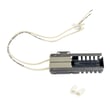
Frigidaire Range Oven Burner Igniter
In Stock
$21.50
22% OFF Phone Price : $27.50

Qty

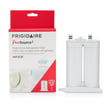
Frigidaire Puresource2 Refrigerator Water Filter
In Stock
$60.71
24% OFF Phone Price : $80.26
Qty
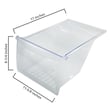
Crisper Drawer - Refrigerator Storage Component By Frigidaire
In Stock
$33.38
15% OFF Phone Price : $39.38
Qty

Frigidaire Range Bake Element
In Stock
$22.27
21% OFF Phone Price : $28.27
Qty

Frigidaire Range Surface Element Control Switch
In Stock
$40.51
13% OFF Phone Price : $46.51
Qty
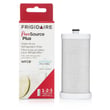
Frigidaire Puresource Plus Refrigerator Water Filter
In Stock
$49.73
13% OFF Phone Price : $57.27
Qty
Popular maintenance items for Dryers

Whirlpool Dryer Drum Belt, 92-1/4-inch
In Stock
$10.01
17% OFF Phone Price : $12.01
Qty

Dryer Heating Element - Laundry Appliance Part By Whirlpool
In Stock
$50.54
11% OFF Phone Price : $56.54
Qty

Whirlpool Dryer Drum Support Roller
In Stock
$12.02
14% OFF Phone Price : $14.02
Qty

Whirlpool Dryer Drum Support Roller Kit
In Stock
$13.36
13% OFF Phone Price : $15.36
Qty

Dryer Heating Element By Whirlpool
In Stock
$68.68
8% OFF Phone Price : $74.68
Qty

Whirlpool Dryer Idler Pulley
In Stock
$21.70
22% OFF Phone Price : $27.70
Qty
Troubleshooting common Gibson dryer problems
Gibson dryers are known for their straightforward design and dependable performance. But if your dryer starts to act up, refusing to start, not responding to button presses, or running but not drying, it's usually due to a faulty component that can be replaced.
Dryer won’t turn on or respond
If your dryer has power but nothing happens when you press the start button, the push-to-start switch could be worn out or broken. Learn how to replace the push-to-start switch to get your dryer up and running again.
Cycle won’t advance properly
A faulty timer can keep your dryer stuck in one cycle or prevent it from starting at all. If your dryer isn’t progressing through the cycle, it may be time to replace the timer.
Dryer control panel not working
If the buttons or digital display on your dryer aren't responding, the electronic control board might be the issue. Follow these steps to replace the electronic control board and restore full functionality.
Commonly replaced Gibson dryer parts
- Drum belt – Keeps the drum rotating during the drying cycle. If the motor runs but the drum stays still, a broken belt is a likely cause.
- Door switch – Prevents the dryer from starting when the door is open. A failed switch can keep the dryer from running even if everything else is functional.
- Thermal fuse – Cuts off power when the dryer overheats. If your dryer suddenly stops mid-cycle or won’t heat, the thermal fuse might be blown.
- Blower wheel – Moves hot air through the drum and out the exhaust vent. If airflow is weak or you hear rattling, the blower wheel may be damaged.
- Drum support rollers – Help the drum spin smoothly. Worn rollers can cause thumping or squealing noises during operation.
Why choose OEM Gibson dryer parts from Sears PartsDirect?
OEM parts are made to fit your specific Gibson model for dependable performance and long-term reliability. Sears PartsDirect provides parts backed by manufacturer specs, detailed diagrams, and expert repair guides to help you handle repairs confidently and correctly.
Gibson dryer FAQs
Why won’t my Gibson dryer start even though it has power?
A faulty push-to-start switch, door switch, or thermal fuse could prevent the dryer from starting. You may also want to check for a tripped breaker or blown fuse in your home’s electrical panel.
What causes my Gibson dryer to stop mid-cycle?
Overheating or a faulty timer can interrupt the cycle. Check the thermal fuse, thermostat, and timer to identify the root cause.
How can I improve drying times?
Start by cleaning the lint screen and exhaust vent. Poor airflow is the most common reason for long drying cycles, even if the dryer seems to be heating properly.
Where do I find the model number on a Gibson dryer?
Look for a model number tag inside the dryer door frame or on the back of the unit. Enter it at Sears PartsDirect to see the parts and diagrams specific to your machine.
How often should I clean my Gibson dryer's vent system?
You should clean the lint filter after every load and inspect the dryer vent system every 6 months. A clogged vent can reduce efficiency, increase drying time, and create a fire hazard.
Parts & More
Electric Range
Elliptical Machine
Gas Snowblower
Gas Walk-Behind Mower
Gas Water Heater
Rear-Engine Riding Mower
Reciprocating Saw
Riding Mowers & Tractors
Side-By-Side Refrigerator
Table Saw
Walk-Behind Mower
Water & Ice System
Water Heater