




Why is my Kenmore Elite microwave display not working?
If the display on your Kenmore Elite microwave model 72167902601 is blank or won’t accept input, the most common causes are a power supply issue, a blown internal fuse, or a problem in the door interlock or control circuit. Start with basic power checks, then move to safe, targeted diagnostics.
Quick checks we recommend first
- Confirm the outlet works by plugging in a lamp or phone charger.
- Check the home breaker or GFCI outlet and reset if tripped.
- Unplug the microwave for 5 minutes, then plug it back in to reset the control.
- Make sure the door closes firmly and isn’t sagging or rubbing.
- If the interior light comes on but the display stays dark, suspect the control circuit.
Parts that commonly cause a dead display
A blank display often points to the microwave losing internal line power or the control not getting proper voltage.
| Symptom | Most likely area | Common related part |
|---|---|---|
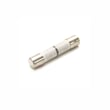
| Completely dead (no display, no light, no fan) | Line power into unit | Us pressed steel microwave fuse 3B74133Q |
| Display flickers or comes and goes | Loose connection or failing control circuit | Keypad/control area (inspect ribbon cable) |
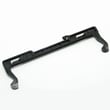
| Works only when door is pushed or slammed | Door switch mount or switch | Microwave door interlock switch 3B73361E |
| Light works but keypad/display unresponsive | Keypad or control interface | Microwave keypad MFM30474901 |
Why the door switches matter
On many Kenmore countertop microwaves, the door interlock switches act as safety inputs to the control. If a switch is stuck, misaligned, or failing, the microwave can appear dead or behave erratically even when the outlet power is good.
Safety note before you open the cabinet
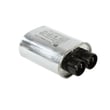
Microwaves contain high-voltage components that can store a dangerous charge even when unplugged (such as the capacitor). If your checks point to an internal electrical failure, we recommend having a qualified technician diagnose it.
Helpful DIY guidance
- Use our how to replace a microwave fuse steps if the unit is completely dead and the outlet is good.
- If the microwave runs but doesn’t heat, follow why is my microwave not heating to narrow down heating-circuit causes.
Why it matters
A dead display is often the first sign of an internal power interruption (fuse, door switch circuit) or a failing control interface. Checking the simple items first helps you avoid replacing expensive parts unnecessarily.
Last updated: January 2026
How to reset a Kenmore Elite microwave?
To reset a Kenmore Elite microwave model 72167902601, we recommend doing a simple power reset first (it clears most control glitches). If the display or keypad is still acting up afterward, the issue is usually with the control circuit or keypad, not a setting.
Quick reset steps (recommended)
- Press Stop/Clear once to cancel any cooking cycle.
- Unplug the microwave (or switch off the breaker) for 2 to 3 minutes.
- Plug it back in.
- Set the clock and test Start with a cup of water.
If you are trying to clear a “locked” keypad
Many Kenmore microwaves use a control lock feature.
- Look for a Lock icon on the display.
- Press and hold Stop/Clear for about 3 seconds.
- If that does not work, press and hold Start for about 3 seconds.
- Try a different key combination only if your keypad labels suggest it.
When a reset does not fix it
A reset will not correct failed electronic parts. These symptoms usually point to a part problem:
- Display works but buttons do not respond
- Random beeping or keys “pressing themselves”
- Microwave starts only when you slam the door (door switch issue)
| Symptom | Most likely area | Example part for this model |
|---|---|---|
| Dead unit, no display | Line fuse or power feed | Us pressed steel microwave fuse 3B74133Q |
| Runs but will not heat | High-voltage circuit | Microwave magnetron 6324W1A001L |
| Starts then stops when door moves | Door interlock circuit | Microwave door interlock switch 3B73361E |
Why it matters
Resetting clears temporary control-board logic errors, but repeated failures usually mean the microwave is protecting you from an unsafe condition (door interlock faults) or a failing electrical component (fuse, keypad, high-voltage parts).
For deeper troubleshooting, use our DIY guide: why is my microwave not heating.
Last updated: January 2026
How many cubic feet is a Kenmore Model 72167902601 microwave?
The interior capacity (cubic feet) for Kenmore Elite microwave model 72167902601 is found on the model’s rating label or in the specification sheet; capacity is not determined from parts alone. Most Kenmore countertop microwaves of this style are commonly in the 1.1 to 2.2 cu. ft. range.
How to get the exact cubic feet for model 72167902601
Check these locations first (they are the most reliable for capacity):
- Inside the door frame (open the door and look along the frame)
- On the oven cavity front lip (around the opening)
- On the back of the microwave cabinet
- On the underside of the unit (some countertop models)
- In the original spec sheet that came with the microwave
If the label lists liters (L), convert to cubic feet:
| If label shows | Convert to | Quick math |
|---|---|---|
| Liters (L) | Cubic feet (cu. ft.) | L ÷ 28.3 |
| Cubic inches | Cubic feet (cu. ft.) | in³ ÷ 1,728 |
Measure the cavity to estimate capacity (good for a close estimate)
We use this method when the label is missing:
- Measure interior width, height, and depth in inches (inside wall to inside wall)
- Multiply to get cubic inches
- Divide by 1,728 to get cubic feet
- Measure usable cavity space, not the door thickness
- Do not include any “bump-outs” that reduce usable space
Why it matters
Capacity affects what size dishes fit on the turntable and whether accessories sit correctly and rotate smoothly.
Parts that relate to interior fit and rotation
- Microwave glass turntable tray MJS65336701 (glass tray size must match the cavity and support)
- Microwave round metal rack 5026W1A050D (rack must match the cooking cavity)
- Microwave turntable motor coupler 4370W3A001A (drives the tray; wrong fit can cause wobble)
Last updated: January 2026


