Error Codes





How to reset a GE electric oven?
To reset your GE JD630DF8WW electric range oven, we recommend starting with a simple control reset (Cancel/Clear) and then, if needed, a power reset at the circuit breaker. This clears many temporary control glitches, stuck keys, and some error-code conditions.
Reset options (try in order)
- Control reset: Press and hold Cancel/Clear for about 3 to 5 seconds.
- Power reset (breaker reset): Turn the range circuit breaker OFF for 60 seconds, then turn it ON.
- If the display is blank after reset: Confirm the breaker is fully on (some breakers look on but are tripped).
- If the oven is in a lock mode: After power is restored, try Cancel/Clear again.
- If an error code returns quickly: The issue is usually not a “reset” problem; it points to a part or wiring fault.
What to check if the reset does not fix it
A reset helps with temporary electronic issues. If the problem comes back, we focus on the most common causes below.
- Oven will not heat or heats erratically: Test the temperature sensor; a failing sensor can cause wrong temperatures or shutdowns. Consider wall oven temperature sensor WB23T10015.
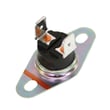
- Oven overheats or shuts down for safety: A safety device may be opening; inspect connections and airflow around the control area. Consider wall oven safety thermostat WB24T10060.
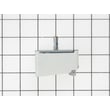
- Control panel acts “frozen,” beeps, or shows random behavior: A failing electronic control can cause recurring lockups. Consider control board t012 white led WB27X29267.
- Intermittent issues: Look for loose wire terminals, heat-damaged connectors, or pinched harnesses.
Quick troubleshooting table
| Symptom after reset | Most likely direction | Common next step |
|---|---|---|
| Error code returns immediately | Sensor, thermostat, wiring, or control issue | Inspect wiring; test sensor/thermostat |
| Oven heats but temperature is off | Temperature sensing problem | Test/replace sensor |
| Display glitches or keys do not respond | Control or keypad issue | Power reset; inspect control connections |
Why it matters
Resetting the oven is a safe first step because it restores normal operation after power blips and minor control faults. When symptoms repeat, targeted checks (sensor, safety thermostat, control board, wiring) prevent wasted time and help you replace the right GE range part.
Last updated: February 2026
What if I can't find my part on Sears PartsDirect?
If you can’t find a part for your GE JD630DF8WW drop-in range, we recommend confirming the model number and then searching by the part name or part number. If you still don’t see it, we can help you identify the correct replacement and compatible options.
Quick checks that usually solve it
- Match the model number exactly: JD630DF8WW (letters and numbers matter)
- Search using the manufacturer part number (example format: WB30X24111)
- Try a simpler part name (example: “surface element” instead of “dual radiant element”)
- Check for alternate sizes or positions (left front vs. right rear element)
- Look for a related assembly if the small piece is not sold separately
Use these known parts as search examples (JD630DF8WW)
If you’re unsure what to search, these common JD630DF8WW parts show the naming patterns we use:
| What you need | Example part name on our site | Part ID |
|---|---|---|
| Cooktop dual radiant element | Dual radiant surface element, 6 to 9-in | WB30X24111 |
| Small radiant element | Radiant surface element, 5-1/2-in | WB30T10145 |
| Oven temperature sensing | Wall oven temperature sensor | WB23T10015 |
| Oven light components | Oven lamp holder | WB08T10002 |
Helpful part pages to reference while you search:
When the part still doesn’t show up
These are the most common reasons a part is hard to find:
- The part is listed under a different description (for example, “control switch” vs. “infinite switch”)
- The part is included with a larger assembly (control panel, main top, door assembly)
- The part number has been superseded to a newer number
Why it matters
Using the exact model number and the correct part identifier prevents ordering a look-alike part that won’t fit your GE range’s wiring, mounting, or wattage requirements.
Last updated: February 2026
What is the average lifespan of JD630DF8WW?
A GE electric range like model JD630DF8WW typically lasts 13 to 15 years with normal household use. Keeping the cooktop elements, oven temperature, and cooling airflow in good shape helps you reach that lifespan and avoid early control or heating failures.
What affects lifespan most
- Heat stress from frequent high-heat baking, broiling, or long self-clean cycles
- Power quality (surges can damage the control board and switches)
- Ventilation around the control area (blocked airflow overheats electronics)
- Spills and boilovers that seep into switches and wiring
- Door use (slamming can wear hinges and stress the door glass)
Quick maintenance that pays off
- Wipe up cooktop spills promptly; avoid letting liquids run under the glass top.
- Keep the oven door gasket area clean so heat stays in the cavity.
- Replace a dim or failed oven light early so you do not open the door repeatedly while cooking; see oven lamp 40A15.
- If baking temperatures drift, test and replace the sensor as needed; see wall oven temperature sensor WB23T10015.
- If the control area feels excessively hot or the display acts erratically, check the cooling fan operation; see range control panel cooling fan WB26T10039.
Common “end-of-life” symptoms and likely causes
| Symptom | What it often points to | Example part on this model |
|---|---|---|
| Oven temp swings, underbakes | Temperature sensing issue | WB23T10015 sensor |
| Burner won’t regulate heat | Surface element switch problem | WB24T10012 switch |
| Display glitches, dead keypad | Electronic control issue | WB27X29267 control board |
| Door won’t unlock after clean | Door lock failure | WB14T10069 lock assembly |
Why it matters
Knowing the 13 to 15 year average helps you decide whether to repair or refresh key components. On JD630DF8WW, replacing a failed sensor, switch, or cooling fan often restores reliable cooking performance and extends the range’s useful life.
Last updated: March 2026