 Owner’s manual




How to hard reset an LG dishwasher?
To hard reset an LG dishwasher like model LDFN4542D, we recommend a full power reset: turn the dishwasher off, then cut power at the breaker (or unplug it) for about 5 minutes, restore power, and start a new cycle. See the LDFN4542D manual for control-panel specifics.
Reset options for LDFN4542D
1) Quick cancel and drain (clears the current cycle)
Use this when the dishwasher is stuck mid-cycle or you need to drain standing water.
- Press and hold Start for 3 seconds to cancel
- The drain pump will run
- When draining finishes, the dishwasher powers off
2) Control Lock check (common “won’t respond” cause)
If buttons do not work during a cycle, Control Lock may be on.
- Press and hold Half Load and Energy Saver together for 3 seconds
- Try selecting a cycle and pressing Start again
3) Hard reset (power cycle)
Use this for odd behavior like a frozen display, random beeping, or a cycle that will not start.
- Turn the dishwasher off
- Switch the dishwasher circuit breaker off (or unplug)
- Wait 5 minutes
- Restore power and press Power, then choose a cycle and press Start
What to do if it still won’t start after a reset
These checks solve most “reset didn’t help” situations:
- Confirm the door is fully closed and latched (the unit will not run if the door is not latched)
- If you pressed Start first, close the door within 4 seconds
- Check the house breaker and outlet (power interruptions can stop operation)
- If the dishwasher is showing an error code, use LG dishwasher error codes to match the code to next steps
When a reset points to a part issue
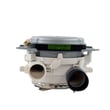
If the dishwasher repeatedly stops, will not drain, or immediately throws a drain-related error after resets, the drain system may need attention. For this model, a common repair part is the LG dishwasher drain pump ABT72989206.
| Symptom after reset | Most likely area to check | Typical next step |
|---|---|---|
| Won’t drain, water left in tub | Drain path, drain pump | Check for kinks/clogs; inspect pump |
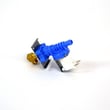
| Won’t fill | Water supply, inlet valve | Verify water is on; check inlet hose |
| Buttons act erratic | User interface/control | Try hard reset; inspect control components |
Why it matters
A proper reset clears a stuck cycle and reboots the control logic, which can prevent unnecessary part replacement and helps you confirm whether the issue is a one-time glitch or an ongoing drain, fill, or control problem.
Last updated: January 2026
Why does an LG dishwasher take 3 hours?
On our LG LDFN4542D dishwasher, a 3-hour run time is often normal on sensor-based cycles and when options add heating or drying time. The manual shows Auto can run 90 to 180 minutes and Normal 98 to 190 minutes; added heating can push total time near 3 hours.
What makes cycles run longer on LDFN4542D
These are the most common, model-appropriate reasons:
- Energy Saver lowers wash and rinse temperatures, so the dishwasher runs longer to maintain cleaning.
- Cool incoming water forces extra heating time (especially if the dishwasher is far from the water heater).
- Auto soil sensing can extend the wash when the load is dirtier.
- Extra Dry or Night Dry adds drying time; Night Dry can run the fan after the cycle ends.
- Opening the door mid-cycle pauses the cycle and can extend total time.
For cycle and option details, see the LDFN4542D owner's manual.
Quick ways to shorten the next cycle
Try these practical steps:
- Run the kitchen hot water until it is fully hot before starting.
- Skip Energy Saver for heavy soil.
- Use Turbo when you need faster cleaning (drying may be limited unless you add drying options).
- Load so spray arms rotate freely.
- Clean the filters regularly to keep water flow strong.
Typical time ranges (from the manual)
| Cycle | Time range | What changes it most |
|---|---|---|
| Auto | 90 to 180 min | Soil sensing, water heating |
| Normal | 98 to 190 min | Options, water heating |
| Heavy | 139 to 214 min | High soil, added options |
When long time may indicate a problem
If run time suddenly increases and draining seems slow, check the drain hose for kinks and clean the filters. If you are diagnosing a drain failure, a compatible part listed for this model is the LG dishwasher drain pump ABT72989206.
Why it matters
Longer cycles are often how modern LG dishwashers improve cleaning while using less energy and water.
Last updated: January 2026
How to force an LG dishwasher to drain?
On the LG LDFN4542D dishwasher, you can force a drain by canceling the cycle: press and hold Start for 3 seconds to activate Cancel. The drain pump runs, then the dishwasher turns off after it finishes draining (normal). See the LDFN4542D owner’s manual.
Steps to force a drain (Cancel)
- Press Power to turn the dishwasher on.
- Press and hold Start for 3 seconds to activate Cancel.
- Wait while the unit drains.
- Verify the unit powers off after draining.
- If water remains, repeat once after a short pause.
If it still will not drain
For the LDFN4542D, the most common causes are a blocked drain path or an installation issue in the drain connection.
- Clean the filtration system and remove debris from the sump opening.
- Check the drain hose for kinks, pinches, or crushing behind the dishwasher.
- If connected to a garbage disposal, confirm the disposal knockout plug was removed.
- Clean the sink air gap (if your setup uses one).
- If the dishwasher still will not drain after the checks above, inspect the drain pump for blockage or consider replacing the LG dishwasher drain pump ABT72989206.
Quick symptom-to-cause guide
| What you notice | Most likely cause | What to do next |
|---|---|---|
| Cancel won’t start draining | Door not fully latched or cycle not canceling | Close door firmly; retry Cancel |
| Drains slowly | Clogged filters or restricted hose routing | Clean filters; correct hose routing |
| OE drain error | Drain hose kinked, disposal/tee clogged, or knockout plug not removed | Check hose, air gap/disposal, filters; see LG dishwasher error codes |
| No improvement after clearing restrictions | Drain pump blocked or failed | Check pump area; replace drain pump if needed |
Why it matters
Cancel-drain clears standing water so you can safely clean filters, reduce odor, and confirm whether the issue is a simple restriction (hose, air gap, disposal) versus a drain pump problem.
Last updated: January 2026





