 Owner’s manual



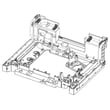
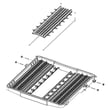
What are the parts of the dishwasher?
For the Samsung DW80B6060US dishwasher, the main parts you will interact with most are the spray nozzles (top, upper, and lower), the racks (upper, lower, and 3rd rack/cutlery rack), the detergent dispenser, the control panel, the door, and the base. For diagrams and names, use the DW80B6060US user manual.
Main dishwasher parts (what they do)
- Control panel: Lets you select cycles and options like Storm Wash, Sanitize, and Delay Start.
- Detergent dispenser: Holds detergent and releases it during the wash.
- Racks: Upper rack, lower rack, and 3rd rack/cutlery rack hold dishes and utensils.
- Spray nozzles: Top nozzle, upper nozzle, lower nozzle, plus the Storm Wash area for heavy soil.
- Filter system: Captures food soils; needs regular cleaning.
- Drain pump area: Moves water out; can clog if debris gets past the filter.
- Door and latch system: Seals the tub and allows safe operation.
Quick map: where to find common parts
| Area | Parts you will see | Typical purpose |
|---|---|---|
| Door | Control panel, detergent dispenser | Cycle selection, detergent release |
| Tub interior | Upper rack, lower rack, 3rd rack | Loading dishes and flatware |
| Ceiling/upper tub | Top nozzle | Sprays water from above |
| Bottom of tub | Lower nozzle, filter cover/micro filter | Main wash spray, soil filtering |
Why it matters
Knowing the major parts helps you troubleshoot faster. For example, poor cleaning often points to a clogged nozzle or dirty filter, while draining issues often start at the filter and drain-pump cover.
Helpful related DIY content
If you are diagnosing a problem (not just identifying parts), use what are the main parts of a dishwasher for a deeper breakdown of components and how they work together.
Last updated: January 2026
How to open filter on Samsung dishwasher?
On the Samsung DW80B6060US dishwasher, we open the filter by removing the lower rack, then turning the filter handle counterclockwise to unlock the filter cover so you can lift out the cover and the cylindrical micro filter for cleaning. See the steps in the DW80B6060US user manual.
Steps to open and remove the filter (DW80B6060US)
- Turn the dishwasher off and let hot surfaces cool.
- Pull out and remove the lower rack.
- Locate the filter assembly in the bottom center of the tub.
- Turn the filter handle counterclockwise to unlock.
- Lift out the filter cover, then lift out the cylindrical micro filter underneath.
- Rinse both parts under running water; use a soft brush for stuck-on debris.
- Reinstall the micro filter and cover, then turn the handle clockwise to lock.
Quick cleaning tips (safe for this model)
- Clean the filter about once a month (more often if you see food debris).
- Avoid harsh chemicals on interior parts; use warm water and a soft brush.
- If you have odor, run an empty cycle and place 8 oz of white vinegar upright in the lower rack (per the maintenance guidance in the manual).
What “locked” vs “unlocked” looks like
| Position | What you do | What it means |
|---|---|---|
| Unlocked | Turn handle counterclockwise | Filter cover can lift out |
| Locked | Turn handle clockwise | Filter cover is secured for washing |
Why it matters
A clogged or loosely installed filter can leave food particles on dishes, reduce wash performance, and contribute to odor. Keeping the filter clean helps the spray arms and drain system work the way Samsung designed them to.
Last updated: January 2026
What is error 6E on Samsung dishwasher?
On the Samsung DW80B6060US dishwasher, a “6E” display is commonly used to indicate a button (key) error, meaning one of the touchpad buttons may be stuck, being pressed continuously, or the control panel is not reading touches correctly. For model-specific operating and troubleshooting details, use the DW80B6060US user manual.
What to try first (safe reset and quick checks)
- Press POWER to turn the dishwasher off, wait 30 seconds, then turn it back on.
- Wipe the control panel with a soft, slightly damp cloth; moisture or residue can affect touch controls.
- Press each button once, one at a time, to confirm none feel physically stuck.
- If Control Lock is on, turn it off (on many Samsung panels you hold Sanitize for 3 seconds).
- If the code returns immediately, avoid repeatedly pressing keys; that can keep the error active.
Why 6E happens on touch-control dishwashers
Touch-control panels can misread inputs when there is:
- A stuck or shorted key on the user interface
- Moisture, cleaner residue, or grease on the touch surface
- A ribbon-connector or wiring issue between the user interface and control board
- A failing user interface control (touchpad)
Quick reference: what the display is telling you
| Display/code | What it usually means | What you can do now |
|---|---|---|
| 6E (or bE on some models) | Button/key input problem | Clean panel, power reset, check for stuck keys |
| Control Lock light on | Buttons intentionally locked | Disable Control Lock, then retry |
Why it matters
A button error can prevent cycle selection, stop the dishwasher from starting, or cause random beeping. Addressing it early helps avoid no-start problems and reduces the chance of repeated control-panel faults.
For broader Samsung code explanations beyond this model, we also recommend our Samsung dishwasher error codes reference.
Last updated: January 2026
How do you force a Samsung dishwasher to drain?
On the Samsung DW80B6060US dishwasher, we force a drain by canceling the active cycle: press and hold START for 3 seconds (Cancel & Drain), then close the door so the unit can pump the water out. This is the model’s built-in drain command in the DW80B6060US user manual.
Steps to force-drain (Cancel & Drain)
- Press POWER to wake the control panel (if it is off).
- Press and hold START for 3 seconds to activate Cancel & Drain.
- Close the door; the dishwasher typically drains for a short period.
- When the unit resets, select a new cycle and press START if you want to run it again.
- If the buttons do not respond, disable Control Lock (hold Sanitize for 3 seconds with power on).
If it still won’t drain: quick checks that fix most issues
- Filter is clogged: remove the lower rack, unlock the filter cover, and rinse the micro filter.
- Drain pump is jammed: remove the drain-pump cover and clear debris from the impeller area.
- Drain hose problem: look for a kink, a pinch behind the unit, or a high-loop issue under the sink.
- Sink/disposer blockage: a backed-up sink drain can prevent dishwasher draining.
- Standing water after cancel: a small amount in the sump area can be normal; focus on whether the tub level drops.
What you may see on the display
| What happens | What it usually means |
|---|---|
| Draining sound for a short time | Cancel & Drain is running normally |
| Code 5C | Drain check (hose folded/clogged or drain path blocked) |
| Code LC | Leakage check (water detected in the base) |
For code help, use our Samsung dishwasher error codes reference.
Why it matters
Cancel & Drain is the safest way to clear standing water before you clean the filter, check the drain hose, or inspect the drain pump. It also helps prevent odors and improves wash performance.
Last updated: January 2026





