Installation guide
 Owner’s manual
 Error Codes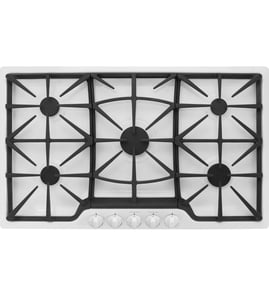

How long do Jenn Air cooktops last?
Most Jenn-Air gas cooktops like model JGD8130ADB last 15 years with normal household use. Keeping burners clean, protecting igniters from spills, and maintaining proper ventilation helps you reach that typical lifespan.
Typical lifespan and what affects it
A cooktop’s life is mostly determined by heat exposure, cleaning habits, and how hard the ignition and gas valve components work over time.
- Daily heavy cooking shortens life; light to moderate use extends it
- Boilovers that soak igniters and electrodes cause early ignition failures
- Grease buildup can reduce downdraft airflow and increase heat stress
- Proper cabinet clearances help keep the blower motor cooler
- Promptly fixing weak ignition prevents repeated clicking and wear
What “wearing out” usually looks like
These are the most common end-of-life symptoms we see on gas downdraft cooktops:
| Symptom | Most common cause | Common fix path |
|---|---|---|
| Burner clicks but won’t light | Wet/dirty electrode or failing igniter | Clean and dry; replace igniter/electrode if needed |
| Flame is uneven or lifts | Clogged burner ports or air/fuel mix issue | Clean burner head; check venturi and installation |
| Downdraft pulls weakly | Grease filter clogged or blower issue | Clean/replace filter; inspect blower wheel |
| Gas smell or hard-to-turn knob | Worn valve or regulator issue | Stop using; have gas components serviced |
Maintenance that adds years (and prevents common failures)
We recommend these habits for JGD8130ADB:
- Clean burner caps and ports regularly; avoid pushing debris into openings
- Keep the igniter area dry after cleaning; let it air-dry before lighting
- Empty the grease container and keep the downdraft path clear (access is required for this)
- Follow ducting best practices (duct size, elbow limits) so the vent system can move air properly
- Use the clearances listed in the installation guide to reduce heat buildup around the blower
Parts that commonly need replacement first
On this model, ignition and ventilation wear items are often the first repairs:
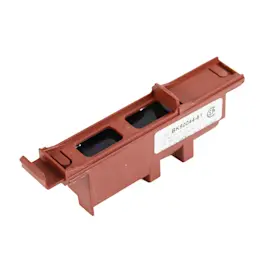
- Range surface burner igniter 74004053 (no-spark or intermittent ignition)
- Range downdraft vent grease filter WP707929 (reduced airflow, grease buildup)
Why it matters
A gas cooktop can keep working for years, but weak ignition, restricted ventilation, and heat stress can turn small issues into repeated no-light problems and poor downdraft performance. The care and installation details in the owner's manual help prevent that.
Last updated: February 2026
How to reset jenn air cooktop?
To reset your Jenn-Air JGD8130ADB gas counter unit, we recommend power-cycling it: turn the cooktop circuit breaker OFF for 1 minute, then turn it back ON. Let the cooktop cool before using it, then watch for 1 minute to see if the issue returns (see the JGD8130ADB owner's manual).
Reset steps (safe, quick checklist)
- Turn all burner knobs to OFF.
- Turn OFF the cooktop circuit breaker (or remove the fuse) for 60 seconds.
- Turn the breaker ON.
- Wait until the cooktop is cool to the touch.
- Try one burner and listen for normal ignition clicking.
- If the problem repeats, stop and troubleshoot before continued use.
If the reset did not fix it
A reset clears some temporary control or power issues, but it will not fix a mechanical ignition or gas-flow problem. For this Jenn-Air gas cooktop, these are the most common next checks:
- Confirm the cooktop has power (ignition needs electricity).
- Check for a tripped breaker again after resetting.
- Make sure burner ports and ignition ports are not clogged.
- Dry the igniter area; a wet or soiled igniter can prevent lighting.
- If you do not hear clicking, the igniter circuit or igniter part may be the issue.
Common symptoms and what they usually point to
| What you notice | What it usually means | What to do next |
|---|---|---|
| No clicking on any burner | No power to ignition system | Check breaker, outlet, wiring connections |
| Clicking but no flame | Gas not reaching burner or ports clogged | Clean ports, confirm gas supply is on |
| One burner will not light | Local igniter/port issue | Clean and dry; inspect that burner area |
| Ventilation not pulling smoke well | Ducting or filter issue | Check filter seating and ducting basics |
Why it matters
On a gas cooktop like the JGD8130ADB, ignition and ventilation depend on correct electrical power, clean burner/ignition ports, and proper installation. Resetting is a good first step, but repeated ignition failures can lead to unburned gas odor and unreliable burner operation.
Parts that commonly relate to “won’t ignite” issues
If troubleshooting points to a failed ignition component, these model-matched parts are commonly involved:
- Range surface burner igniter 74004053 (spark igniter)
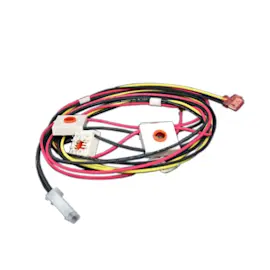
- Igniter assembly WP74005890 (ignition assembly)
- Cooktop burner igniter electrode WP74006072 (electrode at the burner)
To order replacement parts for your Jenn-Air JGD8130ADB, use the parts list for this model or search by model number on Sears PartsDirect.
Last updated: February 2026
Why is my Jenn Air Gas Range oven not igniting?
On the Jenn-Air JGD8130ADB gas counter unit, a burner that will not ignite is usually caused by a power issue, a wet or dirty igniter, or clogged burner/ignition ports. Restore power, dry and clean the igniter area, and make sure gas is on; then retest ignition per the owner's manual.
Quick checks we recommend first
- Confirm the cooktop has power (the igniters need electricity to spark).
- Listen for clicking when you turn the knob to LITE.
- Make sure the igniter tip is dry; moisture can stop sparking.
- Clean clogged burner ports and ignition ports with a soft brush.
- Verify the gas shutoff valve is fully open.
- If you recently changed fuel type, confirm the unit was converted correctly.
What the symptoms usually mean
| What you see | Most likely cause | What to do next |
|---|---|---|
| No clicking at all | No power, tripped breaker, blown fuse, or wiring/switch issue | Restore power; inspect wiring connections |
| Clicking but no flame | Gas off, clogged ports, or weak ignition at the burner | Open gas valve; clean ports; dry igniter |
| Clicking and delayed ignition | Dirty ports or moisture around igniter | Clean and dry; retry |
| Yellow flame after it lights | Air/fuel adjustment or fuel conversion issue | Check setup and adjustments in the installation guide |
Parts that commonly fix ignition problems
If cleaning and drying do not help, ignition components are common wear items on gas cooktops.
- Range surface burner igniter 74004053 (spark/ignition at the burner)
- Igniter assembly WP74005890 (complete igniter component group)
- Cooktop burner igniter electrode WP74006072 (electrode that creates the spark)
Why it matters
A properly adjusted, clean burner ignites quickly and burns more completely. Keeping ports clear and ignition parts in good condition helps reduce delayed ignition, uneven flames, and nuisance no-light situations.
If you need to order parts for JGD8130ADB, use the parts list for this model or search by model number on Sears PartsDirect.
Last updated: February 2026