 Owner’s manual




How many watts is the Samsung microwave model ME18H704SFB?
For the Samsung ME18H704SFB microwave/hood combo, the cooking power output is 1000 watts (microwave output). In the specifications, you may also see 1700 watts power consumption, which is the electrical draw from the outlet, not the cooking wattage.
ME18H704SFB wattage specs (what each number means)
- Power output (cooking power): 1000 W; this is the number most people mean by “microwave watts.”
- Power consumption (input): 1700 W; this is what the unit can draw from a 120V circuit while running.
- Power source: 120 VAC, 60 Hz; standard U.S. household power.
- 10 power levels (including defrost); lower settings cycle the magnetron on and off to reduce average heat.
Quick reference table
| Spec | Value | Why you care |
|---|---|---|
| Cooking power output | 1000 W | Predicts heating speed and performance |
| Electrical power consumption | 1700 W | Helps with circuit load and troubleshooting |
| Power supply | 120 VAC, 60 Hz | Confirms standard household compatibility |
Why “output watts” and “consumption watts” are different
Microwaves convert electrical energy into microwave energy; some power is lost as heat in components and through the vent fan and electronics. That is why the input (1700 W) is higher than the output (1000 W).
Where to confirm it in the documentation
We recommend checking the specifications section in the ME18H704SFB owner's manual to match the wattage terms (output vs input) to your exact use case, such as cooking performance or electrical planning.
Last updated: February 2026
What is the price of Samsung ME18H704SFB microwave oven?
Pricing for the Samsung ME18H704SFB microwave/hood combo varies by retailer and whether you’re buying the full appliance new, used, or as a replacement unit; our model page focuses on replacement parts and support info, not a single fixed oven price. For exact specs that help you compare listings, use the ME18H704SFB owner's manual.
What we can price on this model page
We typically show pricing for replacement parts used to repair the ME18H704SFB, such as:
- Microwave magnetron OM75P-21-ESGN (heating component)
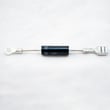
- High-voltage diode (common no-heat part)
- High-voltage capacitor (common no-heat part)
- Door interlock switch (common won’t-start part)
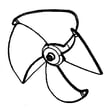
- Vent fan motor assembly (hood fan issue)
Quick spec checklist (helps you match the right unit)
When comparing appliance listings, match these ME18H704SFB basics from the manual:
| Spec | What to look for in listings |
|---|---|
| Oven cavity | 1.8 cu ft |
| Power source | 120 VAC, 60 Hz |
| Output power | Typically 1000 W (varies by version) |
| Outside dimensions | About 29 7/8 in W x 17 1/4 in H x 15 3/8 in D |
Why it matters
Microwave/hood combos are often sold in multiple versions that look similar. Matching the model number (ME18H704SFB) and key dimensions prevents buying a unit that will not fit your cabinet cutout or align with your venting.
Last updated: February 2026
How to hard reset a Samsung microwave?
For the Samsung ME18H704SFB microwave/hood combo, the most reliable “hard reset” is a power reset: unplug the microwave (or switch the breaker off) for 1 to 2 minutes, then restore power. If the keypad is locked, press and hold STOP/CLEAR for 3 seconds to toggle Child Lock.
Quick reset options (start here)
- Power reset (hard reset): Unplug for 1 to 2 minutes, then plug back in.
- Breaker reset: Turn the microwave circuit breaker OFF, wait 1 minute, then turn it ON.
- Clear a frozen keypad: Press STOP/CLEAR once; if needed, hold it for 3 seconds.
- Child Lock on/off: Hold STOP/CLEAR for 3 seconds (the display indicates lock status).
- Restore settings you changed: Use the Options menu to reselect items like sound, clock format, demo mode (steps vary by option).
What “reset” means on this model
On ME18H704SFB, most reset needs fall into these buckets:
| What you’re trying to fix | Best reset to try | What to expect |
|---|---|---|
| Control panel not responding | Power reset | Display reboots; clock may need to be set |
| Buttons won’t work but display is on | Child Lock toggle (STOP/CLEAR 3 sec) | Lock turns on/off |
| Wrong clock or AM/PM | Set clock in settings | Time updates immediately |
| Odd behavior after a power surge | Breaker reset | Clears temporary control glitches |
Step-by-step: hard reset (power reset)
- Unplug the microwave from the outlet (or turn OFF the breaker).
- Wait 1 to 2 minutes.
- Restore power.
- Set the clock again if needed (see the clock steps in the ME18H704SFB owner's manual).
Why it matters
A power reset clears temporary control-board glitches without replacing parts. If the unit still runs but does not heat after resetting, that points to a heating-circuit issue (not a settings problem); our troubleshooting guide why is my microwave not heating helps you narrow that down safely.
Last updated: February 2026
What are the common problems with ME18H704SFB?
Common problems with the Samsung ME18H704SFB microwave/hood combo include not heating, not powering on, door or interlock issues, the unit not shutting off, and turntable rotation problems. Many of these symptoms trace back to the door switch circuit, high-voltage heating components, or turntable loading issues.
Most common symptoms and what they usually mean
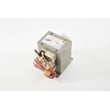
- No heat: Often points to a high-voltage component issue (magnetron, capacitor, diode, transformer) or a safety interlock problem.
- Won’t turn on: Commonly related to power supply issues (outlet, cord, fuse, noise filter) or a door interlock switch not closing.
- Doesn’t shut off: Typically a control or relay issue, or a stuck keypad; unplug the unit to stop operation and troubleshoot.
- Door not closing properly: Can be a door alignment problem or worn/broken interlock support components.
- Tray won’t turn / turntable rotates improperly: The manual notes that oversized or heavy food loads can prevent proper rotation.
Quick checks we recommend first (safe, no disassembly)
- Confirm the outlet has power (try a small lamp or another appliance).
- Make sure the door closes firmly and latches fully; do not slam it.
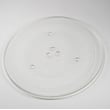
- Remove the glass tray and roller ring, clean them, and reinstall correctly.
- Reduce the load size and weight; large/heavy dishes can stall the turntable.
- Review operating and troubleshooting guidance in the ME18H704SFB owner's manual.
Parts that commonly relate to these problems
| Symptom | Commonly involved area | Example part for this model |
|---|---|---|
| No heat | High-voltage heating circuit | Microwave magnetron OM75P-21-ESGN |
| Won’t start / intermittent | Door interlock circuit | Microwave door interlock switch 3405-001034 |
| Turntable issues | Turntable system and loading | Turntable motor or tray/ring seating |
Why it matters
Microwaves use multiple safety interlocks to prevent operation with the door open, and the heating system relies on high-voltage components. Correctly identifying whether the issue is door-related, power-related, or heating-related helps you choose the right repair path and avoid repeat failures.
Last updated: February 2026


