



Is it worth repairing a GE microwave?
Yes, repairing a GE microwave is often worth it when the problem is a common, replaceable part (like a door interlock switch) and the unit is otherwise in good condition. For the GE ZSB9132N2SS built-in microwave, repairs that restore safe door operation or basic functions are typically the best value.
Quick way to decide (repair vs. replace)
Use these checkpoints before you buy parts or schedule service:
- Repair if the microwave is heating normally but has an intermittent start, door error, or won’t run unless you press the door.
- Repair if the issue points to a door safety circuit (interlock switches, latch alignment).
- Replace if the cavity is damaged, the door does not seal/align, or there is heavy internal corrosion.
- Replace if the repair requires multiple high-cost electronic assemblies.
- Repair if the microwave matches a built-in trim setup and replacement would require cabinet or trim changes.
Common “worth repairing” failures on ZSB9132N2SS
These are frequent, targeted fixes that can restore operation without replacing the whole unit:
| Symptom | Likely area | Example part for this model |
|---|---|---|
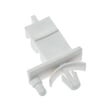
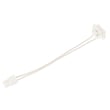
| Runs only when door is pushed or slammed | Door interlock circuit | Microwave door interlock switch WB24X25397 |
| Dead or won’t start, door-related behavior | Primary interlock circuit | Microwave primary interlock switch WB24X10047 |
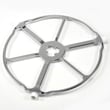
| Turntable issues (tray not rotating smoothly) | Turntable drive interface | Microwave turntable motor coupler WB06X10693 |
When we recommend a technician
Microwaves contain high-voltage components that can retain a dangerous charge even when unplugged. We recommend professional service when symptoms suggest high-voltage or control problems, such as:
- No heat but the unit runs (fan/light works)
- Burning smell, arcing, or repeated tripping of a breaker
- Loud humming that is new or unusually strong
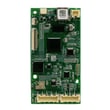
- Suspected control board failure or wiring damage
Why it matters
A built-in microwave like the GE ZSB9132N2SS is part of a cabinet installation; a successful repair can avoid the extra cost and hassle of matching trim, fit, and electrical requirements. Focusing on common, model-correct parts helps restore safe operation with fewer surprises.
Last updated: February 2026
Do all GE microwaves use the same mounting bracket?
No. GE microwaves do not all use the same mounting bracket; the bracket is designed to match the exact microwave model and installation style. For a GE ZSB9132N2SS built-in microwave, you should use the bracket and trim hardware specified for that model’s built-in kit, not a “universal” bracket.
What to use instead of a universal bracket
Built-in microwaves typically mount using a model-specific trim kit and support structure, not the same bracket style used on over-the-range units.
- Match the bracket or trim kit to the exact model number: ZSB9132N2SS
- Replace bent, cracked, or missing mounting pieces as a set when possible
- Do not drill new holes in the chassis or cabinet to “make it fit”
- Confirm the cabinet cutout and support shelf are solid and level
- If the door is rubbing or not closing cleanly, inspect the latch and interlock alignment
Quick comparison: built-in vs over-the-range mounting
| Microwave type | Typical mounting method | Bracket interchangeability |
|---|---|---|
| Built-in (like ZSB9132N2SS) | Trim kit plus cabinet support/shelf | Low (model-specific) |
| Over-the-range | Wall bracket plus top cabinet bolts | Low (model-specific) |
Why it matters
Using the wrong bracket or trim hardware can leave the microwave unsupported or misaligned. That can cause door fit issues, nuisance “won’t run” symptoms from misaligned interlocks, and vibration or noise during operation.
Related parts to check if fit or door alignment is off
If the microwave seems to “sit wrong,” the door does not close smoothly, or it intermittently will not start, these model-matched parts are commonly involved:
- Latch body asm right WB10X33309 (door latch alignment)
- Microwave primary interlock switch WB24X10047 (primary safety interlock)
- Microwave door interlock switch WB24X25397 (door interlock circuit)
Last updated: February 2026
What are common problems with GE profile microwaves?
Common problems we see with GE Profile built-in microwaves like model ZSB9132N2SS include door-switch and latch issues, no-heat conditions, turntable problems, and intermittent power or display symptoms. Many of these trace back to interlock switches, control boards, or high-voltage components.
Most common symptoms (and what they usually point to)
- Microwave will not start: door not closing fully, failed interlock switch, or latch alignment issue
- Runs but does not heat: magnetron or high-voltage transformer problem
- Trips the breaker or blows a fuse: shorted high-voltage component, failing interlock switch, or wiring issue
- Turntable not rotating: tray support/coupler issue or drive system problem
- Sparking or burn marks inside: damaged waveguide cover or food splatter causing arcing
Quick checks you can do first
- Power reset: unplug for 2 minutes, then restore power.
- Door check: close the door firmly; confirm it is not sagging or rubbing.
- Interior inspection: look for grease buildup and any damaged cover material.
- Turntable seating: verify the tray and support are seated flat and centered.
Parts that commonly solve these problems on ZSB9132N2SS
| Symptom | Commonly involved part | Example from this model |
|---|---|---|
| Won’t start, stops when door moves | Interlock switch | Microwave primary interlock switch WB24X10047 |
| Door must be slammed to run | Door interlock switch | Microwave door interlock switch WB24X25397 |
| Runs but no heat | Magnetron or transformer | Microwave magnetron WB26X32629, microwave high-voltage transformer WB17X10030 |
| Sparking near side wall | Waveguide cover | Microwave waveguide cover WB06X10638 |
Why it matters
Door interlock problems are more than an inconvenience; they can cause intermittent operation and, in some cases, contribute to breaker trips. No-heat symptoms usually involve high-voltage parts, which require careful diagnosis and safe handling.
Last updated: February 2026


