 Owner’s manual
 Error Codes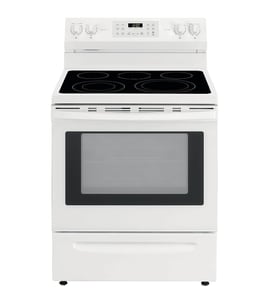





How to read Fisher and Paykel serial number?
On the Fisher & Paykel OR30SDPWSX1-88661-A range, the serial number is printed on the appliance rating label; we use that serial to identify the exact production run so you get the correct parts and service information. Use the label’s “Model” and “Serial” fields exactly as shown in the owner's manual.
On most ranges, the rating label is placed where it stays readable but protected from heat and cleaning.
Check these common locations first:
- Along the oven door frame (visible when you open the door)
- On the front frame behind the storage or warming drawer (if equipped)
- On a side panel edge near the lower front
- Inside a lower access area near the power cord entry point
Record the information exactly, including dashes and letters.
- Model number: OR30SDPWSX1-88661-A
- Serial number: the unique number/letter string on the same label
- Date of purchase (if you are tracking service history)
| Item on label | What it’s used for | Tip |
|---|---|---|
| Model | Matches parts diagrams and documentation | Copy it character-for-character |
| Serial | Identifies the unit’s build series | Include all letters and numbers |
| Electrical ratings | Confirms power requirements | Useful when troubleshooting power issues |
We use the serial number to avoid mismatched components (especially electrical parts and control components) and to narrow down the correct documentation for your exact OR30SDPWSX1-88661-A configuration.
Last updated: February 2026
How do I troubleshoot my OR30SDPWSX1-88661-A?
To troubleshoot your Fisher & Paykel OR30SDPWSX1-88661-A range, start by identifying whether the problem is power, heating, or control-related; then follow safe checks like verifying the breaker, confirming settings, and inspecting for obvious damage. Use the [OR30SDPWSX1-88661-A owner's manual] for model-specific indicators and operating steps.
- Turn off power at the breaker before removing panels or touching wiring.
- Let the oven cool fully before inspecting the door, gasket, or interior.
- If you smell gas, stop and contact a qualified technician.
- Check the house breaker and confirm the outlet has power.
- Make sure the control is not in a locked mode (control lock).
- Look for a tripped GFCI if the circuit is protected.
- Confirm you selected the correct mode (bake vs. broil) and temperature.
- Test with a simple preheat: note if it never reaches temp or takes unusually long.
- Check the door closes fully; a poor seal causes heat loss.
- Verify rack position and avoid blocking airflow with oversized pans.
- Preheat fully before loading food.
- Compare results using an oven thermometer; large swings suggest a sensor or calibration issue.
Use a meter to confirm power and continuity on suspect circuits.
- Inspect wiring connectors for discoloration or looseness
- Check for a blown fuse (if equipped)
- Test components for continuity with power disconnected
A good reference for technique is [how to use a multimeter to test electrical parts video].
- Exact symptom and when it happens (preheat, after 10 minutes, only broil)
- Any error codes or beeps
- Recent changes (power outage, cleaning cycle, moved appliance)
Systematic troubleshooting prevents unnecessary part replacement and helps you pinpoint whether the issue is a setting, airflow problem, power supply, or a failed heating/control component.
Last updated: March 2026
What is the average lifespan of OR30SDPWSX1-88661-A?
A Fisher & Paykel range like model OR30SDPWSX1-88661-A typically lasts 15 years with normal household use. Consistent cleaning, proper ventilation, and addressing heating or ignition issues early are the biggest factors in reaching that lifespan.
- Cooking frequency and high-heat use (broil, self-clean, long bakes)
- Power quality and correct electrical supply (breaker, wiring, grounding)
- Keeping vents and cooling airflow paths clear
- Prompt repair of weak heating, uneven baking, or ignition problems
- Cleaning habits that prevent grease buildup and corrosion
- Wipe spills after the oven cools to prevent baked-on residue.
- Keep door seals clean so heat stays in the cavity.
- Avoid lining the oven bottom with foil unless your [OR30SDPWSX1-88661-A owner's manual] allows it.
- Use cookware that fits the burner/grate area to reduce overheating and warping.
- If you notice slow preheat or uneven temperatures, troubleshoot early.
| Symptom | Often fixable? | What it usually points to |
|---|---|---|
| Oven won’t heat | Yes | Heating circuit, control, wiring, sensor |
| Uneven baking | Yes | Temperature sensor, airflow, calibration |
| Burner won’t ignite (gas models) | Yes | Igniter, spark system, clogged ports |
| Display/control intermittent | Sometimes | Control board, loose connection |
Replacing a small electrical or heating-related component early often prevents secondary damage (overheating, wiring stress, control failures) and helps your OR30SDPWSX1-88661-A reach its full service life.
Last updated: March 2026




