 Owner’s manual




How to hard reset Kenmore microwave?
To hard reset the microwave in your Kenmore 9114942993 wall oven/microwave combo, cut power to the unit at the home circuit breaker (or fuse) for 1 minute, then restore power and reset the clock. This clears many control glitches after a power surge or lockup.
- Turn the microwave and lower oven controls off.
- Switch the cooking center circuit breaker OFF (or remove the fuse).
- Wait 1 full minute.
- Switch the breaker ON (or reinstall the fuse).
- Set the clock again; the controls may not operate correctly until the clock is set.
For control locations and clock-setting steps, use the owner's manual.
After power is first connected (or after a power failure), the displays commonly:
- Light up with all segments briefly.
- Show a reset or power-failure message.
- Require you to set the clock before normal timed functions work.
A hard reset fixes temporary software-style glitches. If the microwave still will not run, focus on common, fixable causes:
- Door not fully closed or door switch not engaging
- Control settings not completed (needs a final Start)
- Blown fuse or wiring issue in the supply circuit
- Overheating condition that trips a safety device
If you are comfortable using a meter, our how to use a multimeter to test electrical parts video helps you test electrical parts safely.
| Action | What it does | When to use it |
|---|---|---|
| Press CLEAR/OFF | Cancels the current cooking entry | Wrong setting, want to stop cooking |
| Breaker reset (1 minute) | Reboots the control after a lockup | Display frozen, buttons not responding, odd behavior after outage |
A breaker reset restores the control to a known good startup state and forces the clock and timing logic to reinitialize, which is often the root cause after a power interruption.
Last updated: February 2026
Is there a wall oven microwave combo?
Yes. A wall oven/microwave combo is a single built-in unit that pairs a microwave oven (upper) with a conventional self-clean lower oven, giving you two cooking methods in one seamless cabinet cutout. Kenmore model 9114942993 is an example of this type of appliance (see the owner's manual).
A combo is designed to save space and keep a built-in look while still giving you full-size oven features.
- Microwave cooking for fast reheating, defrosting, and timed cooking
- A lower oven with bake, broil, and self-clean functions
- Separate controls for microwave and lower oven modes
- Built-in venting and a door latch system that must be fully latched to operate
- Removable accessories such as an oven rack and (on many models) a microwave shelf
| Option | What it is | Best for |
|---|---|---|
| Wall oven/microwave combo | One framed unit with microwave + lower oven | Matching built-in look and saving cabinet space |
| Separate wall oven + countertop microwave | Two separate appliances | Flexibility and easier replacement of one appliance |
| Separate wall oven + built-in microwave | Two built-in appliances | Premium layouts with more placement options |
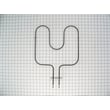
A combo unit affects your kitchen planning and repairs: it uses a single built-in opening, and service parts can be specific to the microwave section or the lower oven section. For example, common oven-side wear items include heating components like the g.e. range bake element WB44K5013 and g.e. range broil element WB44K5009.
- Keep the microwave door fully closed and latched before starting a cook cycle.
- Remove the microwave shelf when not in use; it can overheat if used incorrectly.
- Use cookware labeled microwave-safe; avoid metallic trim in the microwave.
- If the lower oven is not heating evenly, inspect bake and broil functions separately.
Last updated: February 2026
Why is my Kenmore microwave display not working?
If the display on your Kenmore 9114942993 wall oven/microwave combo is blank or blinking, the most common causes are a recent power interruption, the clock not being set, or a control problem. Start with a power reset and clock setup; then check for symptoms that point to a failed control.
- Turn the breaker off for 5 minutes, then turn it back on (a simple reset often restores the display).
- Set the clock; on this model, the clock must be set for the lower oven electronic controls to work.
- If the display shows “PF” (power failure) or “RESET,” clear it by resetting power and setting the clock.
- Make sure the microwave door is fully closed and latched; some functions will not run if the door is not closed correctly.
- If the display comes on but keys do not respond, avoid pressing multiple pads quickly; press a function, enter numbers, then press START.
| Symptom | Most likely cause | What to do next |
|---|---|---|
| Display blank after a power event | Power interruption or control not initialized | Reset power at breaker; then set clock using the 9114942993 owner's manual |
| Display shows “PF” or “RESET” | Power failure memory state | Set clock; retry normal operation |
| Display lights but touch pads do not work | Clock not set or electrical interference | Set clock; if intermittent, check household power noise sources |
| Display blinks or goes blank repeatedly | Control issue or unstable power | Reset power; if it returns, plan for service diagnosis |
A blank or unstable display can prevent you from setting cook time, power level, or temperature. On this cooking center, the electronic controls depend on proper power and clock setup, so restoring those basics can bring the unit back to normal quickly.
If the display stays blank after a breaker reset and clock setup, the control system is typically the failure point. Because this is a built-in unit with high-voltage microwave components, we recommend having a qualified technician diagnose and repair it.
Last updated: February 2026
Can you replace the microwave on a wall oven microwave combo?
Yes; on the Kenmore 9114942993 wall oven/microwave combo, the microwave section can be replaced, but it is typically handled as a major component (often a full microwave assembly) rather than a simple, quick swap. We recommend using the owner's manual for safety steps and access details before planning the repair.
In most wall oven/microwave combos, the microwave is integrated into the cabinet and wiring harness. Replacement commonly involves removing the unit from the wall, disconnecting wiring, and transferring trim or mounting hardware.
Typical replacement paths:
- Replace a complete microwave assembly (most common)
- Replace a failed microwave component (lamp, door parts, high-voltage parts)
- Repair a related issue that looks like a “bad microwave” (door switch/lock, thermostat, wiring)
Start with the simplest, most common causes first.
- Confirm the display and interior light work; a dead display can point to power supply issues
- Check that the door fully latches; the microwave will not run if the latch system is not engaged
- If it runs but does not heat, suspect high-voltage components (service-level repair)
- If it shuts down after heating, overheating protection can be involved
- If the interior light is out, replace the bulb first
If you only need the light, the manual calls for disconnecting power at the breaker, removing the grille and light cover, then replacing the bulb with a 125V, 20W type. The 40a15bulb 40A15 is a common light-bulb option listed for this model.
| Symptom | Common part category | Example part on this model |
|---|---|---|
| Interior light out | Light bulb | 40a15bulb 40A15 |
| Oven overheats or trips protection | High-limit thermostat | Wall oven high-limit thermostat WB24K5049 |
| Door will not lock/unlock (oven self-clean side) | Lock parts | Lock motor WB49T10020 |
Microwave sections contain high-voltage components that can store energy even when unplugged. Planning the job using the correct procedure reduces the risk of shock, cabinet damage, and reinstallation problems.
Last updated: February 2026