 Owner’s manual


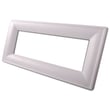
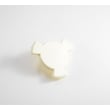
How to change over stove Kenmore microwave light bulb?
For Kenmore microwave/hood combo model 66561709100, you change the cooktop (over-the-stove) light by unplugging the microwave, removing the vent grille and bulb cover, then installing a candelabra-base 30-watt bulb and reassembling everything. The steps and bulb type are shown in the owner's manual.
Steps to replace the cooktop light bulb
- Unplug the microwave or disconnect power at the breaker.
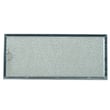
- Remove the vent grille (it’s held by screws at the top); tip the grille forward and lift it out.
- Remove the bulb cover mounting screw.
- Lift the bulb cover.
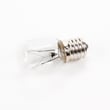
- Replace the bulb with a candelabra-base 30-watt bulb.
- Reinstall the bulb cover and mounting screw.
- Reinstall the vent grille and screws.
- Restore power and test the light.
Correct bulb for this model
The manual specifies a candelabra-base 30-watt bulb for the cooktop light.
| Item | Spec to match | Notes |
|---|---|---|
| Base type | Candelabra base | Small screw-in base |
| Wattage | 30 watts | Do not exceed the rated wattage |
| Quantity | 1 or 2 bulbs (varies by configuration) | Replace as needed |
If you want the exact replacement part listed for this model, use the lamp assembly 8206232A.
Why it matters
Using the correct base type and wattage helps prevent overheating in the light housing and keeps the cooktop lighting working as designed for your Kenmore 66561709100 microwave/hood combo.
Last updated: February 2026
Is there a reset on a Kenmore microwave?
Yes. On Kenmore microwave/hood combo model 66561709100, the quickest “reset” is usually clearing the control by pressing OFF/CANCEL, then restoring power if the controls stay unresponsive. For control lock issues, you can also turn Child Lock on or off from the keypad (see the 66561709100 owner's manual).
Quick reset options (most common)
- Cancel the current program: press OFF/CANCEL once to stop cooking and clear most entries.
- Power reset: unplug the microwave (or switch the breaker off), wait 1 minute, then restore power.
- Exit Child Lock: if the panel won’t respond, unlock the controls using the Child Lock keypad procedure in the manual.
- Close the door firmly: the microwave will not run if the door is not fully latched.
If the keypad is locked (Child Lock)
The manual describes a Child Lock feature that locks the control panel so the microwave cannot be used. When locked, the display can show a lock indication and the keypad won’t operate normally.
Use this table to match the symptom to the likely fix:
| What you notice | Likely cause | What to do |
|---|---|---|
| Keypad won’t respond, lock message/tones | Child Lock enabled | Follow the Child Lock steps in the 66561709100 owner's manual to unlock |
| Microwave stops and clears when you press cancel | Normal operation | Use OFF/CANCEL to reset the current cycle |
| Display is on but unit acts “frozen” | Control glitch | Do a 1-minute power reset |
Why it matters
A “reset” can mean different things on a microwave: clearing a cooking program, unlocking the control panel, or rebooting the electronic control. Using the right reset method prevents unnecessary parts replacement and helps you pinpoint whether the issue is a setting, a door-latch/interlock problem, or an electrical fault.
When a reset does not fix it
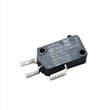
If the microwave still will not run after canceling and a power reset, common causes include a door interlock problem or a blown fuse/thermal safety device. For door-latch related symptoms, the door interlock switch is a frequent suspect; on this model, a matching part is the primary switch W10211972.
Last updated: February 2026
What is the average lifespan of 66561709100?
The average lifespan of the Kenmore 66561709100 microwave/hood combo is 10 years with normal household use and basic care (clean filters, keep vents clear, and avoid running it empty). For model-specific care and operating guidance, use the 66561709100 owner's manual.
What affects lifespan most
- Grease and heat buildup from cooking below the unit
- Blocked airflow (dirty grease filter or restricted venting)
- Door slamming or a worn door-interlock system
- Frequent high-power cooking cycles without adequate ventilation
- Power issues (surges, loose outlet, damaged cord)
Quick care checklist (adds years)
- Wash or replace the grease filter regularly; a clogged filter makes the fan work harder.
- Wipe the underside and grille vents to prevent grease buildup.
- Use the vent fan when cooking on the range.
- Keep the door closing smoothly; stop using it if the door does not latch firmly.
- If the unit goes dead or overheats, have the safety devices checked before continued use.
Common “end-of-life” symptoms and likely areas
| Symptom | What it often points to | Example part on this model page |
|---|---|---|
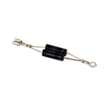
| Runs but does not heat | High-voltage circuit issue | Diode W11256462 |
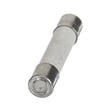
| Completely dead (no display) | Power supply or safety cutout | Thermal fuse W11707984 |
| Turntable not turning | Turntable drive issue | Turntable motor W10642989 |
| Loud humming or burning smell | Stop using; internal electrical issue | (diagnosis needed) |
Why it matters
A microwave/hood combo like the Kenmore 66561709100 is both a cooking appliance and a ventilation system. Keeping airflow and safety components in good shape helps prevent overheating, nuisance shutdowns, and premature part wear.
Last updated: March 2026


