 Installation guide
 Owner’s manual





How do I do a hard reset on my GE microwave?
To hard reset your GE JVM1440WH04 microwave/hood combo, unplug it (or switch the circuit breaker off) for 1 to 2 minutes, then restore power and set the clock. This clears the control memory and resolves many lockups and display glitches.
- Unplug the microwave from the wall outlet, or turn the dedicated breaker off.
- Wait 1 to 2 minutes.
- Restore power.
- If the display is flashing, set the clock.
- Test a simple function (surface light, vent fan, or a 30-second heat cycle).
On this GE model, a “LOC” or “L” display usually means the control lock is on. To unlock, press and hold CLEAR/OFF for about 3 seconds (this is a control unlock, not a full memory-clearing reset). See the JVM1440WH04 owner’s manual.
| Symptom | Hard reset helps? | What to check next |
|---|---|---|
| Display frozen or keypad not responding | Yes | Control lock, stuck key, power supply |
| “LOC” or “L” on display | Sometimes | Hold CLEAR/OFF 3 seconds |
| Runs but does not heat | No | High-voltage components, door switches |
| Dead (no display) | Sometimes | Outlet, breaker, internal fuse |
A power reset is the fastest safe first step because it clears temporary control errors without disassembly. If the microwave still will not start, door-interlock problems are common on over-the-range units; the door switch system (including the micro-switch WB24X830) must close correctly for the oven to run.
Last updated: January 2026
What are common problems with GE profile microwaves?
Common problems we see on GE over-the-range microwaves like model JVM1440WH04 include not heating, turntable not rotating, door switch or latch issues, and vent or light concerns. Many symptoms trace back to door interlock parts, turntable drive parts, or high-voltage components; use the JVM1440WH04 owner’s manual to match symptoms to checks.
- Microwave runs but does not heat: high-voltage diode, capacitor, transformer, or magnetron (high-voltage repairs are typically technician-level)
- Starts then stops, or will not start: door interlock switch/lever misalignment, failed interlock switch
- Turntable not turning: failed turntable motor or coupler, or operating without the support seated correctly
- Interior light out: burned-out bulb or socket issue
- Vent fan runs during cooking: can be normal operation on this style of microwave/hood combo
If your symptom matches, these are common replacements for JVM1440WH04:
| Symptom | Part to check first | Example part for this model |
|---|---|---|
| Won’t start or door error behavior | Door interlock switch/lever | Micro-switch WB24X830 and door lever |
| No heat (runs but food stays cold) | High-voltage circuit | Diode, capacitor, magnetron |
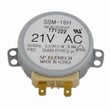
| Turntable not rotating | Turntable drive | Turntable motor, coupler |
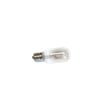
| Cooktop light out | Light circuit | Microwave light bulb WB36X10003 (120V, 40W incandescent per manual) |
- Confirm the door closes firmly and the latch feels solid (a loose latch can prevent heating).
- Reseat the turntable and support; the manual notes not to operate without them in place.
- If the light is out, replace the bulb with the specified type and wattage.
- Clean grease and residue from the bottom and door area; buildup can contribute to odors and performance complaints.
- If you suspect a heating failure, stop using the microwave and plan for a professional diagnosis of the high-voltage system.
Door interlock problems can keep the microwave from starting or heating, and turntable issues can cause uneven cooking. Heating-system failures involve high voltage, so correct diagnosis protects the appliance and helps avoid repeat failures.
Last updated: January 2026
What is the average lifespan of a GE microwave?
A GE microwave typically lasts 8 to 10 years with normal household use. For a GE over-the-range microwave/hood combo like JVM1440WH04, lifespan depends most on daily run time, keeping airflow and filters clean, and avoiding conditions that overheat the magnetron and high-voltage components.
- Heat and ventilation: Grease buildup and restricted airflow make internal parts run hotter.
- Door closing and latching: A door that is slammed can wear interlock parts faster.
- Cleaning habits: Grease and food residue can lead to odors, arcing, and premature wear.
- Electrical supply: A dedicated, properly grounded outlet helps prevent nuisance fuse trips and stress on electronics.
- Usage patterns: Long cook times back-to-back shorten life faster than short, spaced-out cycles.
- Clean the bottom and interior with mild, non-abrasive detergent and rinse well (see the JVM1440WH04 owner’s manual).
- Keep the vent path clear and wash or replace the grease filter as needed.
- Do not run the microwave empty.
- Make sure the door closes smoothly and latches firmly.
- Replace a burned-out cooktop light promptly; use the correct bulb type such as microwave light bulb WB36X10003 when applicable.
| What you notice | What it usually means | What to do next |
|---|---|---|
| Still heats well, normal noise | Unit is aging normally | Keep up with cleaning and filter care |
| Runs but does not heat | High-voltage system issue is common | Use why is my microwave not heating to narrow causes |
| Light out, everything else OK | Bulb or socket issue | Check bulb first, then socket |
Most “early failures” come from heat buildup and door/interlock wear, not just age. Keeping the GE JVM1440WH04 clean and properly vented reduces stress on the magnetron, thermal cut-offs, and wiring, which helps you reach the full 8 to 10 year lifespan.
Last updated: January 2026





