Error Codes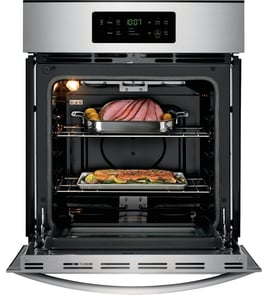




Do Frigidaire ovens have a bottom heating element?
Yes. Most Frigidaire electric wall ovens, including model PCWS3080AFA, use a bake (bottom) heating element to provide the primary heat for baking; it sits on the oven floor area under the lower panel and cycles on and off to hold temperature.
How to tell if your bottom (bake) element is working
- Set the oven to Bake and preheat for 10 to 15 minutes.
- Look for heat rising from the bottom and normal preheat behavior.
- Watch for uneven baking (top browns too fast, bottoms stay pale).
- Check for slow preheat or the oven never reaching set temperature.
- If safe to do so, inspect for blisters, cracks, or burn spots on the element.
Common symptoms and likely causes
| Symptom | Most common cause | What to check next |
|---|---|---|
| Oven bakes unevenly | Weak bake element | Visual damage; temperature stability |
| No heat on Bake but Broil works | Failed bake circuit/element | Wiring connections; control output |
| Oven dead or intermittent | Power connection issue | Terminal block and supply wiring |
| Oven light does not change with door | Door switch issue | Door switch operation |
Parts that often relate to “no bake” complaints
If you are troubleshooting a no-heat or intermittent-heat condition, these model-matched parts are commonly involved:
- Terminal block 5304409888 (power connection point; overheating here can interrupt power)
- Range door light switch 808136601 (door sensing issues can affect some functions)
- Frigidaire wall oven user interface control board 5304538278 (if the oven is not responding correctly)
Why it matters
The bake element is the main heat source for baking. When it is weak or failed, the oven may rely too much on broil or convection heat, which leads to long preheat times, temperature swings, and inconsistent results.
For replacement parts for Frigidaire PCWS3080AFA, use the parts list for this model or search by model number on Sears PartsDirect.
Last updated: February 2026
How to reset a Frigidaire wall oven?
To reset your Frigidaire PCWS3080AFA electric wall oven, we recommend doing a full power reset: turn the oven circuit breaker OFF for 5 minutes, then turn it back ON. This clears many temporary control glitches and some error-code conditions.
Reset steps (safe, effective order)
- Cancel/clear first: Press Cancel/Off on the control panel.
- Power reset: Switch the dedicated oven breaker OFF.
- Wait 5 minutes: This lets the control board fully discharge.
- Restore power: Turn the breaker ON.
- Test a basic function: Set Bake at 350°F for 10 minutes and confirm the oven heats.
If an error code comes back after the reset
A reset helps with momentary faults. If the code returns quickly, the oven is usually detecting a real problem (keypad, sensor circuit, wiring, or an electronic control issue).
- If the display beeps or acts like keys are being pressed, the user interface can be the cause.
- If the oven heats incorrectly or shuts down during preheat, a heating circuit or control issue is more likely.
- If the oven is completely dead after reset, check the home breaker and power connection at the terminal block.
Common “next checks” after a reset
- Confirm the breaker is a 2-pole breaker and fully seated (flip OFF then ON firmly).
- Check for a stuck key (press each key once; look for one that feels different).
- If you are comfortable using a meter, verify supply voltage at the power connection (power off before accessing wiring).
- Inspect for loose or overheated wiring at the power connection.
Parts that commonly relate to reset and power issues
| Symptom after reset | Most likely area | Example part on this model page |
|---|---|---|
| No display, no response | Power connection | Terminal block 5304409888 |
| Random beeping, unresponsive keys | User interface electronics | Frigidaire wall oven user interface control board 5304538278 |
| Intermittent operation | Wiring/connection | Frigidaire harness asse 5304528730 |
Why it matters
A proper breaker reset is the fastest way to separate a temporary electronic glitch from a repeatable failure. If the oven immediately re-displays the same error or won’t run a simple bake cycle, focusing on the control board, wiring harness, or power connection prevents repeated shutdowns.
Ordering the right part
We recommend matching parts by the full model number PCWS3080AFA from the parts list for this oven, or searching by model on Sears PartsDirect.
Last updated: February 2026
What are the parts of an electric oven?
An electric oven like the Frigidaire PCWS3080AFA is built around heating elements, a temperature-sensing and control system, and door and airflow components that keep heat in and move it where it’s needed. Most performance problems trace back to one of these core groups.
Main parts you’ll find in most electric wall ovens
- Bake element: primary heat source for baking (often bottom, sometimes hidden)
- Broil element: high-heat element at the top for broiling and browning
- Oven control and user interface: sets modes, times, and temperatures (electronic boards)
- Temperature sensor: tells the control board the actual oven temperature
- Convection fan system (if equipped): circulates hot air for more even cooking
- Oven light and door switch: turns the light on and off when the door opens
- Door system: hinges, handle, glass, and seals that retain heat
PCWS3080AFA examples from our parts list
These are common component types we stock for this model:
- Electrical connection point: terminal block 5304409888
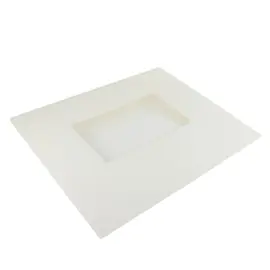
- Door and visibility parts: range oven door middle glass 5304526387, wall oven door handle (stainless) 5304530408
- Door operation and safety: range door light switch 808136601, hinge,door ,purple 5304530348
- Air movement (convection/cooling): motor 5304526375, blade 5304525455, blower assem 140175788037
- Controls: Frigidaire wall oven user interface control board 5304538278
Quick “what it does” guide
| Part group | What it affects | Common symptom when it fails |
|---|---|---|
| Heating elements | Heat production | No heat, weak heat, uneven baking |
| Controls and sensor | Temperature accuracy | Overheats, underheats, error codes |
| Fan and blower | Airflow and evenness | Hot spots, long cook times, noisy fan |
| Door, glass, seal | Heat retention | Heat loss, exterior gets too hot, poor baking |
| Light and door switch | Light and door sensing | Light stays on/off, door-related issues |
Why it matters
Knowing which “system” a part belongs to helps you troubleshoot faster. For example, uneven baking often points to airflow (fan/blower) or heat production (element), while temperature swings often point to controls or sensing.
Ordering the right part
- Match the model number PCWS3080AFA exactly.
- Compare the part name and ID to what’s installed.
- If you’re unsure which component you need, start with the parts list for this model, then search by model on Sears PartsDirect.
Last updated: February 2026
Can I look up Frigidaire parts by model number?
Yes. For your Frigidaire electric wall oven model PCWS3080AFA, looking up parts by the complete model number is the most accurate way to pull the correct diagrams and compatible replacement parts for your exact configuration.
How to look up parts by model number
- Find the model/serial tag on the oven (commonly on the oven frame behind the door, or on the side trim).
- Copy the model number exactly as printed, including any letters: PCWS3080AFA.
- Use that model number to view the parts list and exploded-view diagrams for your oven.
- Match parts by diagram location, part name, and how it mounts or plugs in.
- Order directly from the parts list for this model, or search by model number on Sears PartsDirect.
Examples of parts you can match using the model number
These are common items customers identify by diagram position and name:
| What you’re fixing | Part to check | Example part on this model’s parts list |
|---|---|---|
| Burned or loose power connection at the junction area | Terminal block | Terminal block 5304409888 |
| Oven light changes when the door opens/closes | Door light switch | Range door light switch 808136601 |
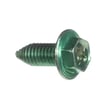
| Loose handle or missing mounting hardware | Handle screw | Range oven door handle screw 5304507924 |
Why it matters
Wall ovens use model-specific wiring harnesses, controls, and door hardware. Using the exact model number keeps you aligned with the correct fit and electrical connections so the replacement part installs correctly and works as designed.
Last updated: February 2026