 Owner’s manual




How to force an LG dishwasher to drain?
On the LG LDFN454HT dishwasher, we force a drain by pressing and holding Start for 3 seconds to cancel the cycle; the drain pump will run, and once draining finishes the dishwasher powers off. See the exact control behavior in the LDFN454HT user manual.
Quick steps (LDFN454HT)
- Press Power to wake the control panel.
- Press and hold Start for 3 seconds.
- Wait while the drain pump runs (you should hear water moving).
- When draining is complete, the unit turns off automatically.
- If the tub still has water, check the filter area for debris before trying again.
If it still will not drain
Drain problems on this model are commonly caused by a restriction in the drain path or a failed drain component.
- Check the filter and sump opening for food, labels, glass, or bones.
- Check the drain hose for kinks or pinches (especially where it passes through the cabinet).
- If connected to a garbage disposal, confirm the knockout plug was removed.
- If you have an air gap, clean it out.
- If the pump hums but does not move water, the drain pump may be jammed or failing.
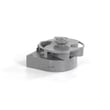
If you suspect a failed pump, the compatible replacement for this model is the LG dishwasher drain pump ABT72989206.
What the dishwasher is doing when you “Cancel/Drain”
| What you do | What the dishwasher does | What you should notice |
|---|---|---|
| Hold Start 3 seconds | Cancels the cycle and runs the drain pump | Water flows to sink/disposal |
| Draining completes | Powers off | Pump sound stops |
Why it matters
Standing water can trigger drainage-related errors (often shown as OE) and can lead to odors or poor wash performance. For best results, keep the filtration system clean and make sure the drain hose routing stays smooth and elevated as recommended.
Last updated: January 2026
How to clear LG dishwasher error code?
To clear an error code on your LG LDFN454HT dishwasher, we recommend canceling the cycle first (press and hold Start for 3 seconds) and then power-cycling the unit by turning it off and back on. If the code returns, it is reporting a specific problem that needs troubleshooting.
Quick reset steps for LDFN454HT
- Press Power to turn the dishwasher on.
- Press and hold Start for 3 seconds to cancel the cycle and drain.
- When the unit finishes draining and powers off, wait 30 seconds.
- Press Power, select a cycle, then press Start.
- If the display still shows the same code, move to targeted checks below.
For control panel button locations and operating details, use the LDFN454HT manual.
Match the error code to the most likely fix
Some codes clear only after the underlying issue is corrected.
| What you see | What it usually means | What to check first |
|---|---|---|
| OE | Not draining | Filters, drain hose routing, disposal knockout plug, drain pump |
| IE | Not filling | Water supply valve open, inlet hose kink, inlet valve |
| AE | Leak detected or water in base | Stop use, check for water under unit, leveling, oversudsing |
| CL | Control Lock is on (not a failure) | Hold Half Load + Energy Saver for 3 seconds |
Targeted troubleshooting (common causes)
- OE (drain issue): Clean the filters and check for a kinked/pinched drain hose; if the dishwasher still will not drain, inspect the LG dishwasher drain pump ABT72989206.
- IE (fill issue): Confirm the house water valve is fully open and the inlet hose is not kinked; if water still will not enter, the dishwasher water inlet valve 5221DD1001E is a common suspect.
- AE (leak): Turn off the water supply and power; check for standing water in the base area and correct installation/leveling issues before restarting.
Why it matters
An LG dishwasher error code on the LDFN454HT is the machine’s way of preventing damage (for example, running the drain pump continuously during a leak condition). Clearing the code without fixing the cause usually leads to the code returning mid-cycle.
Last updated: January 2026
How to hard reset an LG dishwasher?
For the LG LDFN454HT, a “hard reset” is a power cycle: turn the dishwasher off, shut off power at the breaker (or unplug if accessible) for about 5 minutes, then restore power and start a new cycle. For a stuck cycle, use Cancel by holding Start for 3 seconds. See the LDFN454HT manual.
Hard reset (power cycle) steps
- Press Power to turn the dishwasher off.
- Turn OFF the dishwasher circuit breaker (preferred) or unplug the unit.
- Wait about 5 minutes.
- Restore power.
- Press Power, choose a cycle, then press Start.
Cancel vs. hard reset (which one to use)
| What’s happening | What to do on LDFN454HT | What it does |
|---|---|---|
| You need to stop a cycle and drain water | Press and hold Start for 3 seconds | Cancels the cycle, runs the drain pump, then powers off |
| Display is acting odd after a power interruption | Power cycle for about 5 minutes | Reboots the electronic control |
| Unit seems “off” after sitting | Press Power | This model can auto-off after about 4 minutes if paused or if no cycle is started |
If resetting doesn’t fix it
A reset clears temporary control logic, but it won’t correct an underlying condition. Check these common causes:
- Door not fully closed and latched
- Control Lock on (CL); press and hold Half Load + Energy Saver for 3 seconds
- Tripped breaker or loose power connection
- Water supply turned off or inlet hose kinked
- Drain hose kinked, air gap or disposal clogged
Why it matters
Using the right reset method helps you avoid repeat shutdowns. Cancel is best for stopping and draining; a power cycle is best for clearing a glitch after a surge or outage.
Last updated: January 2026





