 Owner’s manual



How to reset a Kenmore Elite microwave?
To reset your Kenmore Elite microwave model 40574159310, stop any active cooking and clear the control settings; on this model, pressing STOP/CLEAR (sometimes labeled Cancel) clears previous entries and returns the oven to an idle display. For model-specific keypad behavior, follow the steps in the 40574159310 owner's manual.
- Press STOP/CLEAR once to stop cooking.
- Press STOP/CLEAR a second time to clear the programmed settings.
- If the display is unresponsive, open and close the door, then press STOP/CLEAR again.
- If LOC shows on the display, turn off the control lock (see below).
- Re-set the clock if needed.
This model includes a child lock feature that prevents operation.
- Press and hold STOP/CLEAR for 3 seconds.
- Wait for the long beep.
- Confirm LOC disappears.
If clearing does not restore normal operation, a power reset often restores the control board.
- Unplug the microwave (or switch off the circuit) for 2 to 5 minutes.
- Plug it back in.
- Confirm the display returns (often shows 0:00), then set the clock.
| Reset type | What it fixes | What you will lose |
|---|---|---|
| STOP/CLEAR reset | Wrong settings, stuck program, canceled cook cycle | Current cook settings only |
| Control lock off | “LOC” and locked keypad | Nothing (just unlocks) |
| Power reset | Frozen display, non-responsive keypad | Clock time and any temporary settings |
A proper reset clears incorrect cooking programs and helps you quickly identify whether the issue is a simple control setting (like LOC) or a power/control problem that needs troubleshooting.
If the microwave runs but does not heat after a reset, use our why is my microwave not heating guide to narrow down common causes.
Last updated: February 2026
Where can I find my Kenmore microwave model number?
For your Kenmore Elite microwave model 40574159310, the model number is printed on the rating label. You’ll usually find it around the door opening or on the back of the cabinet; match the full number exactly when ordering parts or checking specs in the 40574159310 owner’s manual.
Check these spots first (in order):
- Door frame: open the door and look along the front frame of the microwave.
- Inside edge of the door: sometimes the label is on the door itself.
- Control panel area: along the side trim near the keypad.
- Back panel: on the rear of the outer cabinet.
- Interior side wall: less common, but possible on some countertop units.
The rating label typically includes several identifiers. Use this quick guide:
| Label item | What it’s used for | Example for this unit |
|---|---|---|
| Model number | Correct parts and documentation | 40574159310 |
| Brand name | Confirms product line | Kenmore Elite |
| Electrical rating | Outlet and circuit checks | 120V household circuit (typical) |
Using the exact model number helps us show the right Kenmore Elite microwave parts and diagrams for your unit. Even small model number differences can change the glass tray fit, door switches, or internal components.
If your turntable tray is cracked or missing, confirm the model number first, then match the part by ID:
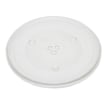
- Midea microwave glass tray F06015Q00AP (part number 252100500011) is listed for model 40574159310.
Last updated: February 2026
How many cubic feet is a Kenmore Model 40574159310 microwave?
The Kenmore Elite 40574159310 countertop microwave has an oven capacity of 1.5 cu. ft. (about 42 L), as listed in the specifications in the 40574159310 use and care guide.
Capacity is usually listed in the specifications section of the manual. If you see a different number online, it is often because a similar-looking model in the same series is being referenced.
- Look for “Oven Capacity” in the specs table
- Match the full model number: 40574159310 (not just “405.7415…”)
- Use the manual’s capacity for the most accurate value
- If you are comparing microwaves, compare capacity and turntable diameter together
| Spec | Value |
|---|---|
| Oven capacity | 1.5 cu. ft. (42 L) |
| Turntable diameter | 13.6 in (345 mm) |
| Rated output power (microwave) | 1000 W |
Capacity affects what fits (casserole dishes, dinner plates) and how evenly food heats. For day-to-day use, pairing the 1.5 cu. ft. cavity with the 13.6-inch turntable gives a better real-world idea of usable space than capacity alone.
Last updated: February 2026
Why won't my Kenmore Elite microwave turn on?
If your Kenmore Elite microwave model 40574159310 will not turn on, start with the basics: confirm the outlet has power, the cord is fully plugged in, and the door is completely closed. If it still stays dead, a blown internal fuse or failed door interlock is a common cause.
- Plug a lamp or phone charger into the same outlet to confirm power.
- If you use a power strip, plug the microwave directly into the wall outlet.
- Open and firmly close the door; a partially latched door can prevent operation.
- Try a different cook setting after clearing the keypad (wait 30 seconds unplugged, then restore power).
- If the display shows 0:00, set the clock and try again (some models behave differently after a power loss).
| Symptom | Most likely area | What it means |
|---|---|---|
| No display, no interior light, no response | Line fuse or thermal cutout | Power is being interrupted inside the microwave |
| Display works but it will not start | Door switches (interlock) | Microwave thinks the door is open or unsafe |
| Starts then stops quickly | Door alignment or interlock issue | Latch is not staying engaged |
Microwaves contain high-voltage components that can retain a dangerous charge even when unplugged. For internal electrical testing (fuse, thermal cutout, door switches), we recommend using a qualified service technician.
If you are doing basic diagnostics only, use the troubleshooting chart in the 40574159310 use and care guide and follow these safety reminders:
- Do not operate the microwave with the door open or if the door does not close properly.
- Do not defeat or tamper with the safety interlocks.
- Do not use the microwave if the door, hinges, latches, or seals are damaged.
If your microwave runs but the turntable tray is missing, chipped, or not sitting correctly, replacing the tray helps prevent breakage and improves heating consistency. For this model, we list the midea microwave glass tray F06015Q00AP.
A microwave that will not power up or will not start is often protecting you by stopping operation when it detects an unsafe door condition or an internal overheat or power interruption. Fixing the root cause restores normal operation and helps prevent arcing, overheating, and repeat fuse failures.
Last updated: February 2026
Why is my Kenmore microwave display not working?
If the display on your Kenmore Elite microwave model 40574159310 is blank or unresponsive, the most common causes are a temporary control lock setting, a power supply issue (outlet, cord, or internal fuse), or a problem with the control panel circuitry. Start with the quick checks below before planning a repair.
- Make sure the microwave is fully plugged into a working, properly grounded outlet (try a different small appliance in the same outlet).
- Check for Control Lock: if you see “LOC” on the display, press and hold the lock pad for 3 seconds to unlock.
- Open and close the door firmly, then try a basic cook cycle; the door must be closed for the oven to start.
- Power reset: unplug for about 5 minutes, then plug back in and check the display.
- If the display comes on but keys do not beep or respond, the keypad or control board connection can be the issue.
| Symptom | Most likely cause | What to do next |
|---|---|---|
| Completely blank, no beeps | No power or blown internal fuse | Verify outlet, then move to fuse testing and service steps |
| “LOC” shows | Control lock enabled | Unlock using the lock pad (hold 3 seconds) |
| Display works, keypad does not | Keypad (membrane) or ribbon connection issue | Inspect for stuck keys; reseat ribbon if accessible |
| Random characters or intermittent display | Control board problem or unstable power | Reset; if it returns, plan for control repair |
Microwaves contain high-voltage components; we recommend leaving internal electrical diagnosis to a qualified service person.
- Follow the safety and operating guidance in the 40574159310 owner’s manual.
- If you suspect a fuse issue, use our how to replace a microwave fuse guide to understand the process and safety steps.
- If the unit powers on but will not heat (sometimes confused with “not working”), use why is my microwave not heating to narrow down likely causes.
A dead display can be as simple as Control Lock, but it can also indicate a power or control failure that prevents safe operation. Confirming the symptom pattern helps you avoid unnecessary parts replacement and reduces the risk of electrical hazards.
Last updated: February 2026


