 Error Codes



What does F10 mean on my Frigidaire gas stove?
On a Frigidaire PCFG3670AFA gas range, the F10 error typically points to an oven overheating condition (often called a “runaway temperature” fault). It can be triggered by a temperature-sensing problem, a stuck control input, or an electronic control issue that keeps heat on too long.
What to do first (safe, quick checks)
- Turn the oven off; if it will not stop heating, shut off power to the range at the breaker.
- Let the oven cool completely before troubleshooting.
- If the code returns after cooling, avoid using the oven until the cause is corrected.
- If the cooktop burners are clicking constantly, check for moisture around knobs and igniters.
Common causes of an F10 overheating code
- Temperature sensing issue: a failing oven temperature sensor circuit can report incorrect temperature.
- Control input problem: a worn selector input can send the wrong signal.
- Electronic control failure: the control may misread sensor data or keep the bake circuit energized.
- Wiring problem: loose, damaged, or overheated wiring between the sensor and control.
Parts that often relate to F10 symptoms on PCFG3670AFA
If basic checks point to a control or input problem, these model-matched parts are common suspects:
| Symptom you notice | What it often points to | Model-matched part to consider |
|---|---|---|
| Oven heats past set temp, then F10 | Control logic or sensing circuit issue | Controller,electronic ,oven 5304527538 |
| Wrong mode behavior (bake/broil selection acts odd) | Selector input drifting or failing | Range oven selector potentiometer 5304527476 |
| Intermittent F10, especially after moving/cleaning | Loose or damaged wiring | Harness-elec 5304527487 |
Why it matters
An overheating fault can cause poor baking results and can damage components like wiring, insulation, and electronic controls. Addressing the root cause helps protect the range and restores accurate temperature control.
Last updated: February 2026
Is there a reset button on a Frigidaire gas stove?
Frigidaire gas ranges like model PCFG3670AFA typically do not have a dedicated “reset” button. The practical reset is a power reset: turn the range off at the breaker (or unplug it) for a few minutes, then restore power to clear many temporary control glitches.
How to reset your Frigidaire PCFG3670AFA safely
- Turn all burner knobs to OFF.
- If the oven is hot, let it cool before servicing.
- Switch the range circuit OFF at the breaker (preferred) or unplug the cord.
- Wait 3 to 5 minutes.
- Restore power and set the clock.
- Test Bake and a surface burner to confirm normal operation.
If an error code comes back after a reset
A reset helps with momentary faults, but repeating error codes usually point to a part or wiring issue.
| What you see | What it usually means | What we check next |
|---|---|---|
| Error code returns immediately | Control is still detecting a fault | Loose connection, failed sensor, or failed control |
| Oven won’t heat but display works | Heat system not being driven correctly | Temperature probe circuit, control output |
| Random beeping or unresponsive keys | Keypad or control input issue | Control panel and electronic control |
Parts that commonly relate to “won’t reset” symptoms
Depending on the symptom, these model-specific parts are common suspects:
- Controller,electronic ,oven 5304527538 if the oven control logic is failing or errors persist.
- Control-elec 5304527540 or control-elec 5304527494 if the user interface or control functions are unstable.
- Probe 5304527492 if the oven is overheating, underheating, or throwing a temperature-sensor-related fault.
- Harness-elec 5304527487 if a loose or damaged connector is causing intermittent faults.
Why it matters
A power reset clears temporary software lockups, but it does not fix a failing sensor, damaged wiring, or a control board that is misreading inputs. Addressing the underlying cause prevents repeat shutdowns, nuisance beeping, and unsafe temperature control.
Last updated: February 2026
How do I clear the error code on my Frigidaire oven?
To clear an error code on your Frigidaire PCFG3670AFA gas range oven, we recommend a power reset first: turn the range off at the breaker (or unplug it) for 5 to 10 minutes, then restore power. If the code returns, it usually points to a specific circuit (sensor, keypad, or control) that needs troubleshooting.
Step-by-step: clear the code safely
- Turn all oven functions off and set the control to idle.
- Shut off power at the circuit breaker (preferred) or unplug the range.
- Wait 5 to 10 minutes to let the electronic control fully reset.
- Restore power.
- Start a simple Bake cycle and watch for the code to reappear.
What it means if the code comes back
If the same code returns after a reset, the control is detecting a repeat problem, not a one-time glitch. These are common next checks on ranges like the PCFG3670AFA:
- Loose or damaged wiring at the oven temperature sensor or control.
- Moisture, grease, or a stuck key on the control panel (keypad-related codes).
- A failing oven temperature sensor circuit (often shows as temperature-sensing errors).
- A failing electronic control (clock/control board).
- Ignition-related faults that can also trigger control errors on some gas ranges.
Parts that commonly relate to persistent error codes
If troubleshooting points to the control or ignition side, these model-matched parts are commonly involved:
Quick guide: reset vs. repair
| Situation | What we recommend | Why |
|---|---|---|
| Code clears and does not return | Keep using the oven | Temporary control glitch resolved |
| Code returns immediately | Inspect wiring connections; test related components | Repeat fault is being detected |
| Oven will not heat or behaves erratically | Focus on sensor/ignition/control diagnostics | Heating and control circuits are involved |
Why it matters
An error code is the oven control protecting performance and safety. Clearing it is useful for temporary glitches, but a repeating code helps you pinpoint whether the issue is wiring, ignition, a sensor circuit, or an electronic control that needs replacement.
Last updated: February 2026
Can I look up Frigidaire parts by model number?
Yes. For your Frigidaire gas range model PCFG3670AFA, the model number is the fastest, most accurate way to pull up the correct parts list and diagrams so you can match the exact replacement part to your range.
How to look up parts by model number
Use the complete model number exactly as shown on the rating label, then match the part by name and ID.
- Find the model number on the range’s rating label (commonly on the oven frame behind the door, or on a side frame).
- Enter PCFG3670AFA to view the model-specific parts breakdown.
- Use the diagram to confirm the part’s location and quantity.
- Match by part name and part ID (not just by appearance).
- Order the exact part once you confirm compatibility.
Examples of model-matched parts you can shop
These are examples of parts listed for PCFG3670AFA that you can match to symptoms or a diagram callout:
| What you’re fixing | Example part to check | What it affects |
|---|---|---|
| Oven function selection issues | Range oven selector potentiometer 5304527476 | Selector input to oven controls |
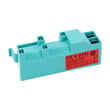
| Burner clicking or no spark | Module-spark 5304527443 | Ignition spark generation |
| Temperature sensing problems | Probe 5304527492 | Oven temperature feedback |
| Control not responding | Control-elec 5304527540 | Electronic control operation |
Why it matters
Frigidaire ranges often have multiple versions that look similar but use different igniters, controls, grates, or wiring. Using the full model number PCFG3670AFA helps prevent ordering a part that does not fit or connect correctly.
Tips to avoid ordering the wrong part
- Double-check every character in the model number (letters and numbers matter).
- Compare the part ID on the parts list to the one you are replacing.
- If you are replacing an electrical part, shut off power at the breaker before inspecting wiring.
- For gas-related symptoms (odor, hissing), shut off the gas supply and have the range checked before continuing.
Last updated: February 2026
How to set the clock on a Frigidaire PCFG3670AFA range?
On the Frigidaire PCFG3670AFA gas range, we set the clock from the oven control panel using the Clock or Settings function, then adjust the time and confirm to save. The exact button names vary by control style, but the workflow is the same.
Steps that work on most Frigidaire electronic range controls
- Press Clock once (or press Settings until you reach Clock).
- Use the number pad to enter the time, or use Up/Down keys if your panel uses arrows.
- Press Start, OK, or Set to save (use the confirm key your panel shows).
- If your model supports it, toggle 12-hour/24-hour format in the same Clock menu.
- If the display times out, start over and complete the entry within a few seconds.
If you do not see a Clock button
Some versions place clock setup inside a settings menu.
- Look for a gear icon, Menu, or Settings key.
- Scroll with arrows (or repeated presses) until Clock appears.
- Select Clock, set the time, then confirm to save.
If the clock will not set or keeps resetting
- Reset the control by turning the range breaker off for 1 minute, then back on.
- Confirm the keys respond consistently; missed key presses often prevent saving.
- If the display is erratic or keys do not respond, the electronic control system needs attention.
| What you notice | What it usually points to | Example related part for this model |
|---|---|---|
| Touch keys do not respond | Control panel input issue | Panel-contro 5304531629 |
| Display glitches or resets | Main control/electronics issue | Control-elec 5304527540 |
| Oven mode selection acts inconsistent | Selector input problem | Range oven selector potentiometer 5304527476 |
Why it matters
The clock drives timed bake, delay start, and some reminder features. When the time will not save or resets after power flickers, it commonly affects cooking cycles and scheduling.
Last updated: February 2026




