Owner’s manual


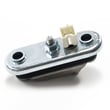
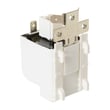

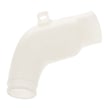
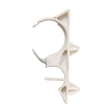
Where is the filter on my GE Deep Fill washing machine?
On the GE PFWS4600L0WW washer, the most common user-cleanable “filter” is the drain pump filter, which is typically accessed from the lower front of the washer behind a small access panel. Cleaning it helps fix slow draining, standing water, and some drain-related errors; see the PFWS4600L0WW owner's manual for your exact access steps.
Where to look on the washer
Most GE front load designs place the drain pump filter in one of these spots:
- Behind the lower front access door or kick panel
- Near the drain pump at the bottom front of the cabinet
- Next to a small emergency drain hose (if equipped)
- Not in the tub; it is usually in the pump cleanout area
How to access and clean it safely
Before opening the filter, plan for water to come out.
- Unplug the washer (or switch off the breaker)
- Place towels and a shallow pan under the front access area
- Open the lower access panel
- Turn the filter cap slowly counterclockwise to control water flow
- Remove lint, coins, and debris; rinse the filter
- Reinstall the filter firmly (hand-tight) and check for leaks
Parts that relate to “filter” issues
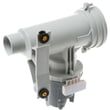
If the washer still will not drain or keeps showing drain symptoms after cleaning, the issue is often in the pump or the filter housing area. For this model, the related replacement part is the washer drain pump filter WH11X34741.
| Symptom | What the filter area usually indicates | What to do next |
|---|---|---|
| Standing water after cycle | Filter clogged or pump restricted | Clean filter; check for obstructions |
| Slow drain | Partial blockage in filter or hose | Clean filter; inspect drain hose routing |
| Leaking at lower front | Filter cap not seated or seal damaged | Reseat filter; inspect for cracks |
| Humming but no drain | Pump jammed or restricted | Clear debris; consider filter and pump inspection |
Why it matters
A clogged drain pump filter can make the washer drain slowly, leave water in the tub, and strain the drain pump. Keeping the filter clean helps protect the drive system and reduces odor and residue buildup.
For additional parts and diagrams for the GE PFWS4600L0WW, order from the parts list for this model or search by model number on Sears PartsDirect.
Last updated: February 2026
What is the life expectancy of a GE washing machine?
A GE washing machine typically lasts 10 to 14 years. For your GE PFWS4600L0WW washer, lifespan depends most on load size, cycle frequency, detergent use, and routine maintenance; following the care steps in the PFWS4600L0WW owner's manual helps you reach the full service life.
Typical lifespan and what changes it
Most washers land in the 10 to 14 year range; front-load designs often need more routine cleaning, while lighter use and good maintenance extend life.
- Longer life: normal loads, correct HE detergent amount, monthly cleaning cycles
- Shorter life: frequent overloading, repeated unbalanced spins, hard water scale buildup
- Big wear drivers: high-speed spin vibration, heat/steam cycles, and poor drainage
Maintenance that adds years (high impact)
These are the habits that most consistently reduce breakdowns in GE washers like the PFWS4600L0WW:
- Keep the door slightly open between loads to dry the boot area
- Run a monthly tub-clean cycle (or hottest cycle) to reduce residue
- Use the correct detergent type and avoid overdosing
- Check pockets to prevent coins and debris from reaching the pump
- Level the washer to reduce vibration and suspension wear
Parts that commonly affect longevity
If performance changes, these parts are frequent contributors and are available for this model:
| Symptom | Common cause | Example part for PFWS4600L0WW |
|---|---|---|
| Excessive shaking or banging | Worn suspension support | Washer suspension spring WH05X10012 |
| Won’t spin or slips under load | Belt wear or glazing | Washer drive belt WH08X10050 |
| Slow drain, standing water | Restricted pump filter | Washer drain pump filter WH11X34741 |
| Door won’t lock or cycle won’t start | Failed door lock | Washer door lock WH10X10006 |
Why it matters
A washer near the end of its expected life often shows early warning signs (longer cycle times, louder spin, intermittent draining). Catching those symptoms early can prevent secondary damage to the tub, motor, or control components.
You can also order model-specific replacement parts from the parts list for PFWS4600L0WW, or search by model on Sears PartsDirect.
Last updated: February 2026
How to do a hard reset on a GE washer?
For your GE PFWS4600L0WW washer, a hard reset is usually a simple power reset: unplug the washer (or switch off the breaker) for 1 minute, restore power, then start a cycle. This clears many control glitches and stuck-cycle issues; use the PFWS4600L0WW owner's manual for any model-specific key sequence.
Hard reset steps (PFWS4600L0WW)
- Press Power to turn the washer off.
- Unplug the washer (or turn the breaker off).
- Wait 60 seconds.
- Restore power.
- Wait 10 to 30 seconds for the control to fully boot.
- Run a quick cycle (or Rinse + Spin) to confirm normal operation.
If the reset does not fix it
A hard reset clears the control, but it will not correct a mechanical or drain problem. Check these common causes next:
- Washer will not drain or stops mid-cycle: clean the pump filter area and check for clogs; a restricted filter can mimic a control failure (see washer drain pump filter WH11X34741).
- Door will not lock or cycle will not start: a failing lock can prevent operation (see washer door lock WH10X10006).
- Loud banging or excessive vibration: suspension issues can cause out-of-balance shutdowns (see washer suspension spring WH05X10012).
- No spin or burning rubber smell: inspect the belt and pulley for wear (see washer drive belt WH08X10050 and washer drive pulley kit WH07X10022).
Quick symptom guide
| What you see | What to check first | Common next step |
|---|---|---|
| Dead display or frozen buttons | Power reset | Check outlet, breaker, and cord connection |
| Won’t start, door error | Door lock | Replace door lock if it won’t latch |
| Won’t drain, water left in tub | Pump filter and drain path | Clear blockage, then retry cycle |
| Won’t spin, belt noise | Belt and pulley | Replace worn belt or pulley kit |
Why it matters
Resetting the electronic control is the fastest way to clear a temporary software lockup after a power flicker or interrupted cycle. If the same problem returns, the washer is usually reacting to a real condition (drain restriction, door lock issue, or drive problem) that needs inspection and repair.
Ordering the right parts
We list model-matched replacement parts for GE PFWS4600L0WW on this page; you can also search by model number on Sears PartsDirect.
Last updated: February 2026
What parts fail in a washing machine?
In a GE PFWS4600L0WW washer, the parts that fail most often are the ones that move water, spin the tub, and keep the door sealed and locked. When these parts wear out, you typically see leaking, no-drain/no-spin symptoms, loud vibration, or the washer not starting; the PFWS4600L0WW owner's manual helps match symptoms to checks.
Most common washer parts that fail (and what you notice)
- Drain and water flow parts: slow drain, standing water, or drain errors
- Drive system parts: won’t spin, burning rubber smell, or squealing
- Door seal and lock parts: leaks at the door, won’t start, or door won’t unlock
- Suspension and balance parts: banging, walking, or excessive vibration
- Electrical and controls: dead washer, random stopping, or unresponsive buttons
Model-relevant parts on this page that commonly solve these problems
If you are troubleshooting PFWS4600L0WW, these specific parts are frequent fixes:
- Drain issues and debris buildup: washer drain pump filter WH11X34741
- No spin or noisy drive: washer drive belt WH08X10050, washer drive pulley kit WH07X10022
- Door won’t lock or cycle won’t start: washer door lock WH10X10006
- Excessive shaking: washer suspension spring WH05X10012
Quick symptom-to-part checklist
| Symptom | Most likely area | Example part to check first |
|---|---|---|
| Won’t drain or drains slowly | Drain path and filter | Washer drain pump filter |
| Won’t spin, squeals, or slips | Belt and pulley | Drive belt, drive pulley kit |
| Leaks at the door | Door boot and clamp | Door boot spring clamp |
| Won’t start, door won’t lock | Door lock system | Door lock |
| Loud banging or walking | Suspension and load balance | Suspension spring |
Why it matters
Catching a failing part early prevents secondary damage. For example, a slipping belt can overheat and leave residue, and a restricted drain path can cause repeated no-drain conditions that strain the pump and extend cycle times.
Smart troubleshooting steps before you order parts
- Unplug the washer; then check for loose items (coins, pins) in the drum and door area.
- Run a drain and spin cycle with the washer empty to confirm the symptom.
- Inspect for visible leaks around the door and underneath the front edge.
- If vibration is the issue, reduce load size and redistribute items; then re-test.
- Use the parts list for PFWS4600L0WW first; for broader model searches, use Sears PartsDirect.
Last updated: February 2026