 Owner’s manual



What is the life expectancy of a Samsung microwave?
A Samsung microwave typically lasts 7 to 10 years with normal household use. For the Samsung SMH9187B, lifespan depends most on how often it runs, whether it is kept clean and ventilated, and whether wear items (like door-interlock parts) are repaired promptly using guidance in the owner's manual.
Typical lifespan and what affects it
Most over-the-range microwaves reach the 7 to 10 year range; heavy daily use can shorten that, while light use and good care can extend it.
Common factors that shorten microwave life:
- Running the microwave empty (overheats internal components)
- Grease buildup restricting airflow (fan and vents work harder)
- Slamming the door or forcing it shut (stresses latches and switches)
- Power surges or unstable voltage
- Ignoring early symptoms (arcing, burning smell, weak heating)
Signs your microwave is nearing end of life
If you see these issues repeatedly, repair costs can rise quickly:
- Food heats slowly or unevenly (possible high-voltage system wear)
- Loud humming, buzzing, or rattling during heating
- Turntable stops rotating or slips
- Door does not close smoothly or the unit only runs when you push on the door
- Frequent shutdowns (overheating protection tripping)
Repair vs. replace: a quick guide
| What you notice | Most likely area | What we usually do next |
|---|---|---|
| Runs but does not heat | High-voltage circuit | Use a pro for diagnosis; high voltage is dangerous |
| Won’t start, door feels “off” | Door latch and interlocks | Inspect latch alignment and switches |
| Turntable not moving | Turntable drive | Check coupler/motor and tray fit |
| Shuts off mid-cycle | Cooling/thermostat | Check airflow, fan, and thermostat |
Why it matters
Microwaves can store high voltage even when unplugged. Safe troubleshooting and correct reassembly (especially around the door interlock system) helps prevent repeat failures and protects the control and high-voltage components.
For model-specific operating and care tips (power levels, timer limits, and ventilation basics), follow the maintenance and use guidance in the owner's manual.
Last updated: February 2026
How to do a hard reset on a Samsung microwave?
To hard reset your Samsung SMH9187B microwave, unplug it (or switch off the circuit breaker) for about 2 to 3 minutes, then restore power. This clears temporary control glitches; you will typically need to reset the clock afterward (see the owner's manual).
Hard reset steps (power cycle)
- Press STOP/CLEAR once to cancel any active cooking cycle.
- Unplug the microwave from the outlet (or turn the breaker OFF).
- Wait 2 to 3 minutes.
- Restore power.
- Set the clock and test a simple cook cycle (for example, Add 30 Sec).
What a hard reset fixes (and what it does not)
A hard reset is best for control-panel odd behavior, a frozen display, or a cycle that will not start. It will not fix a microwave that runs but does not heat, or one with a door-latch safety problem.
| Symptom | Hard reset worth trying? | What to check next |
|---|---|---|
| Display frozen or unresponsive | Yes | Try STOP/CLEAR, then power cycle |
| Random beeping or stuck mode | Yes | Reprogram settings, reset clock |
| Runs but does not heat | No | Heating circuit diagnosis (high voltage parts) |
| Will not start when door closes | Sometimes | Door interlock and latch system |
If it still will not start after resetting
- Confirm the outlet has power (test with a small appliance).
- Make sure the door closes firmly and latches fully.
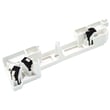
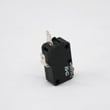
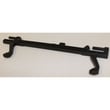
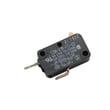
- If the door feels loose or the unit will not recognize the door as closed, inspect the latch and interlock system; common related parts include the microwave door interlock switch 3405-001034 and the microwave latch body and switch assembly DE96-00414A.
Why it matters
Microwaves use door interlocks and electronic controls to prevent unsafe operation. A simple power cycle clears many control faults, but door-latch and heating issues usually require part testing and repair procedures.
Last updated: February 2026
How to tell Samsung microwave model?
Your Samsung microwave model number is printed on the appliance’s rating label. For Samsung SMH9187B over-the-range style microwaves, the label is typically on the back or bottom of the unit; check it and record the model and serial numbers for future parts lookup and service reference in the owner's manual.
Where to look on the microwave
Check these common label locations (start with the easiest to access):
- Inside the door area on the oven frame (around the opening)
- Along the side of the control panel area
- On the back panel of the microwave
- On the bottom of the microwave (often easiest to see with a flashlight)
- Inside the cabinet area above the unit (sometimes visible near mounting points)
What to write down (and why)
We recommend recording the exact information from the label:
- Model number (example for this page: SMH9187B)
- Serial number
- Date purchased
- Where purchased
Why it matters
The model number is what ensures you get the correct Samsung microwave parts (door switch, latch parts, turntable components, filters) that actually fit your unit. A single character difference can change the parts list.
Quick ID checklist
Use this checklist to avoid common mix-ups:
- Copy the model number exactly as shown (letters and numbers)
- Look for suffixes or extra characters on the label (if present)
- Match the model number to the parts list before ordering
- If the label is worn, take a clear photo and zoom in
Model number vs. serial number
| Item | What it tells you | Used for |
|---|---|---|
| Model number | The exact microwave design/version | Correct replacement parts and diagrams |
| Serial number | Your unit’s unique identifier | Warranty paperwork and unit identification |
Last updated: February 2026
How to fix Samsung microwave not heating up?
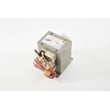
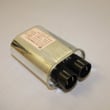
If your Samsung microwave model SMH9187B runs but does not heat, the most common causes are a door-interlock problem or a failure in the high-voltage heating circuit (diode, capacitor, transformer, or magnetron). Start with safe checks and use the owner's manual safety guidance before any service.
Safety first (important)
Microwaves contain dangerous high voltage even when unplugged. If the door, hinges, latches, or seals are damaged, do not operate the unit; have it serviced. Follow the safety precautions in the owner's manual.
Quick checks we recommend (no disassembly)
- Confirm the cook time and power level are set correctly (not “Warm” or a very low power level).
- Test with a cup of water for 1 to 2 minutes; listen for normal hum and fan operation.
- Check that the door closes firmly and latches smoothly.
- Inspect the door area for food buildup on sealing surfaces; clean and retest.
- If the unit stops when you open the door, the interlock system is at least responding, but a weak switch can still prevent heating.
Likely parts that stop heating on SMH9187B
If basic settings and door closure look good, these parts are common heating-related suspects:
| Symptom | Most likely area | Example part for this model |
|---|---|---|
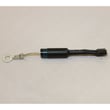
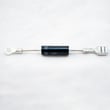
| Runs, light/fan on, no heat | High-voltage circuit | Microwave high-voltage diode DE91-70063D |
| Intermittent heat, door must be pushed | Door latch/interlock | Microwave door interlock switch 3405-001034 |
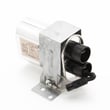
| Loud buzz/hum, no heat | Capacitor/transformer | Microwave high-voltage capacitor 2501-001011 |
Why it matters
A microwave can appear to “work” (display, light, fan, turntable) while the heating circuit is not producing microwave energy. Door interlocks also prevent heating as a safety design, so a latch or switch issue can mimic a failed heating component.
When to stop DIY and schedule service
- The door is bent, seals are damaged, or latches are loose.
- You smell burning, see arcing, or hear unusual buzzing.
- Heating failure points to high-voltage components (diode, capacitor, transformer, magnetron).
Last updated: February 2026


