 Error Codes






How to reset GE oven?
To reset a GE oven on model JAS640RM3SS, we recommend trying a control reset first (Cancel/Off if your keypad has it). If that does not restore operation, do a full power reset by turning the range circuit breaker OFF for 1 minute, then back ON.
- Press Cancel/Off once; wait 10 seconds.
- If the display is still frozen, press and hold Cancel/Off for 3 to 5 seconds (if your control panel supports it).
- Turn the range breaker OFF (or remove the range fuse) for 60 seconds.
- Turn power back ON and wait 1 to 2 minutes for the control to reboot.
- Re-set the clock if needed.
A reset clears temporary control glitches, but it will not fix a failed part or a wiring problem. After resetting, check these common causes:
- Tripped breaker (some ranges use a 2-pole breaker; one side can trip)
- Loose or burned wiring at the terminal block
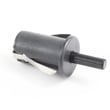
- A stuck or failed surface element switch (can sometimes cause odd symptoms)
- A control problem that returns the same error code immediately
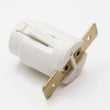
If you find heat damage, arcing, or loose connections at the power cord connection, the terminal block is a common repair item: terminal block assembly WB18X40708.
| Situation | Reset likely helps? | What to do next |
|---|---|---|
| Display frozen or keypad unresponsive after a power flicker | Yes | Full power reset at breaker |
| Random beeping with an error code that clears temporarily | Sometimes | Identify the code and troubleshoot |
| Oven will not heat at all and no error code | Unlikely | Check power supply and heating circuit |
Resetting the control board is the fastest way to clear a temporary software lockup on a GE electric range. If the problem returns right away, focusing on the specific error code or power connection prevents repeat shutdowns and protects the control.
For code-specific help on this GE range family, use: GE freestanding range error codes.
Last updated: January 2026
How do I check my GE warranty status?
A GE Appliances warranty for your GE electric range model JAS640RM3SS starts on the date of purchase, so the fastest way to check warranty status is to confirm your purchase date and then compare it to GE’s warranty terms for ranges.
- Proof of purchase (receipt, invoice, delivery confirmation)
- Model number: JAS640RM3SS
- Serial number from the range’s rating label
- Your installation date (if different from purchase)
- A brief description of the issue (for service requests)
On most GE electric ranges, the rating label is typically found in one of these spots:
- Along the oven door frame when you open the oven door
- On the storage drawer frame (remove the drawer to look along the sides)
- Behind the control panel area (less common)
If you need help locating or decoding the label, use how to find your appliance model number (and what it means for parts).
GE warranty coverage is generally based on time since purchase, not the manufacture date. If you do not have proof of purchase, GE may use other methods to estimate coverage, but the exact approach can vary.
| What you have | What to use | Result |
|---|---|---|
| Receipt/invoice | Purchase date | Most accurate warranty start date |
| No receipt | Serial number | Helps identify unit details for support |
| Service history | Prior repair dates | Helps confirm what was previously covered |
Warranty status affects whether a repair is covered and can help you decide whether to schedule service or troubleshoot first. If your range is showing a fault, checking the code can also speed up the conversation with support.
For display faults, we recommend reviewing GE freestanding range error codes to identify what the range is reporting.
Last updated: January 2026
What does F3 mean on your stove?
On a GE electric range like model JAS640RM3SS, an F3 code means the control is detecting a problem in the oven temperature sensing circuit (the signal looks open, shorted, or out of range). The most common causes are a failed sensor circuit connection, damaged wiring, or a control input issue; see GE freestanding range error codes.
Before removing any panels, shut off power at the breaker; ranges use 240 volts.
- Reset power: turn the breaker off for 1 minute, then back on
- If F3 returns right away, avoid using Bake until the issue is corrected
- Check for a loose plug or heat-damaged connector at the rear access area
- Look for pinched, burned, or brittle wires in the sensor circuit path
- If the oven is overheating or won’t shut off, stop using it and schedule service
F3 is typically tied to the temperature sensor circuit or the electronic control reading that circuit.
- Oven temperature sensor circuit open or shorted
- Loose or corroded connector at the sensor or control
- Damaged wiring harness between the oven cavity and control area
- Electronic oven control not interpreting the sensor signal correctly
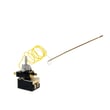
We cannot identify the exact temperature sensor part number for JAS640RM3SS from the model-specific information provided here, because GE uses multiple configurations within similar model families. If your range uses a mechanical temperature control, the related component is the range oven control thermostat WB24X21192.
| Symptom with F3 | Most likely area | What we check first |
|---|---|---|
| Code appears immediately | Sensor circuit or control input | Connectors, harness damage |
| Code appears during preheat | Connection opening when hot | Wiring, terminals, plugs |
| Oven temperature seems wrong | Sensing or control issue | Sensor circuit integrity |
When the range can’t read oven temperature correctly, it may shut down, heat erratically, or overheat. Fixing the sensing circuit restores safe, accurate baking.
Last updated: January 2026




