 Error Codes



What is crisp mode?
On the GE GGF500PV2SS free standing gas range, crisp mode is a fast, high-heat cooking mode designed to create air fry-like, crunchy results. It rapidly heats the oven cavity by using bake and broil heat together, then maintains conditions that help brown and crisp foods.
What crisp mode is best for
- Frozen snacks (fries, nuggets, wings)
- Breaded foods (cutlets, fish sticks)
- Reheating leftovers that get soggy in the microwave
- Small-batch roasting (vegetables, sheet-pan items)
- Crisping the exterior without deep frying
How to get the crispiest results
- Preheat fully before loading food (crisping depends on hot metal and hot air)
- Use a low-sided pan or a rack when possible so air can circulate
- Avoid overcrowding; leave space between pieces
- Flip or rotate food halfway through for even browning
- Lightly oil food (a thin coating crisps better than heavy oil)
Quick comparison: crisp mode vs. bake vs. broil
| Mode | Primary goal | Best use | Watch-outs |
|---|---|---|---|
| Crisp mode | Crisp exterior plus even cooking | Frozen and breaded foods | Can brown faster than standard bake |
| Bake | Even, steady cooking | Cakes, casseroles, roasts | Less surface crisping |
| Broil | Intense top browning | Melting, finishing, searing | Easy to over-brown if unattended |
Why it matters
Crisp mode helps you get a crunchy finish with less oil than deep frying, and it typically cooks faster than standard bake because the oven reaches effective cooking heat quickly.
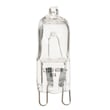
If crisp mode performance seems weak (slow heat-up or uneven browning), a failing ignition component such as the glowbar WB13X47325 can prevent the oven from reaching and holding the heat needed for consistent crisping.
Last updated: January 2026
How do I reset my GE oven control board?
To reset the control board on your GE GGF500PV2SS gas range, we recommend doing a full power reset: turn the range off, cut power at the breaker for 60 seconds, then restore power and let the control finish its startup before pressing any keys.
Quick reset options (try in this order)
- Cancel/Clear reset: Press and hold Cancel/Clear for 3 to 5 seconds to clear a minor keypad glitch.
- Breaker reset (best overall): Turn the range circuit breaker OFF for 60 seconds, then turn it ON.
- Hard reset after an error: If an error returns immediately, leave power off for 3 to 5 minutes to fully discharge the control.
Step-by-step: breaker reset (recommended)
- Turn all surface burner knobs to OFF.
- Switch the range breaker OFF (or unplug if it is safely accessible).
- Wait 60 seconds.
- Restore power.
- Wait for the display to stabilize (typically 30 to 60 seconds) before using Bake, Broil, or the clock.
If the control is still unresponsive
These checks help separate a temporary glitch from a part problem:
- Confirm the outlet has power and the breaker is not tripped.
- If the display works but buttons do not, the touch panel/overlay can be the issue.
- If the oven heats incorrectly after a reset, the temperature sensor circuit is a common suspect.
- If the oven will not ignite (no heat), ignition components can be involved.
| Symptom after reset | Most likely area to check | Example part for this model |
|---|---|---|
| Display works, keys don’t respond | Keypad/overlay | Overlay WB07X47345 |
| Oven temperature is inaccurate | Oven temperature sensor | Oven temp semsor WB17X47506 |
| Oven won’t light, no heat | Ignition system | Glowbar WB13X47325 |
Why it matters
A power reset clears temporary software lockups and restores normal communication between the keypad and control. If the same symptom returns right away, the reset helps confirm you are dealing with a repeatable failure (often a keypad/overlay, sensor, or ignition-related issue) rather than a one-time glitch.
Last updated: January 2026
Why does my oven keep beeping and saying F2?
On the GE GGF500PV2SS gas range, an F2 code with beeping points to an oven temperature problem: the control is sensing an over-temperature condition or a bad temperature-sensor signal. In many cases, the fix is checking the oven temperature sensor wiring and replacing the sensor if it tests out of range.
What to check first (quick, safe steps)
- Press Clear/Off to stop the beeping; if it returns during preheat, treat it as an active fault.
- Turn the oven off and let it cool completely.
- If the oven was set to a very high temperature or running for a long time, restart and watch whether the code returns.
- If the code returns quickly, focus on the sensor circuit and control.
Most common causes of F2 on a gas range
- Failed or drifting oven temperature sensor (sensor resistance no longer reads correctly)
- Loose, damaged, or overheated wiring/connector between the sensor and control
- Stuck relay or failed electronic control that keeps heat on too long
- Actual overheating from restricted airflow or a door that is not sealing well
A common replacement part for temperature-sensing issues on this model is the oven temp semsor WB17X47506.
Basic troubleshooting flow (what we do in the field)
| What you observe | Most likely direction | What to do next |
|---|---|---|
| F2 appears during preheat | Sensor circuit or control | Inspect sensor connector and harness; test sensor resistance |
| Oven seems much hotter than set temp | Control not regulating heat | Check sensor first; if good, suspect control |
| F2 appears after long bake | Over-temp event or weak sensor | Verify door seal, airflow, then test sensor |
Why it matters
An F2 error is the range protecting itself from unsafe or inaccurate heating. Fixing the sensor or control issue helps prevent overheating, poor baking results, and repeated shutdowns.
For electrical testing steps and safe meter use, we recommend how to use a multimeter to test electrical parts video.
Last updated: January 2026




