Owner’s manual
 Error Codes







Why is my gas stove not getting gas?
If your Samsung NX60A6511SW gas range is not getting gas, the most common causes are a closed gas shutoff valve, a burner knob not set correctly to ignite, or clogged burner parts that block gas flow. Start with safe checks and basic burner cleaning using the steps in the NX60A6511SW owner's manual.
If you smell gas, close the gas valve and do not use the range. Do not use an open flame to check for leaks; follow the gas-safety steps in the NX60A6511SW owner's manual.
- Confirm the house gas shutoff valve to the range is fully open.
- Make sure the burner knob is not stuck in LITE; once the burner lights, turn to a flame setting.
- Remove the grate and burner cap; verify the cap is seated flat and centered.
- Clean clogged burner ports with a soft brush; food spills can block gas at the burner head.
- Verify the range has power (many gas ranges need electricity for ignition); check the outlet and breaker.
| Symptom | Most likely area | What we recommend |
|---|---|---|
| No surface burners light, no clicking | Power/ignition system | Check outlet/breaker; inspect ignition switches and wiring |
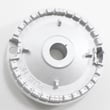
| Clicking but no flame on one burner | Burner cap/ports | Re-seat and clean burner head and cap |
| Oven won’t bake (no heat) | Bake ignition/burner | Inspect igniter and burner; consider replacing the range bake burner DG62-00066E if damaged |
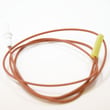
| Oven temperature is erratic | Sensor/control | Test the Samsung range oven temperature sensor DG32-00002B and related wiring |
A “no gas” symptom can be a simple burner blockage, but it can also point to an ignition or gas-supply issue. Correct burner assembly and clean ports help ensure proper combustion and reliable lighting.
Last updated: January 2026
What is error code C F2 on Samsung gas range model NX60A6511SW?
On the Samsung NX60A6511SW gas range, error code C-F2 points to a control communication problem, most commonly between the touch controls (keypad) and the main oven control. Start by resetting power and checking wiring connections; if the code returns, the control board is a common fix.
- Turn the range off, then shut off power at the breaker for 1 minute and restore power.
- If the display comes back but C-F2 returns, remove power again and inspect for loose plugs or pinched wires behind the control panel.
- Look for signs of heat damage or corrosion on connectors.
- If the oven door is not fully closing, correct that first; some control issues show up during heat cycles.
- Follow the access and wiring notes in the NX60A6511SW user manual.
C-F2 is usually not a gas supply issue; it is typically an electronic control issue.
| Symptom | Most likely area | Common next step |
|---|---|---|
| C-F2 appears randomly | Loose connection | Reseat harness connectors with power off |
| C-F2 appears when pressing keys | Touch control circuit | Inspect ribbon/connector, then replace control if needed |
| C-F2 returns immediately after reset | Main control failure | Replace the main control board |
If replacement is needed, the model NX60A6511SW commonly uses the Samsung range oven control board DG94-04041B.
When the keypad and control board cannot communicate reliably, the range may disable baking or broiling to prevent unsafe operation. Fixing C-F2 restores normal oven control and helps prevent intermittent shutdowns during cooking.
Last updated: January 2026
What is the life expectancy of a Samsung gas range?
Most Samsung gas ranges, including model NX60A6511SW, typically last 10 to 15 years with normal household use and basic maintenance. Actual lifespan depends most on how often you cook, how clean the burners stay, and whether heat and ignition components are kept in good working order (see the NX60A6511SW owner's manual).
- Burner and igniter condition: clogged ports or weak ignition increases wear and poor combustion
- Oven temperature accuracy: overheating or wide temp swings strain components
- Ventilation and heat exposure: excessive heat at the control area can shorten electronics life
- Cleaning habits: spills and grease buildup accelerate corrosion and sticking valves
- Electrical supply quality: nuisance trips (GFCI/breaker) and surges can damage controls
- Keep burner heads and caps clean and fully seated
- Wipe up boilovers quickly to prevent baked-on residue
- Confirm the oven preheats normally and holds temperature
- Listen for unusual fan noises during convection operation
- Check that the display and controls stay stable (no random blanking)
| Symptom | Often caused by | Typical fix path |
|---|---|---|
| Oven won’t heat or heats unevenly | Ignition or burner issue | Inspect/clean, then replace failed ignition/burner parts |
| Oven temperature is off | Sensor drift | Replace the Samsung range oven temperature sensor DG32-00002B |
| Display goes blank or controls act erratic | Power issue or control failure | Verify outlet/breaker, then consider the Samsung range oven control board DG94-04041B |
| Clicking or no spark at burners | Ignition system fault | Diagnose ignition switches/module and wiring |
A 10 to 15 year lifespan is realistic for a gas range, but many “old range” complaints are actually single-part failures (sensor, igniter, spark module, control board). Replacing the right part can restore safe, consistent cooking and delay full replacement.
Last updated: January 2026