Error Codes
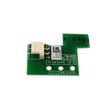


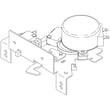
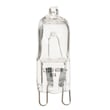
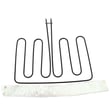


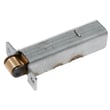
How to replace GE oven temp sensor?
To replace the oven temperature sensor on your GE CTS90FP4N4W2 electric wall oven, we shut off power, remove the sensor mounting screw inside the oven, pull the sensor forward, disconnect the wire connector, then install the new sensor and restore power. Use the correct replacement part: wall oven temperature sensor WB21X10165.
Before you start (safety and prep)
- Turn off the oven circuit breaker (240V) and confirm the display is off.
- Let the oven cool completely.
- Protect the oven cavity with a towel so you do not scratch the enamel.
- Have a Phillips or 1/4-in nut driver ready (fastener type varies).
- If the connector might slip back into the insulation, have tape or a clip ready to hold the harness.
Replacement steps
- Remove the oven racks for working room.
- Locate the sensor probe inside the oven cavity (typically on the rear wall).
- Remove the mounting screw(s) holding the sensor.
- Gently pull the sensor straight toward you a few inches.
- Disconnect the wire connector (press the locking tab, then separate).
- Connect the new sensor to the harness until it clicks.
- Tuck the connector back through the opening carefully (do not pinch wires).
- Reinstall the mounting screw(s), reinstall racks, then restore power.
Quick checks after installation
- Set Bake to 350°F and confirm the oven heats normally.
- If the oven shows an error or will not heat, recheck the connector seating.
- If temperatures seem off, allow 20 to 30 minutes for the oven to stabilize before judging accuracy.
Common symptoms a bad sensor can cause
| Symptom | What it often points to |
|---|---|
| Oven overheats or underheats | Sensor out of range or drifting |
| Temperature swings are extreme | Sensor or connection issue |
| Error code related to temperature | Sensor circuit open/short |
Why it matters
The temperature sensor is the feedback device the control uses to regulate bake and broil heat. A weak sensor can make food cook unevenly, trigger temperature-related errors, or cause long preheat times.
Last updated: February 2026
How to install GE oven racks?
To install oven racks in your GE CTS90FP4N4W2 electric wall oven, we slide the rack onto the side supports (or rack guides) and push it straight in until it seats evenly. If you are replacing a damaged rack, remove the old rack first and install the new one the same way.
Standard rack installation (most positions)
- Turn the oven off and let it cool completely.
- Pull the rack out of the oven and align the rack’s side rails with the desired rack supports.
- Keep the rack level; slide it straight back.
- Push until the rack stops and feels stable.
- Tug the rack forward slightly to confirm it is engaged on both sides.
If you are installing a sliding rack
Some GE wall ovens use a heavier sliding rack that must sit fully on the correct support level.
| Rack type | What you should feel | Common mistake |
|---|---|---|
| Standard rack | Smooth slide, light resistance | One side not on the support |
| Sliding rack | Heavier, solid “seated” feel | Rack not fully set on both rear supports |
If your CTS90FP4N4W2 uses a sliding rack, match the replacement to the correct style, such as the wall oven sliding rack WB48X38086.
Why it matters
A rack that is not seated on both supports can tip when you pull food out, which can spill hot cookware and also bend the rack supports over time.
Quick care tips to keep racks sliding smoothly
- Wipe spills after the oven cools to prevent baked-on residue.
- Avoid forcing the rack if it binds; pull it out and re-seat it level.
- Use a small amount of rack lubricant only when needed; the GE cooking appliance oven rack lubricant WB02T10303 is made for this purpose.
- Do not use abrasive cleaners that can roughen the rack finish.
Last updated: February 2026
How do I reset my GE oven control board?
To reset the control on your GE CTS90FP4N4W2 electric wall oven, first try a keypad reset (Clear/Off or Cancel for a few seconds). If the display or keys still act up, do a full power reset by switching the oven circuit breaker OFF, then back ON.
Reset options (start with the simplest)
- Keypad reset: Press and hold Clear/Off or Cancel for about 3 to 5 seconds.
- Power reset: Turn the circuit breaker OFF for 60 seconds, then turn it back ON.
- Hard reset for persistent glitches: Leave the breaker OFF for 5 minutes, then restore power.
- After power returns: Set the clock and test Bake and Broil.
What to check if it will not reset
If the oven still will not respond after a reset, focus on power supply and common control-related failures.
- Confirm the breaker is fully seated (OFF then ON) and the oven has power
- If the display is on but keys do not respond, the control interface may be failing
- If the oven heats erratically or throws temperature-related errors, test the sensor circuit
- If the oven overheats the cabinet area or shuts down during long bakes, check cooling airflow
- If the oven is stuck in self-clean or shows a lock issue, inspect the door lock mechanism
Parts that commonly relate to “won’t reset” symptoms
These parts are available for CTS90FP4N4W2 and often tie directly to control, temperature, and lock problems.
| Symptom after reset | Common cause | Part to consider |
|---|---|---|
| Temperature swings, inaccurate baking | Sensor out of range | Wall oven temperature sensor WB21X10165 |
| Shuts down, overheats, fan issues | Cooling fan not running correctly | Wall oven cooling fan assembly WB26X31060 |
| Stuck locked, self-clean will not end | Lock mechanism problem | Wall oven door lock assembly WB10X28391 |
| Display works but touch response is inconsistent | Control panel failure | Control panel WB56X47984 |
Why it matters
A reset clears temporary software glitches, but it will not fix a failed temperature sensor, cooling fan circuit, door lock assembly, or a failing control panel. Identifying the symptom after the reset helps you replace the right GE wall oven part the first time.
Last updated: February 2026
What are the parts of an electric oven?
An electric oven like the GE CTS90FP4N4W2 is built around heating, temperature sensing, airflow, lighting, and door-sealing parts. The exact layout varies by model, but most electric wall ovens use the same core components to bake evenly, broil safely, and control heat accurately.
Main parts you will find in most electric ovens
- Heating system: bake element (often hidden) and broil element
- Temperature control: oven temperature sensor and electronic control
- Air movement (convection models): convection fan motor, fan blade, and related controls
- Cooling system: cooling fan and control board to protect electronics
- Door system: door seal (gasket), hinges, and sometimes a door lock for self-clean
- Interior hardware: racks, rack supports, and oven light
Common GE CTS90FP4N4W2 parts (examples)
These are model-matched examples from this parts list that map to the functions above:
| Oven function | Example part on this model | What it does |
|---|---|---|
| Temperature sensing | Wall oven temperature sensor WB21X10165 | Tells the control the oven temperature so it can regulate heat |
| Cooling airflow | Wall oven cooling fan assembly WB26X31060 | Moves air to cool the oven cabinet and electronics |
| Cooling control | Wall oven cooling fan sensor board WB27T11463 | Helps manage when the cooling fan runs |
| Door sealing | Wall oven door seal WB35X32825 | Helps keep heat in the oven cavity for stable temperatures |
| Oven lighting | Wall oven light assembly WB25X31221 | Provides interior light so you can check food without opening the door |
Why it matters
Knowing which part does what helps you troubleshoot faster. For example, uneven baking often points to a heating or airflow issue, while temperature swings can point to a sensor problem. A worn door seal can waste energy and cause longer preheat times.
Quick troubleshooting clues by symptom
- Oven not holding temperature: check the sensor and door seal first
- Oven gets too hot or too cool: temperature sensor or control issue is common
- Cabinet gets unusually hot: cooling fan system may not be running correctly
- Light not working: bulb or light assembly issue
- Self-clean won’t start or door won’t unlock: door lock assembly issue
Last updated: February 2026