 Owner’s manual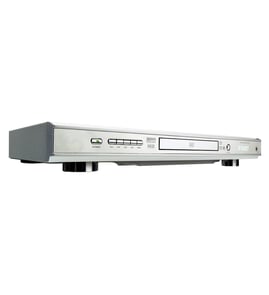


What year is the Sony DVP-CX995V?
The Sony DVP-CX995V operating instructions are copyrighted © 2005, which places this DVD player model in the mid-2000s timeframe. For model-identification details (model and serial number location) and full specifications, use the owner's manual.
How to confirm the year for your exact unit
Because production runs can span multiple years, the most reliable way to pin down the year is to use the information on your specific player.
- Check the rear panel label for the model and serial number.
- Look for a manufacturing date code on the rating label (if present).
- Keep the serial number recorded for service history and parts lookup.
- Match the unit’s features and connections to the manual’s specifications.
What we can verify from the DVP-CX995V documentation
The manual confirms the model number and provides technical specs that help identify the correct product generation.
| Item | What the DVP-CX995V manual shows |
|---|---|
| Manual copyright | © 2005 Sony Corporation |
| Signal format system | NTSC |
| Power requirements | 120 V AC, 60 Hz |
| Dimensions (approx.) | 430 × 189 × 545 mm (W × H × D) |
Why it matters
Knowing the correct model year range helps when you are comparing feature sets (HDMI output, disc capacity, audio outputs) and when you are troubleshooting compatibility issues with TVs, receivers, and disc formats.
Last updated: February 2026
What is the DVP-CX995V position?
On the Sony DVP-CX995V DVD player, “position” most often refers to the player’s physical placement and operating orientation: set it up level (horizontal) with good ventilation, away from heat, dust, and vibration so discs load, spin, and read reliably. See the owner's manual for placement and safety details.
Recommended placement for the DVP-CX995V
- Set the player on a stable, level shelf or cabinet (operate horizontally).
- Leave open space around vents so heat can escape.
- Keep it away from direct sunlight, heaters, and other heat sources.
- Avoid soft surfaces (like carpet or a thick rug) that can block ventilation holes.
- Keep it away from strong magnets (large speakers, some subwoofers).
- If moved from cold to warm, let it sit powered off so condensation can clear before playing discs.
Quick checklist: good vs. bad “positions”
| Setup item | Good position | Bad position |
|---|---|---|
| Orientation | Flat, level | Tilted or on its side |
| Airflow | Vents unobstructed | Vents blocked or enclosed tightly |
| Environment | Cool, dry, low dust | Hot, damp, dusty |
| Nearby equipment | Away from strong magnets | Next to large speakers |
Why it matters
This model uses an optical pickup and a disc-loading mechanism; heat buildup, vibration, tilt, or moisture can cause read errors, skipping, or loading problems. Correct positioning protects the player and improves playback stability.
Last updated: February 2026
What are the parts of a DVD player?
A DVD player like the Sony DVP-CX995V is made up of user controls (buttons and display), disc-handling hardware (tray or changer mechanism), connection jacks (audio/video/HDMI), and internal electronics (power supply and circuit boards) that read discs and output sound and video. For the exact control names and jack locations, use the owner's manual.
Main parts you can see and use
These are the components most people interact with day to day:
- Front panel display (shows disc type, play status, time, track/title info)
- Remote sensor (IR receiver on the front panel)
- Front-panel buttons and dials (play, stop, menu, disc change, etc.)
- Disc loading system (disc tray or multi-disc changer, depending on model)
- Connection jacks (video/HDMI and audio outputs, plus any accessory jacks)
Internal parts (what makes it work)
Inside the cabinet, most DVD players are built around a few core assemblies:
- Optical pickup and spindle motor (reads the disc and spins it)
- Loading motor and gears/belts (moves discs in and out of the mechanism)
- Main control board (processes disc data and controls playback)
- Power supply board (converts household power to the voltages the player needs)
- Output circuitry (sends audio and video signals to your TV or receiver)
Quick “parts” map
| Area | What it does | Common symptoms when it fails |
|---|---|---|
| Display and buttons | Lets you control playback and see status | No display, buttons unresponsive |
| Remote sensor | Receives remote commands | Remote works only up close or not at all |
| Disc mechanism | Loads, changes, and positions discs | Won’t load, jams, grinding noises |
| Optical pickup | Reads DVDs/CDs | “No disc,” skipping, freezing |
| Power supply | Powers the unit | Dead unit, random shutoffs |
Why it matters
Knowing the major DVD player parts helps you troubleshoot faster. For example, “no disc” points toward the optical pickup or disc mechanism, while a dead unit points toward the power supply or a blown fuse.
If you’re testing electrical components, we recommend following the safety steps in the owner's manual and using a meter correctly; our how to use a multimeter to test electrical parts video is a good primer.
Last updated: February 2026
How to fix Sony DVD player not reading?
If your Sony DVP-CX995V DVD player is not reading discs, the fastest fixes are to power reset the player, confirm the disc type is supported and finalized, and check for disc loading issues (skewed disc, dirty or damaged disc). Use the troubleshooting steps in the owner's manual to match symptoms to the right fix.
Quick fixes to try first
- Eject and reinsert the disc; make sure it is seated straight (a skewed disc will not play).
- Try a different known-good, factory-pressed DVD or CD to rule out a bad disc.
- Clean the disc (wipe from center outward) and check for deep scratches or warping.
- Power reset: unplug the AC power cord, wait at least 30 seconds, then plug it back in.
- If the player has been moved from cold to warm, let it sit unplugged for 1 to 2 hours to clear moisture condensation.
Disc compatibility checks (very common cause)
This model can refuse discs that are technically “DVDs” but not authored in a compatible way.
| Disc situation | What it means | What to do |
|---|---|---|
| Recordable disc not finalized | Player cannot read the directory | Finalize the disc in the recorder, then retry |
| 8 cm disc used with an adapter | Can jam or cause malfunction | Use standard 12 cm discs only |
| Poor recording quality or authoring | Player may not recognize it | Re-burn at a slower speed, use different media |
| Region code mismatch (DVD) | Disc is locked to another region | Use a disc that matches your player’s region |
If the player powers on but still shows “NO DISC”
These steps help separate a disc problem from a player mechanism or optical pickup issue.
- Listen for disc loading sounds; repeated clicking or cycling often points to a loading/positioning problem.
- Test multiple disc formats (DVD movie, audio CD) to see if the issue is format-specific.
- Remove all discs from the changer and confirm the display shows “NO DISC” before turning the unit off (this also helps before transporting the player).
- If static electricity causes abnormal operation, unplugging the player can restore normal function.
Why it matters
A “not reading” symptom is usually caused by disc finalization/format issues or a simple power reset need. Ruling those out first prevents unnecessary disassembly and helps you pinpoint whether the problem is media-related or a hardware fault.
Last updated: February 2026
Can you use your phone as a remote for a Sony DVD player?
Yes, you can sometimes use a phone as a remote for a Sony DVD player, but it depends on the exact model and how it was designed to accept remote commands. For the Sony DVP-CX995V, the operating instructions focus on using the supplied infrared (IR) remote and the player’s front-panel controls, not a phone app; use the owner's manual to confirm the supported control options for your setup.
What works with the DVP-CX995V (most common)
The DVP-CX995V is typically controlled by an IR remote pointed at the player’s remote sensor. If your original remote is missing or unreliable, these approaches usually solve it:
- Replace the remote batteries and clean the battery contacts
- Make sure the player’s remote sensor is not in direct sunlight or bright lamp light
- Reduce distance and aim the remote directly at the front of the player
- Remove obstacles in front of the player (cabinet doors, tinted glass)
- Use the player’s front-panel buttons for basic functions (power, play, stop, etc.)
Phone-remote options (when they apply)
Phone control generally requires one of these, and not every DVD player supports them:
| Phone method | What you need | When it works |
|---|---|---|
| IR blaster phone + universal remote app | A phone with built-in IR emitter | Works like a traditional remote (line-of-sight) |
| Wi-Fi or Bluetooth app control | A player designed for network/app control | Common on smart TVs and some Blu-ray players, not typical on older DVD changers |
| IR-to-Wi-Fi hub | A hub that learns IR commands | Useful when you want app control but the player only understands IR |
If you have more than one Sony DVD player
If one remote controls multiple Sony players, set a different command mode (DVD 1, DVD 2, or DVD 3) on the remote and match it on the player. The DVP-CX995V default is typically DVD 1; the steps are shown in the owner's manual.
Why it matters
Using the correct control method prevents “dead remote” symptoms that are really line-of-sight issues, command mode conflicts, or sensor interference. It also helps you choose the right replacement approach (IR remote vs. hub vs. app).
Last updated: February 2026