





How to get rid of control lock on GE microwave?
To turn off Control Lock on your GE JVM1650SB004 microwave/hood combo, press and hold the Clear/Off (or Cancel) pad for about 3 seconds until the lock indicator turns off. The exact pad label varies by keypad style, but the hold-to-unlock action is the same.
Quick steps to unlock
- Make sure the microwave is in standby (not cooking).
- Press and hold Clear/Off or Cancel for 3 seconds.
- Watch for the lock icon or “LOC” indicator to disappear.
- Try pressing Start with no cook time; it should respond normally.
- If it re-locks, repeat the 3-second press (some keypads beep when it toggles).
If Control Lock will not turn off
These checks fix most “stuck lock” situations on over-the-range GE microwaves:
- Wipe the keypad area with a barely damp cloth, then dry it; grease can make a key act “pressed.”
- Power reset: unplug the microwave (or switch off the breaker) for 2 minutes, then restore power and try again.
- Confirm you are holding the correct pad; on some panels the lock feature is tied to Clear/Off even if “Control Lock” is printed nearby.
- If the door is not closing cleanly, the control may not accept inputs; inspect the latch area and door alignment.
Door latch and switch parts that can affect operation
If the microwave seems unresponsive or behaves oddly when the door is opened or closed, worn door-interlock parts are common on this style of unit.
| Symptom | Common area to inspect | Example part for JVM1650SB004 |
|---|---|---|
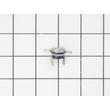
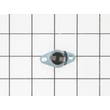
| Buttons work sometimes, then stop | Door interlock switch | Micro-switch WB24X830 |
| Must slam door to run | Switch lever/latch mechanism | Microwave door interlock switch lever WB06X10128 |
| No response when door closes | Interlock switch | Switch-micro WB24X829 |
Why it matters
Control Lock is a safety feature that prevents accidental starts and unwanted keypad changes. If it will not toggle off, it often points to a keypad input issue or a door-interlock problem that can also prevent normal heating and run functions.
Related help: never do these things with a microwave
Last updated: February 2026
How can I tell what size my microwave is?
For your GE JVM1650SB004 microwave/hood combo, “size” usually means two things: the outside dimensions (so it fits your cabinet space) and the inside capacity (so your dishes fit). Measure the opening and the microwave’s exterior, then check interior usable space with a simple dish test.
What to measure (and how)
- Width: measure left-to-right across the front of the microwave.
- Height: measure bottom-to-top of the microwave face.
- Depth: measure front-to-back; include the door and handle if you need total clearance.
- Cabinet opening: measure the space between cabinets and from cabinet bottom to the range top.
- Vent clearance: confirm there’s room for airflow at the top/front grille area.
Quick “dish fit” test for interior size
Use your largest everyday items to confirm usable capacity:
- Dinner plate (typically 10 to 12 inches)
- Casserole dish with handles
- Tall mug or measuring cup
- Microwave-safe bowl you use often
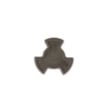
If the turntable struggles, binds, or the dish hits the walls, check the turntable support and drive parts such as the microwave turntable tray support WB06X10139 and microwave turntable motor coupler WB06X10420.
Typical over-the-range microwave size ranges
These ranges help you sanity-check your measurements.
| What you’re sizing | Typical range | Why it matters |
|---|---|---|
| Exterior width | ~29 to 30 inches | Must match standard cabinet spacing |
| Exterior height | ~16 to 18 inches | Affects cabinet clearance above the unit |
| Exterior depth | ~15 to 17 inches | Impacts door swing and backsplash clearance |
| Interior capacity | ~1.5 to 2.0 cu. ft. | Determines what dishes fit inside |
Why it matters
Getting the size right prevents installation headaches, ensures proper ventilation for the hood fan, and avoids turntable interference that can cause uneven heating or noise.
For heating performance concerns that can be mistaken for “wrong size,” see why is my microwave not heating.
Last updated: February 2026
What is the average lifespan of a GE microwave?
Most GE microwaves average about 7 to 10 years of service life with normal household use and basic care. For a GE over-the-range model like JVM1650SB004, heavy daily cooking, poor airflow, and door-switch wear can shorten lifespan, while regular cleaning and proper venting can extend it.
Typical lifespan and what changes it
A microwave’s life is usually limited by heat stress, door-interlock wear, and high-voltage component aging.
- Light use (reheat/defrost only): often closer to 10 years
- Heavy use (multiple cook cycles daily): often closer to 5 to 7 years
- Poor ventilation or grease buildup: increases internal heat and shortens life
- Door slamming or misalignment: accelerates interlock switch and lever wear
- Running empty or using metal/foil: can cause arcing and early failure
Signs it is nearing end of life
If you see these symptoms repeatedly, repair may be needed to keep the unit safe and reliable.
- Food takes much longer to heat than it used to
- Loud humming, buzzing, or burning smell during heating
- Unit runs but does not heat (common high-voltage issue)
- Door does not close crisply, or it takes wiggling to start
- Turntable stops rotating or is intermittent
Common wear items for JVM1650SB004
These parts are frequently involved when performance drops or the microwave will not start.
| Symptom | Common area | Example part for this model |
|---|---|---|
| Won’t start when door closes | Door interlock system | Micro-switch WB24X830 |
| Door feels loose or won’t latch smoothly | Interlock lever/latch mechanism | Microwave door interlock switch lever WB06X10128 |
| Runs but does not heat | High-voltage circuit | Microwave high-voltage diode WB27X1160 |
| Turntable not turning | Turntable drive | Microwave turntable motor WB26X10038 |
Why it matters
Knowing the typical lifespan helps you decide whether to maintain, repair, or replace. If your JVM1650SB004 is already in the 7 to 10 year range and develops heating or door-interlock problems, comparing repair cost to replacement value is the fastest way to make a smart call.
For heating failures, we use the same troubleshooting path outlined in why is my microwave not heating.
Last updated: February 2026
What are common problems with GE JVM1650SB004 microwaves?
Common problems with the GE JVM1650SB004 microwave/hood combo include not heating, not starting, a turntable that will not rotate, loud buzzing or grinding, sparking or arcing, and dim or failed cooktop lights. Many issues trace back to door interlock parts, turntable drive parts, or high-voltage components.
Most common symptoms and likely causes
- Microwave runs but does not heat: failed magnetron, high-voltage diode, or high-voltage capacitor
- Dead display or will not start: blown fuse, loose power connection, or a door interlock switch problem
- Starts then stops when the door moves: worn door switch lever or failing interlock switch
- Turntable not turning: failed turntable motor or stripped coupler
- Loud noise during operation: turntable support issue, fan blade problem, or a failing motor
- Light out under the microwave: burned-out bulb or bad socket
Quick checks we recommend first
- Reset power: unplug for 2 minutes (or switch the breaker off then on).
- Confirm the door closes firmly: a misaligned latch can prevent cooking.
- Test with a cup of water: if it runs but stays cold, focus on heating circuit parts.
- Inspect the turntable system: make sure the tray is seated on the coupler and support.
Parts that commonly fix these problems
| Symptom | Part to check | Example part for this model |
|---|---|---|
| Won’t start, intermittent running | Door interlock switches and lever | Micro-switch WB24X830, microwave door interlock switch lever WB06X10128 |
| No heat | High-voltage components | Microwave high-voltage diode WB27X1160, microwave high-voltage capacitor WB27X10011, magnetron WB27X10735 |
| Turntable not rotating | Turntable drive | Microwave turntable motor WB26X10038, microwave turntable motor coupler WB06X10420 |
| Light not working | Lighting | Microwave light bulb WB36X10003, microwave light socket WB08X10016 |
Why it matters
Door interlock problems can keep the microwave from starting or cause it to stop mid-cycle, while heating problems usually point to the high-voltage circuit. Identifying the symptom first helps you choose the right repair path and avoid replacing unnecessary parts.
For deeper troubleshooting steps, we recommend our DIY guide: why is my microwave not heating.
Last updated: February 2026





