 Owner’s manual




Is the DW80K7050UG a good dishwasher?
Yes, the Samsung DW80K7050UG is a good dishwasher for most homes because it is designed to run quietly and offers flexible loading and strong targeted wash options; overall satisfaction mainly depends on proper loading, routine filter care, and using the right cycle for the soil level (check the DW80K7050UG owner's manual for the exact feature set and cycle behavior).
When customers ask if a dishwasher is “good,” we look at a few practical factors that affect day-to-day results:
- Cleaning performance: best when spray arms can rotate freely and filters are kept clear
- Drying results: improves with rinse aid and correct cycle options
- Noise level: many Samsung top-control models are built to be quiet in normal operation
- Rack flexibility: adjustable racks help fit tall items and odd shapes
- Reliability over time: strongly influenced by maintenance and avoiding clogs
These steps make the biggest difference in whether the DW80K7050UG feels “great” or “frustrating”:
- Load so nothing blocks the upper spray arm or lower spray arm
- Use a quality detergent and rinse aid for better drying and fewer spots
- Run hot water at the sink before starting a cycle (helps the first fill)
- Clean the filter area regularly to prevent redepositing soil
- Choose heavier cycles for baked-on food; use lighter cycles for lightly soiled loads
| Symptom | Most common cause | What to check first |
|---|---|---|
| Dishes still dirty | Blocked spray, clogged filter, wrong cycle | Loading and spray arm movement |
| Water left in tub | Drain restriction or pump issue | Air gap/disposal inlet, drain hose routing |
| Won’t start | Door not latching or switch issue | Door closure and latch alignment |
| Odd noises | Debris in pump/sump area | Filter area and bottom of tub |
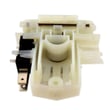
If the dishwasher will not start consistently even with a firmly closed door, a door-switch circuit problem is a common direction to investigate; the dishwasher door switch DD81-02132A is one of the related components used on this model.
A dishwasher can have strong features on paper, but real-world results come down to water flow, correct cycle selection, and basic upkeep. Keeping spray paths clear and the filtration area clean protects wash performance and helps prevent drain and pump problems.
Last updated: February 2026
How to force reset Samsung dishwasher?
To force reset your Samsung DW80K7050UG dishwasher, we recommend a hard power reset first: turn the dishwasher off, then cut power at the breaker (or unplug it) for 5 minutes, restore power, and start a new cycle. This clears most control glitches and stuck cycles.
- Press Power to turn the dishwasher off.
- Turn OFF the dishwasher circuit breaker (or unplug the power cord if accessible).
- Wait 5 minutes.
- Restore power.
- Press Power, then start a normal cycle.
- If the controls are unresponsive, repeat the power reset for 10 minutes.
Many Samsung dishwashers use a Start/Cancel function to stop a running cycle, which is different from a full reset. Check the exact button behavior for DW80K7050UG in the DW80K7050UG manual.
| What you want to do | What to try | What it does |
|---|---|---|
| Clear a glitch or frozen keypad | Breaker off 5 minutes | Reboots the control board |
| Stop a cycle that is running | Hold Start/Cancel (often ~3 seconds) | Drains and cancels the cycle |
| Fix repeated error beeps after a leak event | Power reset, then check for water in base | Clears control state after drying out |
These checks solve the most common “reset didn’t help” situations:
- Make sure the door fully latches; a door that is not closed can prevent starting.
- Confirm the breaker is fully reset (switch OFF, then ON).
- Look for standing water in the tub; a drain problem can block operation.
- If you see signs of water in the bottom pan, let it dry out and inspect for leaks.
- If the unit cancels when you close the door, the door switch circuit may be the issue.
If you suspect a door-latch sensing problem, the dishwasher door switch DD81-02132A is a common component involved in start and run authorization.
A power reset is the quickest way to clear a stuck relay state, a paused control, or a software hiccup. If the dishwasher repeatedly needs resets, it usually points to an underlying issue such as a door-latch signal, draining restriction, or a leak detection event.
For code-specific guidance, use Samsung dishwasher error codes.
Last updated: February 2026
What is the most common problem with Samsung dishwashers?
Drainage trouble is the most common issue we see with Samsung dishwashers like model DW80K7050UG: the dishwasher will not drain, drains slowly, or stops mid-cycle because water cannot move through the filter, drain path, or drain pump.
- Cancel the cycle and run a drain function, then listen for the drain pump running.
- Clean the bottom filter area and remove any debris (glass, labels, food).
- Check the drain hose for kinks, crushing, or a clogged air gap (if you have one).
- Make sure the sink drain or garbage disposal inlet is not blocked.
- Verify the door closes and latches fully; a door that is not fully closed can prevent starting and draining.
| Symptom | Most likely cause | What usually fixes it |
|---|---|---|
| Standing water in tub | Clogged filter or drain path | Clean filter and drain area |
| Hums but will not drain | Drain pump jammed or failing | Inspect pump area; replace pump if needed |
| Stops and beeps with water present | Drain restriction or leak detection triggered | Clear restriction; check for leaks |
| Will not start | Door not sensed as closed | Check door switch and latch alignment |
If cleaning and hose checks do not restore normal draining or starting, these model-compatible parts are common fixes:
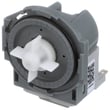
- Samsung dishwasher drain pump DD81-01527A
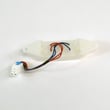
- Dishwasher leak detector sensor DD94-01062A
- Dishwasher door switch DD81-02132A
Drain problems can leave dirty water in the tub, cause poor cleaning, and trigger error codes. Fixing the drain path early also helps protect the circulation pump and reduces odors.
For model-specific operating steps, error code meanings, and cleaning instructions, use the DW80K7050UG manual. For code lookups and what to check next, we also use the Samsung dishwasher error codes guide.
Last updated: February 2026
Why is water sitting in the bottom of my Samsung dishwasher?
A small amount of water in the sump (under the filter) is normal on the Samsung DW80K7050UG because it helps keep seals from drying out. Water covering the tub bottom or returning later points to a draining or backflow problem.
Check right after the cycle ends:
| What you see | Most likely meaning | What to do |
|---|---|---|
| Small puddle only in the sump area | Normal residual water | No repair needed |
| Water covering the tub floor | Not draining fully | Check filters, hose, air gap, pump |
| Water returns hours later | Backflow from sink/disposal | Fix high loop or air gap |
- Drain hose missing a proper high loop under the sink
- Drain hose kinked, pinched, or clogged
- Sink air gap clogged (if your setup has one)
- Garbage disposal inlet knockout plug not removed (common after a new install)
- Filter or sump area blocked with food debris
- Turn off power at the breaker before reaching into the sump area.
- Pull out the lower rack; remove and clean the filter and sump area.
- Under the sink, confirm the drain hose rises up high, then drops to the drain connection.
- If equipped, clean the air gap cap and outlet.
- Run Cancel/Drain; listen for a strong pump-out and steady flow at the sink/disposal.
If the hose routing and filter area are clear but draining is still weak or you only hear humming, the drain pump is the next suspect; see Samsung dishwasher drain pump DD81-01527A.
Standing water causes odors, can redeposit soil on dishes, and can lead to leaks over time. Fixing hose routing and clogs first prevents unnecessary part replacement.
For model-specific drain and filter instructions, use the DW80K7050UG manual.
Last updated: February 2026





