Owner’s manual
 Error Codes



Where is the reset button on Samsung refrigerator?
On the Samsung RS23A500ASG refrigerator, there typically is not a single dedicated “reset button.” Most resets are done from the control panel (for example, turning Control Lock off, changing settings, or power-cycling the refrigerator). For the exact button combinations for your panel, use the RS23A500ASG owner's manual.
Common “reset” options on this model
These are the most common ways customers reset a Samsung side-by-side like RS23A500ASG, depending on what you are trying to fix:
- Control panel lock reset: Press and hold Lock for about 3 seconds to toggle Control Lock off and on.
- Temperature display behavior reset: If the temperature display is blinking for a long time, it can indicate a communication issue between the display and main controller.
- Hard reset (power cycle): Unplug the refrigerator, wait about 2 to 5 minutes, then plug it back in.
- Smart features reset: If you are troubleshooting SmartThings or network connection issues, use the Network-related steps in the manual.
- After a power event: A power cycle often clears temporary control glitches.
Which reset should you use?
Use the reset that matches the symptom.
| What you see | Best reset to try first | What it affects |
|---|---|---|
| Buttons do not respond | Control Lock off (hold Lock 3 sec) | Re-enables the main panel |
| Display blinking a long time | Power cycle, then monitor | Clears temporary control errors |
| Ice maker not working | Ice maker troubleshooting steps | Water supply, freezing, ice maker operation |
| SmartThings connection issues | Network steps in manual | Wi-Fi module and pairing |
Why it matters
Using the right reset prevents unnecessary parts replacement and helps you pinpoint whether the issue is a settings lockout, a temporary control glitch, or a cooling/ice-making problem that needs troubleshooting.
When a reset is not enough
If the refrigerator is not cooling, is making unusual fan noise, or the display keeps blinking after a power cycle, the issue is usually not a “reset button” problem. Common repair areas include airflow and temperature sensing.
- Check that vents are not blocked by food.
- Confirm doors are closing fully.
- Listen for the evaporator fan running.
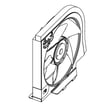
- If you suspect a cooling airflow issue, a failed fan motor can be involved (example part: Samsung refrigerator evaporator fan motor DA31-00342A).
- For ice issues, follow a model-appropriate ice maker diagnostic path (see why your Samsung fridge stopped making ice and how to fix it).
Last updated: January 2026
What is the difference between force defrost FD and RD?
On the Samsung RS23A500ASG side-by-side refrigerator, RD runs a defrost cycle for the refrigerator (fresh food) evaporator, while FD runs a full forced defrost that targets multiple defrost loads so you can clear heavier ice buildup affecting cooling and ice production. For model-specific button sequences and display behavior, use the RS23A500ASG manual.
When to use RD vs FD
- Use RD when the refrigerator section is warm but the freezer is mostly normal, and you suspect frost on the fresh food evaporator.
- Use FD when you have heavy frost symptoms such as restricted airflow, loud fan noise from ice contact, or ice maker performance issues.
- If you are troubleshooting an ice maker problem, FD is often the more effective diagnostic defrost.
What each mode typically defrosts
| Mode | What it targets | Best for | What you may notice |
|---|---|---|---|
| RD | Refrigerator evaporator area | Fresh food cooling issues | Refrigerator airflow improves after melt |
| FD | Full forced defrost (multiple heaters/areas) | Heavy icing, airflow blockage, ice maker-related icing | More widespread melting and dripping sounds |
Quick checks before running forced defrost
- Confirm doors are sealing and closing fully; a small air leak can cause repeat frost.
- Make sure vents are not blocked by food packages.
- Listen for evaporator fan noise changes (ice can make the fan scrape or buzz).
- After defrost, monitor temps: 0°F freezer and 37°F refrigerator are typical targets.
- If icing returns quickly, inspect airflow components such as the damper and fans.
Why it matters
Choosing the right defrost mode saves time: RD is a focused defrost for fresh food cooling complaints, while FD is the faster way to clear system-wide icing that can choke airflow, warm compartments, and interfere with ice making.
Last updated: January 2026
What is the common problem with Samsung fridges?
The most common issues we see with Samsung refrigerators like model RS23A500ASG are ice maker problems, warm refrigerator temperatures from restricted airflow, water leaks, and unusual fan noise. Many of these symptoms trace back to blocked air vents, frost buildup, dirty condenser coils, or a failing fan motor.
Most common symptoms and what they usually mean
- Ice maker stops making ice: freezer temperature too warm, ice buildup around the ice maker, or water supply issues
- Refrigerator section warm but freezer cold: airflow restriction (blocked vents, frost on evaporator) or a damper problem
- Water leaking inside or under the unit: clogged/iced defrost drain, filter housing leak, or water line connection issue
- Buzzing, rattling, or grinding noise: evaporator fan hitting ice, condenser fan obstruction, or worn fan motor
- Temperature swings: sensor or airflow problems
Quick checks we recommend first (no parts needed)
- Confirm vents are not blocked by food packages; Samsung warns that blocked air vents can cause overcooling and even lead to water filter damage and leaks.
- Set temperatures to normal targets: about 37°F for fresh food and 0°F for freezer.
- Listen for fan noise changes when you open and close doors (a fan hitting ice often changes tone).
- Clean condenser coils (dust buildup commonly causes poor cooling and higher noise).
- Power reset correctly: if unplugged, wait at least 5 minutes before plugging back in.
Parts that commonly relate to these problems on RS23A500ASG
| Symptom | Common system involved | Example part for this model |
|---|---|---|
| Warm temps, frost buildup, fan noise | Evaporator airflow | Samsung refrigerator evaporator fan motor DA31-00342A |
| Refrigerator warm, freezer OK | Airflow control | Refrigerator air damper DA31-00333E |
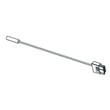
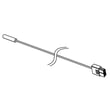
| Temperature not stable | Temperature sensing | Refrigerator temperature sensor DA32-00024L |
| Ice maker not producing | Ice maker assembly | Samsung refrigerator ice maker DA97-21995A |
Why it matters
Cooling and ice maker complaints often start as simple airflow or maintenance issues, but they can progress into food-safety temperature problems, repeated icing, and water leaks if the root cause is not corrected.
Helpful references
- Use the RS23A500ASG owner's manual for vent locations, safe operating guidance, and model-specific use and care.
- For ice maker troubleshooting steps, follow why your Samsung fridge stopped making ice and how to fix it.
Last updated: January 2026