Owner’s manual
 Error Codes



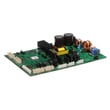
Can I buy replacement parts from Samsung?
Yes. For Samsung model RF29BB8600QL bottom-mount refrigerators, you can purchase certain genuine replacement parts directly through Samsung channels (such as a local Samsung service center or Samsung’s parts site), and you can also buy compatible parts through Sears PartsDirect using your model number and diagrams in the RF29BB8600QL owner's manual.
Best ways to buy the right part
We recommend using your exact model number (RF29BB8600QL) and matching the part by description and diagram location.
- Use the model number to confirm fit before ordering
- Match the part name to the symptom (cooling, ice, lights, leaks)
- If you have an error code, look it up before buying parts
- For water-related issues, confirm whether you use a reverse osmosis system
- For electrical parts, unplug the refrigerator before inspection
Parts you may need (common examples)
If you are troubleshooting cooling or ice issues on this model, these are common replacement categories available for RF29BB8600QL:
| Symptom | Common part category | Example part from this model |
|---|---|---|
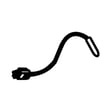
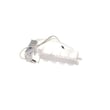
| Warm fridge or inconsistent temps | Temperature sensing | Refrigerator temperature sensor DA32-00033C |
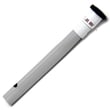
| Ice maker not producing ice | Ice maker assembly | Refrigerator ice maker DA97-22160A |
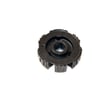
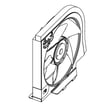
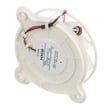
| Poor airflow or noisy evaporator area | Fan motor | Refrigerator fan motor DA97-20025A |
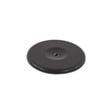
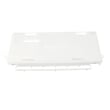
| Water pooling or drain issues | Drain components | Refrigerator drain cap DA67-01301A |
When Samsung service is the better choice
Some items are intended for service-center replacement. For example, the manual warns that refrigerator LED lamps are not user-serviceable; replacement is handled through a Samsung service center. Details and safety notes are in the RF29BB8600QL owner's manual.
Why it matters
Buying by exact model number prevents returns and repeat repairs. It also helps you choose the correct version of parts like sensors, control boards, and ice makers that can look similar but fit differently.
Last updated: February 2026
How to read Samsung fridge model number?
To read a Samsung refrigerator model number, start with the model tag inside the fresh food compartment and match the MODEL field to your paperwork and parts listings. For this unit, the model number is RF29BB8600QL; use it exactly when ordering parts or checking features in the RF29BB8600QL owner's manual.
Where to find the model and serial tag
Most Samsung bottom-mount and French door refrigerators place the rating label in one of these spots:
- Inside the refrigerator compartment on a side wall (often right side)
- Near the crisper drawers or lower side wall
- On the ceiling area inside the fresh food section
- Sometimes behind a bin or drawer front (you may need to slide a drawer out)
On the tag, look for:
- MODEL: the model number (example: RF29BB8600QL)
- S/N: the serial number (used for service and warranty)
- MFG DATE or a manufacture date field (helps identify production timing)
How to read the tag (what each field is for)
Use this quick guide when you are standing in front of the label:
| Label field | What it means | When you need it |
|---|---|---|
| MODEL | Exact model identifier | Parts lookup, manuals, feature match |
| S/N | Unique serial number | Service calls, warranty verification |
| MFG DATE | Date of manufacture | Service history, age reference |
Why it matters for parts and troubleshooting
Samsung often uses similar-looking cabinets across multiple versions; the exact model number keeps you from ordering the wrong component or following the wrong procedure.
Common examples where the exact model matters:
- Control and display behavior (panel options can vary)
- Ice maker configuration and diagnostics
- Temperature sensor and fan motor compatibility
- Door and drawer hardware fit
If you are troubleshooting cooling or temperature issues, the manual’s troubleshooting section is the best starting point; it covers basics like power connection, temperature settings, heat source placement, and clearance requirements. Use the RF29BB8600QL owner's manual to confirm the recommended checks for your exact configuration.
Last updated: February 2026
What are the 4 types of ice Samsung?
On the Samsung RF29BB8600QL refrigerator, the “4 types of ice” feature refers to four ice styles you can dispense: cubed, crushed, Ice Bites, and curved ice. Use the control panel settings shown in the RF29BB8600QL owner's manual to select the ice type your dispenser makes.
The 4 ice types, explained
- Cubed ice: Standard cubes for everyday drinks.
- Crushed ice: Best for blended drinks and quick chilling.
- Ice Bites: Small nugget-style pieces that chill fast and are easy to chew.
- Curved ice: Crescent-shaped pieces (often called “curved” or “crescent” ice).
Quick checks if the wrong ice comes out
- Confirm the selected ice mode on the dispenser/control panel.
- Make sure the ice bucket is seated fully and not overfilled.
- Break up clumps; ice can fuse into chunks if it sits a long time.
- After a power outage, empty the bucket; melted and re-frozen ice can jam the mechanism.
- If the water line is disconnected, turn ice making off to prevent valve buzzing.
What the manual says about ice maker operation
The manual notes the refrigerator uses built-in ice makers and includes a Test button that should chime when the ice maker is operating properly. It also warns not to put fingers or objects into the ice maker and not to store food in the ice bucket. See the RF29BB8600QL owner's manual for the exact button location and model-specific steps.
| Ice type | Typical use | Common issue if not dispensing |
|---|---|---|
| Cubed | Daily drinks | Bucket not seated, jammed cubes |
| Crushed | Cocktails, slushies | Clumped ice, dispenser blockage |
| Ice Bites | Fast chilling | Low water flow, ice maker off |
| Curved | General use | Mixed ice after power loss |
Why it matters
Choosing the right ice type helps prevent dispenser jams and keeps ice production steady, especially after power interruptions or when ice sits unused for long periods.
Last updated: February 2026
What are the disadvantages of a bottom freezer?
Bottom-freezer refrigerators like the Samsung RF29BB8600QL put fresh food at eye level, but the tradeoff is that frozen items sit lower and are usually stored in deep baskets. That means more bending, more digging for items, and sometimes more frost issues if the drawer is overloaded or not closing well (see the RF29BB8600QL owner's manual).
Common disadvantages (what most owners notice)
- You often need to bend or squat to reach frozen food in the lower drawer.
- Items can get buried in stacked baskets, so it takes longer to find what you need.
- Large or heavy frozen items (roasts, bulk bags) can be awkward to lift out.
- Kids can access the freezer more easily, which can lead to frequent opening and temperature swings.
- If the freezer drawer is overfilled or baskets are installed incorrectly, the drawer may not seal well, which can lead to frost buildup.
Frost and drawer-closing issues (bottom-freezer specific)
Samsung’s guidance for this style of freezer drawer is straightforward: don’t overload the drawer, and make sure baskets are mounted correctly so the door closes properly.
| Issue you see | What it usually means | What to do first |
|---|---|---|
| Frost around the freezer drawer | Drawer not sealing consistently | Reduce load; re-seat baskets; confirm smooth closing |
| Drawer feels hard to close | Food packages interfering with rails or gasket | Reorganize; keep items below basket top |
| Ice clumps or messy ice bucket | Long storage time or power interruption | Empty bucket; turn ice maker off if unused for long periods |
Tips to reduce the downsides
- Store “daily use” frozen foods in the upper basket for easier access.
- Use bins or freezer-safe containers to prevent small items from sliding underneath.
- Keep food below the basket rim so the drawer closes without resistance.
- Avoid blocking air paths inside the refrigerator and freezer; good airflow helps temperatures stay stable.
- If you see repeated ice maker problems, follow the ice maker care steps in the manual.
Why it matters
Most bottom-freezer complaints come down to ergonomics and organization. When the freezer drawer closes cleanly and airflow is not restricted, you get better temperature stability, less frost, and fewer ice maker headaches.
Last updated: February 2026
What's the average lifespan of a Samsung fridge?
Most Samsung refrigerators average 10 to 15 years of service life with normal household use and basic maintenance. For your Samsung RF29BB8600QL, keeping airflow clear, cleaning regularly, and addressing cooling or ice issues early helps you get the most years out of the sealed system and compressor (see the RF29BB8600QL owner's manual).
Typical lifespan and what usually fails first
A refrigerator can keep running for years, but performance and reliability often depend on a few high-wear systems.
- Sealed refrigeration system/compressor: usually the longest-lasting and most expensive to repair
- Fans and airflow parts: can cause warm temps or uneven cooling when they wear out
- Sensors and controls: can trigger temperature swings or error codes
- Ice maker and water system: common source of “no ice” complaints
- Door sealing and alignment: affects run time, frost, and energy use
Maintenance that extends life (high impact)
These habits reduce strain on the compressor and help prevent temperature problems.
- Keep air vents inside the compartments unblocked so cold air can circulate
- Avoid packing food tight against the rear vents
- Clean spills and wipe gaskets so doors seal consistently
- If power is disconnected, wait at least 5 minutes before plugging back in
- Use potable water for ice and water features; keep the system clean to reduce clogs
Quick reference: lifespan expectations
| Item | Typical expectation | Why it matters |
|---|---|---|
| Overall refrigerator lifespan | 10 to 15 years | Sets a realistic replacement timeline |
| Best-case with strong upkeep | 15+ years | Less wear from heat, airflow restriction, and heavy run time |
| “Early failure” window | Under 10 years | Often tied to airflow, fan, sensor, or ice/water issues |
Why it matters
Knowing the average lifespan helps you decide when a repair makes sense. If your RF29BB8600QL is near the 10 to 15 year range, investing in major repairs (control board, sealed system work) often deserves a closer cost comparison versus replacement.
Last updated: February 2026
Which is the best model of Samsung refrigerator?
There is no single “best” Samsung refrigerator for everyone; the best choice depends on your kitchen space, capacity needs, and features you will actually use. If you already own the Samsung RF29BB8600QL, it is a strong pick in Samsung’s BESPOKE-style lineup; use the RF29BB8600QL owner's manual to match features like SmartThings and special modes to your daily routine.
How we recommend choosing the “best” Samsung refrigerator
We focus on fit, food storage, and reliability basics first, then features.
- Measure your opening (width, height, depth) and confirm door swing clearance
- Choose the layout you prefer: French door, side-by-side, top freezer, or bottom freezer
- Pick capacity based on household size and shopping habits
- Decide if you want connected features (Wi-Fi, SmartThings) or a simpler control panel
- If you have reverse osmosis (RO), plan for potential water pressure impacts with filters
Quick comparison: common Samsung styles
| Style | Best for | Trade-offs |
|---|---|---|
| French door (like many RF models) | Wide shelves, family use, easy fresh-food access | Needs more door clearance; more components (ice, dispenser) can mean more maintenance |
| Side-by-side | Narrow door swing, frozen-food organization | Less room for wide platters in fresh-food section |
| Top freezer | Value and simplicity | Fewer premium features; less convenient fresh-food access |
| Bottom freezer | Fresh-food access at eye level | Freezer drawer organization varies by model |
Why it matters
“Best” usually means the refrigerator that fits your space and keeps stable temperatures with the least hassle. For your RF29BB8600QL, consistent cooling and feature setup (SmartThings, panel settings) are the foundation for food safety and performance.
Tips for owners of Samsung RF29BB8600QL
If you are evaluating whether your current unit is the “best” for you, these checks help:
- Verify temperatures are stable and vents are not blocked
- Set up Wi-Fi only if you plan to use SmartThings (you can turn the Wi-Fi indicator off from the panel)
- If ice production is your priority, follow proven ice-maker troubleshooting steps in why your Samsung fridge stopped making ice and how to fix it
Last updated: February 2026