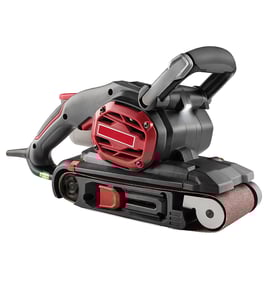

Where can I buy replacement parts for RYOBI?
For your Ryobi WDS1600 wide drum sander, the best place to buy replacement parts is through our Ryobi WDS1600 parts listing on Sears PartsDirect, using the model number to match the exact component you need. If you are shopping more broadly by model, search by model number on Sears PartsDirect.
Using the correct model number and the correct part description prevents fit and performance issues on power tool parts.
- Confirm the model number is WDS1600 (from the rating label on the tool)
- Match the part by its diagram location (when shown) and description
- Compare electrical parts by ratings (volts/amps) when applicable
- For wear items, replace related hardware at the same time when it is damaged
- If the tool has been modified, verify the replacement part matches the current setup
Even without a model-specific parts list shown here, these are the most common replacement categories for a wide drum sander like the Ryobi WDS1600:
| Part category | What it affects | Typical symptom when failing |
|---|---|---|
| Sanding drum or abrasive wrap | Surface finish | Chatter marks, uneven sanding |
| Drive belt | Drum feed and speed | Slipping, squealing, no drum movement |
| Bearings | Smooth rotation | Rumbling noise, vibration |
| Switch or power cord | Power delivery | Intermittent power, no start |
Ordering by the exact Ryobi WDS1600 model helps ensure the replacement part fits the frame, aligns with the drum, and matches the tool’s electrical and mechanical requirements.
If you are troubleshooting a no-power or intermittent-power issue before ordering parts, use how to tell if a fuse is blown and how to use a multimeter to test electrical parts video to narrow down whether the problem is in the cord, switch, or internal wiring.
Last updated: February 2026
What are the parts of a sander?
A Ryobi WDS1600 wide drum sander is built from a few core systems: the drive (motor and power switch), the sanding drum and abrasive, the feed and tracking parts, and the dust collection and guards. The exact layout varies by model, but these are the common parts you will see.
- Motor and power cord/switch: provides power and on/off control
- Sanding drum and drum shaft: spins the abrasive to remove material
- Abrasive wrap or sanding belt: the consumable surface that actually sands
- Bearings and bushings: support the drum shaft and reduce friction
- Drive belt/chain and pulleys/gears: transfer motor power to the drum
- Feed conveyor and rollers (wide drum sanders): move the workpiece through at a steady rate
- Dust hood, port, hoses, and clamps: capture dust and connect to a vacuum or collector
- Guards, covers, caps, and lids: protect you from moving parts and keep dust contained
- Brackets, flanges, and fasteners: hold assemblies in alignment
- Fan or blower (on some designs): helps move dust toward the port
| System | Typical parts included | What you notice when it fails |
|---|---|---|
| Power and drive | motor, switch, cord, belt, pulleys/gears | won’t start, stalls, burning smell, slow drum |
| Sanding head | drum, shaft, bearings, abrasive | vibration, chatter marks, uneven sanding |
| Feed system (drum sanders) | conveyor belt, rollers, tensioners | board stops, slips, feeds crooked |
| Dust collection | hood, port, hose/tube, clamps | dust everywhere, clogging, poor visibility |
Knowing the main assemblies helps you troubleshoot faster. For example, vibration usually points to the drum, bearings, or abrasive wrap, while no start points to the switch, cord, or motor.
If you are matching parts to your exact Ryobi WDS1600, confirm the model number on the tool’s ID label first; our guide on how to find your appliance model number (and what it means for parts) walks you through where to look and why it matters.
Last updated: February 2026
Why is my RYOBI belt sander belt continuously shifting?
On the Ryobi WDS1600 wide drum sander, the “belt” that typically shifts is the conveyor (feed) belt, not a handheld belt-sander sanding belt. Continuous shifting is caused by conveyor tracking being out of adjustment, uneven belt tension side-to-side, debris buildup on rollers, or a worn/stretched conveyor belt.
- Unplug the sander before inspecting the conveyor, rollers, or guards.
- Clean dust and pitch from the conveyor belt and rollers; buildup steers the belt sideways.
- Check the belt for frayed edges, glazing, or a stretched section.
- Verify the conveyor belt is centered on the rollers before powering on.
- Inspect the infeed and outfeed roller surfaces for packed debris or damage.
Most drum sanders track the conveyor belt by changing left vs. right tension at the tail roller (or an adjustment bracket). Tightening one side and loosening the other steers the belt back toward center.
- Make very small changes (about 1/8 turn per adjustment).
- Run the conveyor briefly after each change to see the result.
- Adjust only one side at a time so you can tell what changed.
| What you see | Most likely cause | What to do |
|---|---|---|
| Belt walks to one side quickly | Tracking/tension uneven | Clean rollers; micro-adjust tracking to re-center |
| Belt drifts only while sanding | Uneven stock pressure or heavy cut | Reduce depth of cut; feed straight; avoid side-loading |
| Belt won’t stay centered at all | Worn/stretched conveyor belt or roller issue | Inspect belt edges and roller condition; replace worn parts |
A mis-tracking conveyor belt can rub the frame, fray the belt edges, stall the feed, and cause uneven sanding thickness. Keeping the conveyor centered protects the rollers and improves finish consistency.
For help confirming you are matching parts to the correct Ryobi model, use how to find your appliance model number (and what it means for parts).
Last updated: February 2026
How to put belt on RYOBI belt sander?
The Ryobi WDS1600 is a wide drum sander, not a handheld belt sander; it uses an abrasive strip (sandpaper wrap) that clamps to the sanding drum instead of a loop belt on rollers. To “put the belt on,” you install and tension the abrasive strip on the drum, then verify it tracks smoothly before sanding.
- Unplug the sander and open/remove the drum cover/guard.
- Raise the drum to create working clearance.
- Release the drum’s paper clamp at the infeed end.
- Insert the abrasive strip end into the clamp and lock it.
- Wrap the strip tightly around the drum in a spiral so edges butt cleanly without overlapping.
- Secure the trailing end in the outfeed clamp and lock it.
- Hand-rotate the drum several turns; the strip should stay tight with no lifting edges.
- Confirm the wrap does not overlap; overlap causes ridges and chatter.
- Make sure both clamp levers are fully locked.
| What you notice | What it means | What to do |
|---|---|---|
| Paper edge lifts | End not clamped or wrap too loose | Re-seat end and re-wrap tighter |
| Thump/ridge each rotation | Overlap or gap in the spiral | Re-wrap so edges meet cleanly |
| Paper tears near end | Clamp biting or paper misaligned | Reinsert straight, avoid twisting |
A tight, even wrap prevents gouges, burning, and torn abrasives; it also reduces load on the motor and helps the drum sand consistently across the workpiece.
If you need help confirming you have the correct model number before ordering abrasives or drum parts, use how to find your appliance model number (and what it means for parts).
Last updated: February 2026