 Installation guide
 Owner’s manual





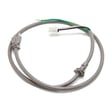
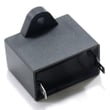
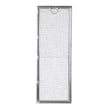
Do all GE microwaves use the same mounting bracket?
No. GE over-the-range microwaves do not all use the same mounting bracket (mounting plate); hole patterns and cabinet and wall layouts vary by model. For GE model JVM1870SF03, use the mounting plate and top cabinet template specified in the JVM1870SF03 installation guide to ensure the unit is level and anchored correctly.
- Match the bracket to the exact model number (JVM1870SF03), not just the brand.
- Use the correct installation type for your kitchen: outside top exhaust, outside back exhaust, or recirculating.
- Mount the plate using all required holes and hardware; the plate layout is part of the installation system.
- Anchor the microwave to at least one wall stud; this is a core support requirement.
- Keep the microwave level; cabinet trim or overhangs can change where the plate must sit.
Reusing an existing bracket only works when the replacement microwave is the same model (or an exact bracket-compatible successor) and the wall plate hole pattern and venting direction match.
| Scenario | Reuse old bracket? | Why |
|---|---|---|
| Same model JVM1870SF03 replacing JVM1870SF03 | Usually | Hole pattern and templates typically match |
| Different GE model number | No | Plate location, holes, and venting alignment often differ |
| Switching venting (top to back, or to recirculating) | No | Blower and duct alignment changes affect mounting layout |
The mounting plate sets the microwave’s position, level, and structural support. If the bracket does not match the unit, you can end up with misaligned top-cabinet bolts, poor damper and duct alignment, or inadequate stud support.
Last updated: February 2026
Is it worth repairing a GE microwave?
Yes, repairing a GE microwave is often worth it when the fix is a common, lower-cost part and the unit is otherwise in good shape. For an over-the-range model like GE JVM1870SF03, repair is frequently the better value because replacement also involves removal and reinstallation.
Use this checklist to make a clear call before buying parts:
- Choose repair if the microwave runs but has a specific symptom (no start, door won’t latch, turntable not turning, vent fan issues).
- Choose replacement if you have multiple symptoms at once (no heat plus dead display, repeated blowing fuses, burning smell).
- Repair is usually a good bet when the issue points to a door safety/interlock problem (very common on OTR units).
- Factor in installation time: OTR microwaves take longer to swap than countertop models.
- Check the basics first: power supply, door closing fully, and settings in the JVM1870SF03 owner’s manual.
These are typical “high success rate” fixes when symptoms match:
| Symptom | Likely area | Example part for this model |
|---|---|---|
| Won’t start, acts like door is open | Door interlock circuit | Micro-switch WB24X830 and door latch lever hardware |
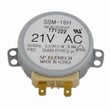
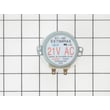
| Turntable not rotating | Turntable drive | Turntable motor (WB26X10038) |
| Weak or no heat (unit runs) | High-voltage circuit | Capacitor, diode, magnetron (higher skill, higher risk) |
Replacement makes more sense when the repair is complex or the microwave has broader electrical failures:
- High-voltage component failures (magnetron, capacitor, diode) often require advanced diagnosis.
- Repeated electrical failures can indicate wiring or control issues.
- Heavy corrosion, cabinet damage, or chronic venting problems can make long-term reliability poor.
Because JVM1870SF03 is an over-the-range microwave/hood combo, you are paying for both a microwave and a vent hood system. A targeted repair can restore cooking and ventilation without the extra work of uninstalling and remounting the entire unit. For mounting, clearances, and venting setup, use the JVM1870SF03 installation guide.
Last updated: February 2026
What are common problems with GE profile microwaves?
Common problems we see on GE Profile over-the-range microwaves like model JVM1870SF03 include not heating, turntable not rotating, door latch or interlock trouble, vent fan issues, and sparking or arcing. Many symptoms trace back to door interlock parts, power supply components, or heat-safety cutoffs.
- Runs but does not heat: often points to a high-voltage component (magnetron, diode, capacitor) or a safety circuit opening.
- Turntable not spinning: commonly a failed turntable motor or a mis-seated tray/support.
- Starts then stops, or will not start: door not fully latched, failed interlock switch, or an open thermal cutoff.
- Vent fan acts odd or runs by itself: some operation is normal because the fan can run automatically under certain conditions.
- Sparking/arcing: usually caused by food splatter, grease buildup, or damaged interior surfaces.
| Symptom | Parts often involved | Example model-matched part |
|---|---|---|
| Won’t start or stops when door moves | Door interlock switch or lever | Micro-switch WB24X830 |
| Runs but no heat | High-voltage diode, capacitor, magnetron | Microwave high-voltage diode WB27X1160 |
| Dead or intermittent after heavy use | Thermal cutoff | Therm-hood WB27X1127 |
| Turntable not rotating | Turntable motor | Microwave turntable motor WB26X10038 |
- Confirm the door closes firmly and latches completely.
- Unplug the microwave for 2 minutes, then restore power (simple reset).
- Clean the interior and underside regularly; avoid abrasive cleaners and never use commercial oven cleaner.
- Make sure the turntable and support are installed correctly; do not run the microwave without them in place.
- Avoid running the microwave empty; it can overheat the magnetron and shorten microwave life.
Microwave/hood combos use multiple safety interlocks and heat-protection devices. A “no heat” or “won’t start” complaint is often the microwave protecting you from operating with an unsafe door condition or an overheated component.
For model-specific operating notes (including vent fan behavior), cleaning guidance, and troubleshooting tips, use the JVM1870SF03 owner’s manual.
Last updated: February 2026


