Owner’s manual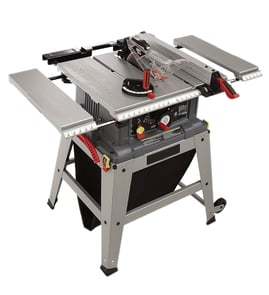

Where is the reset button on a Craftsman table saw?
On the Craftsman 137218780 table saw, the reset is the overload reset button located on the ON/OFF switch assembly (shown as the overload reset switch/button in the diagrams). If the motor shuts off from overload or low voltage, you can press this reset to restart after the saw cools.
How to reset the motor overload (safe steps)
- Turn the saw OFF.
- Unplug the power cord.
- Wait about 5 minutes for the motor to cool.
- Press the overload reset button on the switch.
- Plug the saw back in.
- Turn the saw ON using the switch key.
For the exact button location and the labeled diagram, use the 137218780 owner's manual.
What usually causes the overload to trip
Overload trips are typically caused by extra load on the motor or power issues. Check these common causes:
- Dull, dirty, or incorrect blade for the material
- Feeding stock too fast (especially thick hardwood)
- Blade height set too high for the cut
- Misalignment that causes binding (fence not parallel, blade not square)
- Extension cord too long or too light-gauge (voltage drop)
Quick checks before you start cutting again
| Check | What “good” looks like | Why it helps |
|---|---|---|
| Blade condition | Sharp, clean teeth | Reduces motor load |
| Fence alignment | Parallel to miter slots | Prevents binding and kickback |
| Blade height | Just above the workpiece | Lowers cutting resistance |
| Power supply | Solid outlet, proper cord | Prevents low-voltage trips |
Why it matters
The overload reset protects the motor from overheating and damage. If it trips repeatedly, correcting blade condition, alignment, and feed rate prevents slow cutting, burning, and nuisance shutdowns.
If you are also seeing poor cut quality after a trip, our table saw bad cuts guide helps you pinpoint alignment and blade issues.
Last updated: February 2026
What size motor is on a 10 inch Craftsman table saw?
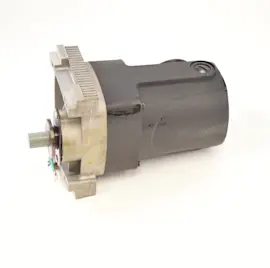
On the Craftsman table saw model 137218780, the motor is rated 2.5 HP (maximum developed) and draws 13 amps at 120 volts, with a no-load speed of 5000 RPM. For the exact specifications and electrical requirements, use the owner's manual.
Motor specs for Craftsman 137218780
Here are the key motor and performance specs we use for this model:
- Motor output: 2.5 HP (maximum developed)
- Electrical: 120V, 60 Hz
- Current draw: 13 amps
- No-load speed: 5000 RPM
- Overload protection: Yes
| Spec | What it means for you |
|---|---|
| 13 amps @ 120V | Use a properly protected household circuit; avoid weak outlets and undersized cords |
| 5000 RPM (no-load) | High blade speed for clean cuts when the blade is sharp and aligned |
| Overload protection | Helps protect the motor if the saw is pushed too hard |
Why “max developed HP” matters
“Maximum developed HP” is a peak rating, not the same as continuous running horsepower. In real cutting, performance depends heavily on blade sharpness, feed rate, wood thickness, and keeping the fence and blade aligned.
Setup tips that protect the motor
- Use a sharp, correct blade for the material (ripping vs. crosscutting)
- Let the blade reach full speed before feeding stock
- Feed steadily; forcing the cut can trip overload protection
- Keep the blade height and tilt mechanisms clean and moving freely
- Use dry lubricants (graphite or silicone) on pivots and threaded rods; avoid oily lubricants that hold sawdust
Helpful DIY guidance
If you are asking because the saw feels weak, bogs down, or cuts poorly, these guides help narrow it down:
Last updated: February 2026
What are the common table saw mistakes?
Common table saw mistakes on the Craftsman 137218780 come down to skipping basic safety checks and using the wrong cutting method. The biggest ones are cutting freehand, running without guards, using the fence and miter gauge incorrectly, and setting blade height wrong; our owner's manual covers these fundamentals.
Most common mistakes (and what to do instead)
- Cutting freehand: Always guide the cut with the rip fence (ripping) or miter gauge (crosscutting).
- Not checking the saw before each use: Confirm the blade is tight, locks are tight, and the guard works.
- Blade set too high: Set blade height to about 1/8 inch above the workpiece for typical ripping and crosscutting.
- Ripping small/narrow pieces unsafely: Use push sticks when your hand cannot safely fit between the blade and fence.
- Using warped or twisted stock: Ripping requires a straight edge against the fence; bowed or twisted wood increases kickback risk.
- Skipping eye protection: Wear safety glasses every time.
Quick pre-cut checklist for the 137218780
Before turning the saw ON, we use this checklist:
- Blade is tight on the arbor
- Bevel angle lock knob is tight
- Rip fence knob is tight and fence is parallel to the miter gauge grooves (when ripping)
- Blade guard is installed and working
- Safety glasses are on
Common mistakes by cut type
| Cut type | Correct guide | Common mistake to avoid |
|---|---|---|
| Ripping | Rip fence | Freehand ripping or using twisted/warped stock |
| Crosscutting | Miter gauge | Leaving the rip fence on and “pinching” the workpiece |
| Bevel ripping | Rip fence (workpiece and fence on right side of blade) | Beveling with poor support or wrong setup |
Why it matters
Most table saw injuries and “bad cuts” happen in a split second when the workpiece binds, kicks back, or hands drift into the blade path. Using the correct guide (fence or miter gauge), keeping guards in place, and setting proper blade height dramatically reduces those risks and improves cut accuracy.
Helpful DIY reading
Last updated: February 2026
What are the parts of a table saw?
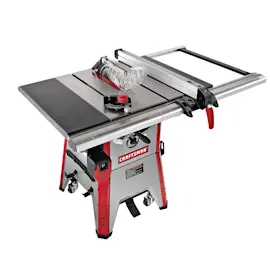
A Craftsman table saw like model 137218780 is built around the table and blade system, plus guiding and safety parts that control the cut. The main parts you will handle most often are the rip fence, miter gauge, blade insert, blade height and tilt controls, and the blade guard and splitter.
Core parts you will see on the Craftsman 137218780
- Table: Flat work surface that supports the material.
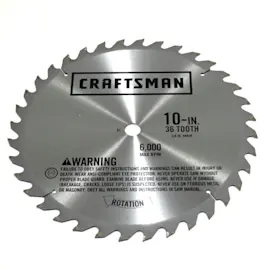
- Blade: The cutting tool mounted on the arbor.
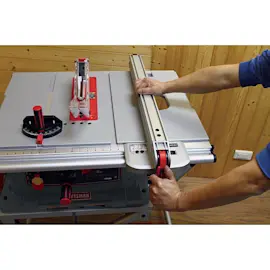
- Rip fence: Parallel guide used for ripping (straight cuts along the grain).
- Miter gauge: Angle guide used for crosscuts and miters.
- Blade insert (throat plate): Insert around the blade opening; you use the standard insert for sawing and a dado insert when using a dado setup.
- Blade elevation handwheel: Raises and lowers the blade.
- Blade tilting handwheel and bevel lock knob: Tilts and locks the blade for bevel cuts.
- Blade guard and splitter (often with kickback pawls): Safety assembly that helps reduce accidental contact and kickback.
- Overload reset switch: Helps protect the motor if it overheats or overloads.
Quick “what it does” guide
| Part | What it controls | When you use it |
|---|---|---|
| Rip fence | Cut width | Ripping boards and sheet goods |
| Miter gauge | Crosscut angle | Crosscuts, miters, small parts |
| Blade elevation handwheel | Cut depth | Setting blade height for the material |
| Blade tilting handwheel + bevel lock | Bevel angle | Bevel rips and bevel crosscuts |
| Blade insert | Blade opening support | Always; swap to dado insert for dado work |
Why it matters
Knowing the names and functions of these parts helps you set up accurate 90° and 45° cuts, reduce binding and kickback, and choose the right adjustment (height vs. bevel vs. fence alignment) when cuts look off.
Helpful next steps
- Use a combination square or straight edge to verify the fence is parallel to the blade.
- Keep the blade insert installed; never run the saw without the proper insert.
- Use dry lubricants (graphite or silicone) on pivot points and threaded rods; avoid oil that holds sawdust.
- For diagrams and the full parts identification, use the 137218780 owner's manual.
- If your cuts are consistently off-angle, follow our table saw bad angle cuts troubleshooting steps.
Last updated: February 2026