 Owner’s manual



How much clearance for a countertop microwave?
For a countertop microwave like Kenmore Elite model 72167909601, we allow airflow on all sides so heat can escape and the fan can pull in fresh air. A solid rule is 3 inches on the top and both sides, 1 inch at the rear, and keep the front edge set back at least 3 inches from the counter edge.
Recommended clearances (quick guide)
- Top: 3 inches minimum
- Left side: 3 inches minimum
- Right side: 3 inches minimum
- Rear: 1 inch minimum
- Front: keep the microwave 3 inches or more back from the counter edge
Placement checklist
- Set the microwave on a flat, level, sturdy surface.
- Keep the vents unblocked (no cookbooks, towels, or décor against the sides).
- Avoid tight cubbies unless they provide the same clearances.
- Do not place it directly next to a heat source (range, toaster oven, space heater).
- Leave room to open the door fully without hitting a wall or backsplash.
Why it matters
Proper clearance prevents overheating, reduces nuisance shutoffs, and helps protect internal components like the cooling fan and high-voltage system. Good placement also reduces the chance of tipping if the door is opened quickly.
Clearance summary table
| Area around microwave | Minimum clearance | What it prevents |
|---|---|---|
| Top | 3 in. | Heat buildup above the cabinet |
| Sides | 3 in. | Blocked intake and poor cooling |
| Rear | 1 in. | Restricted exhaust and cord pinching |
| Front setback | 3+ in. | Accidental tipping when opening the door |
Model-specific note
For any special placement limits (for example, vent locations or cabinet cutout guidance), we follow the instructions in the 72167909601 owner's manual.
Last updated: February 2026
How many cubic feet is a Kenmore Model 72167909601 microwave?
The Kenmore model 72167909601 microwave is typically 1.7 cu. ft. capacity. For the exact capacity and the full spec list for your specific unit, we recommend confirming it in the 72167909601 owner's manual.
How to confirm the capacity on your exact unit
We use the model number to match specs, but the most reliable place to confirm capacity is the spec section of the manual or the rating label.
- Check the specifications section in the 72167909601 owner's manual
- Look for a rating label (often inside the door frame area)
- Confirm you are using the full model number: 72167909601
- If your microwave is installed as an over-the-range unit, confirm you are not mixing it up with a similar-looking Kenmore model
Why cubic feet matters
Capacity (cu. ft.) helps you choose the right cookware and understand heating performance expectations for common tasks like reheating plates, using a turntable rack, or cooking larger covered dishes.
Quick reference: what 1.7 cu. ft. usually means
| Spec item | Typical for 1.7 cu. ft. class microwaves | What to verify for 72167909601 |
|---|---|---|
| Interior capacity | 1.7 cu. ft. | Listed in the manual spec table |
| Output power | Often around 900 to 1100 watts | Listed on the rating label/manual |
| Fit and clearance | Standard mid-size footprint | Installation/clearance notes in the manual |
Related parts that affect usable space (not capacity)
These parts do not change cubic feet, but they affect how much you can comfortably place inside the cavity.
- Microwave glass turntable tray MJS65336701 (missing tray reduces usable cooking area)
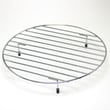
- Microwave round metal rack 5026W1A050D (rack use depends on cooking mode)
- Microwave waveguide cover 3052W3M022A (damage can cause arcing and uneven cooking)
Last updated: February 2026
Are Kenmore microwaves good?
Yes. Kenmore microwaves are a solid choice for everyday reheating and cooking because they typically deliver consistent heating, practical features, and good value for the price. For your Kenmore Elite microwave model 72167909601, long-term satisfaction depends most on proper use, ventilation, and keeping key wear items in good condition (door switches, light, and turntable drive parts). See the 72167909601 owner's manual for model-specific operating and care guidance.
What “good” means for a countertop microwave
A “good” microwave is one that heats evenly, runs quietly, and holds up to daily door use. In our experience, Kenmore countertop models generally perform well for:
- Reheating leftovers without constant stirring
- Defrosting with predictable results
- Daily convenience features (timers, presets, power levels)
- Reasonable repairability when common parts wear out
Common issues that affect satisfaction (and what to check)
If a Kenmore microwave seems “not good,” it is usually tied to a few repeatable problems. Start with these checks:
- Not heating: cooking time runs but food stays cold (often a high-voltage component issue)
- Intermittent operation: unit stops when the door is moved (often a door interlock switch issue)
- Turntable not rotating: uneven heating and hot spots (motor or coupler issue)
- No interior light: nuisance issue but easy to fix
- Arcing or burn marks: usually from food splatter, metal, or a damaged waveguide cover
Helpful DIY reading: why is my microwave not heating
Parts that most often restore performance
When symptoms point to a specific failure, these model-matched parts are commonly involved:
| Symptom | Likely area | Example part for model 72167909601 |
|---|---|---|
| Runs but does not heat | High-voltage system | Microwave magnetron 6324W1A001L |
| Door must be slammed or unit cuts out | Door safety circuit | Microwave door interlock switch 6600W1K001Q |
| Turntable does not spin | Turntable drive | Microwave turntable motor 6549W1S013A |
| Interior light out | Lighting | Kenmore microwave light bulb 6912W3B002E |
| Sparking near side wall | Waveguide area | Microwave waveguide cover 3052W3M022A |
Why it matters
Microwaves rely on a door safety circuit and a high-voltage heating system. Small issues (like a weak door switch or a damaged waveguide cover) can quickly turn into bigger performance problems, uneven cooking, or repeated shutdowns.
Last updated: February 2026
How to reset a Kenmore Elite microwave?
To reset your Kenmore Elite microwave model 72167909601, we recommend doing a simple power reset first: unplug the microwave (or switch off the breaker) for about 1 minute, then restore power and set the clock. This clears most control glitches without changing cooking features.
Quick reset options (from easiest to most complete)
- Power reset (recommended first): Unplug for 60 seconds, then plug back in.
- Breaker reset: Turn the microwave circuit breaker OFF for 60 seconds, then ON.
- Control panel reset (if your model supports it): Use the Settings or Options menu to look for a reset or “default” option (menu wording varies by version); follow the steps in the 72167909601 owner's manual.
- Clock reset: After any reset, set the clock; some functions will not run until the time is set.
- Stuck key check: If the display keeps beeping or changing by itself, a stuck key can mimic a “reset problem” and points to a keypad issue.
If the microwave still acts up after a reset
These steps target the most common causes of “won’t start,” random beeping, or no response:
- Confirm the door closes firmly and the latch feels normal.
- Try a different cook cycle (for example, Time Cook instead of Sensor Cook).
- If the unit runs but does not heat, focus on heating-circuit troubleshooting.
- If the unit is totally dead (no display), check the home outlet and breaker first.
- If the display works but Start will not run, the door safety switches are a common cause.
Common symptoms and what they usually mean
| Symptom | Most common cause | What to check next |
|---|---|---|
| Display works, won’t start | Door switch/latch issue | Door alignment, interlock switches |
| Runs but does not heat | High-voltage component issue | Heating circuit diagnosis |
| Random beeping or buttons “press themselves” | Keypad problem | Keypad ribbon connection, keypad |
| Completely dead | Power supply issue | Outlet, breaker, internal fuse (if equipped) |
Why it matters
A reset clears temporary control-board logic errors, but it will not fix a failed door interlock switch, keypad, or high-voltage heating component. Matching the symptom to the likely circuit prevents unnecessary parts replacement.
Parts that commonly relate to “won’t start” or “no heat”
If troubleshooting points to a component failure, these model-matched parts are commonly involved:
- Microwave door interlock switch 6600W1K001Q (start and safety interlock)
- Microwave keypad MFM30474902 (unresponsive or erratic buttons)
- Microwave magnetron 6324W1A001L (no-heat condition)
For deeper no-heat diagnosis steps, use why is my microwave not heating.
Last updated: February 2026
Why is my Kenmore Elite microwave not working?
If your Kenmore Elite microwave model 72167909601 is not working (no power, won’t start, or runs but won’t heat), the most common causes are a power supply issue, a door interlock problem, or a failed high-voltage heating component. Use the checks below, then confirm model-specific procedures in the 72167909601 owner's manual.
Quick checks we recommend first
- Make sure the outlet works by testing it with a lamp or small appliance.
- Reset the kitchen circuit breaker or replace the blown house fuse.
- If the display is on but it will not run, firmly close the door and try again.
- If it runs but does not heat, stop using it until you troubleshoot the heating circuit.
- If you recently had a power outage, unplug the microwave for 2 minutes, then plug it back in.
If it has power but won’t start: door switch system
A microwave that looks “alive” but will not start often has a door interlock switch that is not closing correctly.
Common symptoms
| What you notice | What it usually points to |
|---|---|
| Display works, Start does nothing | Door not fully latching or interlock switch issue |
| Runs only when you lift/push the door | Misaligned latch or failing switch |
| Stops when you bump the door | Loose switch mount or worn switch |
If you suspect the interlock circuit, a common replacement is the microwave door interlock switch 6600W1K001Q.
If it runs but doesn’t heat: high-voltage components
When the fan and turntable run but food stays cold, the problem is typically in the high-voltage circuit (not the control panel).
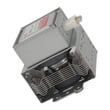
- Microwave magnetron 6324W1A001L (primary heating component)
- Microwave high-voltage diode 6021W3B001V (can fail open or short)
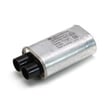
- Microwave high-voltage capacitor 0CZZW1H004B (can prevent heating when weak/failed)
Safety note: High-voltage parts can store a dangerous charge even when unplugged. We recommend having a qualified technician test and replace these components.
Why it matters
A microwave that will not heat is not just inconvenient; continuing to run it can stress the high-voltage transformer and related wiring, turning a single-part failure into a larger repair.
Helpful DIY guidance
For step-by-step troubleshooting, we recommend our why is my microwave not heating article.
Last updated: February 2026


