 Installation guide
 Owner’s manual




How long is the warranty on a KitchenAid microwave?
For the KitchenAid KBHS109SSS05 built-in microwave, the limited warranty includes 1 year of parts and labor from the purchase date when the unit is operated and maintained as instructed; additional limited coverage applies to certain components in later years (details below). See the owner's manual for the full warranty terms.
Warranty coverage breakdown
Here’s how the warranty periods are described for this KitchenAid built-in oven and microwave product:
- Year 1 (limited warranty): Factory specified parts and repair labor for defects in materials or workmanship.
- Years 2 through 5 (limited warranty on certain component parts): Factory specified parts only for specific components.
- Years 2 through 10 (microwave ovens only): Factory specified parts only for the stainless steel oven cavity/inner door if it rusts through due to defects.
Components called out for years 2 through 5
The warranty text specifically lists these components for parts-only coverage:
- Electric element
- Solid state touch control system parts
What’s commonly excluded (so you can plan)
Even during the warranty period, the warranty language typically excludes certain service calls and consumables. Common examples listed include:
- Installation corrections or “how-to-use” instruction visits
- Replacing or repairing house fuses, or correcting house wiring
- Light bulbs and filters (consumable parts)
Quick reference table
| Time from purchase date | Coverage type | Examples of what’s covered |
|---|---|---|
| 0 to 1 year | Parts + labor | Defects in materials/workmanship |
| 2 to 5 years | Parts only | Electric element; solid state touch control system parts |
| 2 to 10 years (microwave only) | Parts only | Stainless steel oven cavity/inner door rust-through |
Why it matters
Warranty coverage affects whether you should troubleshoot a symptom (like no heat, dead display, or intermittent operation) versus planning a repair estimate. If you’re outside the covered period, you can still match and order replacement parts for KBHS109SSS05 using the model’s parts list.
Last updated: February 2026
How to remove KitchenAid microwave control panel?
To remove the control panel on your KitchenAid KBHS109SSS05 built-in microwave, disconnect power first, then remove the screws that secure the control panel assembly and lift the panel up and out to access the wiring and mounting tabs. Follow the steps and screw locations shown in the installation guide.
Safety first (do this before touching any screws)
- Turn off the breaker and confirm the display is off.
- Let the microwave cool completely.
- Use two people if you need to pull the unit forward in the cabinet (built-in units are heavy).
- Do not lift by the door handle or the front frame.
- Protect the floor and trim with cardboard or a towel.
Typical control panel removal steps
- Disconnect power at the breaker.
- If needed for access, carefully pull the microwave forward a few inches (support the weight).
- Remove the mounting screws that hold the control panel to the frame (commonly along the top edge or behind a trim piece).
- Lift the control panel up to release the tabs, then pull it slightly forward.
- Label and disconnect wire connectors only if you must fully remove the panel.
What you may see once the panel is loose
| What you see | What it means | What to do |
|---|---|---|
| Ribbon cable/plug connectors | Control panel connects to control board | Take a photo before unplugging |
| Door switch bracket nearby | Door interlock area is close to the panel | Avoid bending brackets or pinching wires |
| Sharp metal edges | Normal around the frame | Wear cut-resistant gloves |
Parts that commonly relate to control panel access
If the issue is a dead display, intermittent operation, or the unit stops when the door moves, we often inspect the door interlock circuit while the panel is open. A common related part is the switch W10211972 (microwave door interlock switch).
Why it matters
Removing the control panel correctly prevents broken mounting tabs, pinched harness wires, and door-interlock misalignment, which can cause no-start symptoms or blowing a fuse.
Last updated: February 2026
What are the parts inside a microwave?
A microwave like the KitchenAid KBHS109SSS05 contains a cooking cavity plus electrical and safety components that generate microwaves, circulate heat, and prevent operation with the door open. Common internal parts include the magnetron system, door interlocks, turntable drive, and (on convection models) heating elements and a fan.
Main components you will typically find
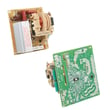
- Electronic oven control (control board and keypad) to run cook cycles
- Magnetron system that produces microwaves (with high-voltage components supporting it)
- Door safety lock system (interlock switches and latches) to stop operation if the door is open
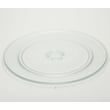
- Turntable system (glass tray, hub, support/rollers, and a motor) to rotate food for even heating
- Light (some models have an inaccessible ceiling light)
- Metal shielded window in the door to contain microwaves
- Convection parts on combination/convection models (convection element and fan; broil element)
For a model-specific parts and features diagram, use the KBHS109SSS05 owner's manual.
Parts on this model that match those functions
If you are troubleshooting, these are examples of internal parts listed for KBHS109SSS05 that commonly relate to “won’t run,” “no heat,” or “turntable not turning” symptoms:
- Switch W10211972 (door interlock switch)
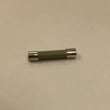
- Fuse (black) WP4375321 (protects the circuit during overload)
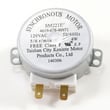
- Microwave turntable motor W10911403 (drives the turntable)
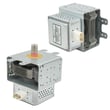
- Inverter W10217711 (supports microwave power generation on inverter-style designs)
- Cover W10915651 (waveguide cover that helps protect the waveguide area)
Quick “what it does” reference
| Component | What it does | Common symptom when it fails |
|---|---|---|
| Door interlock system | Prevents operation with door open | Won’t start, stops when door moves |
| Fuse | Opens the circuit during a fault | Dead display, no power |
| Turntable motor/drive | Rotates the tray | Tray does not turn, uneven heating |
| Magnetron/inverter system | Generates microwave energy | Runs but does not heat |
| Convection element/fan (if equipped) | Circulates hot air for baking/roasting | Poor browning, convection not heating |
Why it matters
Knowing which system you are dealing with helps you troubleshoot safely and avoid replacing the wrong part. For example, a “no start” issue often points to the door safety lock system or fuse, while “no heat” is more often tied to the microwave power system.
Last updated: February 2026
Where is the microwave filter on a built-in microwave on a KitchenAid?
On the KitchenAid KBHS109SSS05 built-in microwave, the filter is accessed from the venting/airflow area, not from inside the cooking cavity. The exact access point depends on how the unit is trimmed and installed; follow the filter access steps in the owner's manual.
Where to check first (most common access points)
On built-in KitchenAid microwaves, the filter is typically positioned where air enters or exits the unit. Check these areas in order:
- Behind the front grille or vent cover near the top front of the unit
- Behind the decorative trim kit pieces that surround the microwave face
- Near the intake or exhaust slots (front or top area)
- Not inside the oven cavity (the cavity has no user-serviceable vent filter)
How to access the filter safely
We use these steps to prevent damage to trim pieces and avoid electrical hazards:
- Turn the microwave off and switch off the breaker (built-ins are often hardwired)
- Let the unit cool completely if convection was used
- Remove only the screws specified for the grille or trim
- Slide the grille/cover off to locate the filter frame
- Reinstall the grille/trim snugly to prevent vibration or rattling
Which “filter” are you looking for?
KitchenAid microwaves can use different filter types depending on venting setup.
| Filter type | What it does | Where it’s used |
|---|---|---|
| Grease filter | Traps grease from cooking vapors | Vented installations |
| Charcoal filter | Reduces odors when not vented outside | Recirculating installations |
If you are replacing the filter used on this model’s parts list, match it by part ID, for example the filter WPW10120220.
Why it matters
A dirty vent filter restricts airflow; that makes the microwave louder, increases heat buildup around internal components, and reduces odor control.
Last updated: February 2026




