 Installation guide
 Owner’s manual
 Error Codes




Are all 30 inch wall ovens the same size?
No. “30-inch” wall ovens are grouped by a nominal width, but the exact cabinet cutout width, overall width, height, and depth vary by brand and model. For your Kenmore wall oven model 79040289410, use the cutout dimensions listed in the installation guide before you buy a replacement oven or modify cabinetry.
What “30-inch” usually means
Most 30-inch electric wall ovens are designed to fit a 30-inch class opening, but manufacturers allow small differences for trim, door clearance, and airflow.
- The overall width is often close to 30 inches, but not identical across models
- The cutout width can differ by fractions of an inch to over an inch
- Height varies the most between single ovens, double ovens, and combo units
- Depth varies based on door design, handle style, and required rear clearance
- Venting and electrical junction box location can change the required space
How we recommend measuring (so the new oven fits)
Measure your existing opening and compare it to the new oven’s required cutout specs.
- Cutout width (left to right inside the cabinet opening)
- Cutout height (top to bottom inside the opening)
- Cutout depth (front to back inside the cabinet)
- Front clearance for the door swing and handle
- Power supply location and slack in the wiring
Quick fit check: cutout vs. overall size
Use this as a planning guide; always follow the model’s published cutout requirements.
| Measurement | What it affects | Common issue if wrong |
|---|---|---|
| Cutout width | Whether the oven slides in | Oven will not fit or leaves gaps |
| Cutout height | Trim alignment and support | Trim won’t cover opening or oven won’t seat |
| Cutout depth | Flush fit and door clearance | Oven sticks out or binds on cabinet |
| Door/handle projection | Walkway and adjacent drawers | Door hits nearby hardware |
Why it matters
Wall ovens need the right cutout size for safe mounting, proper cooling airflow, and a clean finished look. Even small differences can force cabinet changes or prevent the oven from seating correctly.
Last updated: February 2026
How do I know what model my Kenmore oven is?
Your Kenmore wall oven’s model number is printed on the appliance’s rating label. On model 79040289410, the label is most often found around the oven door opening (door jamb or frame) or on the oven frame behind the door; once you find it, match the full number exactly, character for character.
Where to look for the model number label
Check these common spots on a Kenmore wall oven:
- Along the oven frame behind the door (left or right side)
- On the door jamb or front frame lip around the opening
- Near the lower edge of the oven frame (visible when the door is open)
- On the side of the unit (sometimes visible after installation)
- Near a vent area or access panel (varies by installation)
For diagrams and model-specific label references, use the 79040289410 owner's manual.
What the model number looks like (and why it matters)
The model number is usually a longer number string (for example, 79040289410) and may appear with a serial number nearby. We use the model number to ensure parts like the bake element, control board, and temperature sensor match your exact Kenmore configuration.
Model vs. serial number
| Label item | What it does | Used for |
|---|---|---|
| Model number | Identifies the exact oven design | Correct parts lookup and diagrams |
| Serial number | Identifies your specific unit | Manufacturing tracking and service history |
Tips to avoid ordering the wrong part
Before ordering wall oven parts, we recommend:
- Write the model number exactly as shown (include all digits)
- Take a clear photo of the rating label for reference
- Use the model number to match parts by description (bake element, broil element, door lock)
- Confirm the part type by symptom (no heat, overheating, error code, door won’t lock)
If you are troubleshooting heat or temperature issues after confirming the model, a common related part is the range oven temperature sensor 5304504897.
Why it matters
Kenmore wall ovens can look similar across model families, but wiring, control boards, and heating elements can differ. Using the exact model number (like 79040289410) prevents mismatched electrical parts and fit issues.
Last updated: February 2026
What causes a Kenmore oven to stop working?
A Kenmore electric wall oven like model 79040289410 can stop working because it is not getting full power, a safety device opened (high-limit thermostat), the oven temperature sensor is reading wrong, or a heating/control component failed. Start with the power supply checks, then test heat and look for error codes in the 79040289410 owner's manual.
Most common causes (in order to check)
- Tripped breaker or lost leg of 240V power: the display may work but the oven will not heat.
- Failed bake or broil element: no heat, slow preheat, or uneven baking.
- Bad oven temperature sensor: inaccurate temps, runaway heating, or error codes; see range oven temperature sensor 5304504897.
- Open high-limit thermostat: oven shuts down or will not heat after overheating; see frigidaire range high-limit thermostat 318578506.
- Control problem: keypad/overlay issues or a failed electronic control; see frigidaire wall oven control board 5304513048.
- Wiring issue: loose/burned connections at the terminal block or harness; see terminal block 5304409888.
Quick troubleshooting steps we recommend
- Reset power: turn the double breaker fully OFF for 1 minute, then ON.
- Confirm full power: if the clock works but there is no heat, suspect a lost 120V leg at the breaker, cord, or terminal block.
- Test Bake and Broil:
- If Broil works but Bake does not, suspect the bake element.
- If neither works, suspect power, high-limit thermostat, control board, or wiring.
- Check for an error code and match it to the troubleshooting steps in Kenmore 790 manual clean wall oven error codes.
What to test (typical symptoms)
| Symptom | Most likely area | Common next step |
|---|---|---|
| Display works, no heat | Power supply, terminal block | Verify 240V supply and connections |
| Heats sometimes, then stops | High-limit thermostat, cooling airflow | Inspect thermostat and cooling fan operation |
| Temperature is off by 25 to 50°F | Temperature sensor | Test/replace sensor, then calibrate if supported |
| Random beeping, dead keys | Overlay/control panel | Inspect overlay and control inputs |
Why it matters
An oven can look “alive” (lights and display on) while still missing the power or components needed to heat safely. Checking power first prevents unnecessary part replacement and helps protect the control board and wiring from damage.
Last updated: February 2026
What is the bottom of an oven called?
In a Kenmore wall oven like model 79040289410, the “bottom” you see inside the oven cavity is the oven floor (also called the oven bottom panel). The main heating part located at the bottom area is the bake element, which provides most of the heat during baking.
Common names you might hear
- Oven floor / oven bottom: The metal surface at the base of the oven cavity
- Bake element: The heating element that sits on or under the oven floor area
- Lower element: Another common name for the bake element
- Bottom panel: A general term for the oven floor piece
- Oven liner: The interior cavity surfaces (including the bottom area)
What part actually makes the heat?
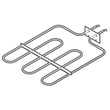
For this model, the part that typically creates heat from the bottom during Bake is the bake element. If you are replacing it, match by model number and part listing; for 79040289410 we list the Frigidaire wall oven bake element as an available replacement: frigidaire wall oven bake element 139086600.
| Term | What it refers to | Why it matters |
|---|---|---|
| Oven floor (oven bottom) | The surface you set pans near (not a heating part) | Can warp or discolor from spills and high heat |
| Bake element | The lower heating element | A failed element causes no-heat or weak baking |
| Broil element | The upper heating element | Affects broiling and top browning |
Why it matters
Mixing up “oven bottom” (a surface/panel) with “bake element” (a heating part) can lead to ordering the wrong part and not fixing a no-heat, uneven baking, or slow preheat problem.
Quick troubleshooting tips (bottom-heat complaints)
- If the oven does not heat in Bake, inspect the bake element for blisters, cracks, or burn spots.
- If it heats but is inaccurate, the oven temperature sensor can be a factor: range oven temperature sensor 5304504897.
- If the oven overheats or shuts down, a safety device such as a high-limit thermostat may be involved.
- Always shut off power at the breaker before inspecting wiring or elements.
For model-specific terminology and diagrams, use the owner's manual.
Last updated: February 2026





