Error Codes



How to reset Jenn-Air induction cooktop?
To reset a Jenn-Air cooktop like model JEA8120ADW, we recommend doing a full power reset: turn the cooktop off, switch OFF the circuit breaker for 1 minute, then switch it back ON and wait about 1 minute to confirm the error does not return.
Reset steps (power cycle)
- Turn all cooktop controls to OFF.
- Switch the cooktop’s circuit breaker OFF (or remove the fuse).
- Wait 60 seconds.
- Switch the breaker ON.
- Wait about 1 minute and watch for an error code or indicator.
- If the cooktop was hot or showing an overheat condition, let it cool before cooking again.
If the error comes back right away
A reset clears many temporary control faults, but repeat errors usually point to a heat, wiring, or component issue.
- Confirm the cooktop is on a dedicated circuit and the breaker is not tripping.
- Check for signs of overheating (very hot glass, fan running long after shutoff).
- If you recently had power fluctuations, reset again after 5 minutes off.
- If you suspect a loose or burned power connection, have the cooktop inspected; the terminal block and wiring connections are common checkpoints.
Parts that are commonly involved (when power or heating issues persist)
| Symptom after reset | Common area to inspect | Example part for this model |
|---|---|---|
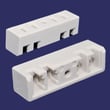
| Dead cooktop, no lights | Power connection at terminal block | Terminal block WPY708730 |
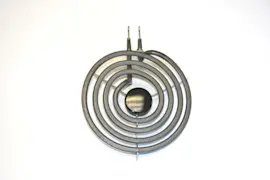
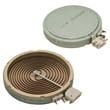
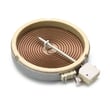
| One element not heating | Radiant element circuit | Range radiant surface element, 6-in W10823702 |
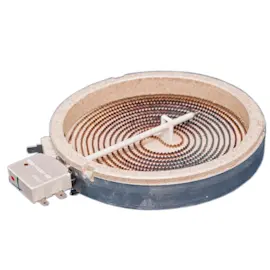
| Large element not heating | Large radiant element circuit | Element (8" W10823693 |
Why it matters
A proper breaker reset fully reboots the cooktop’s control electronics. If an error code returns immediately, it helps narrow the problem to power supply, wiring connections, or a failing heating element instead of a one-time control glitch.
Last updated: January 2026
How do I turn off the control lock on my Jenn-Air cooktop?
To turn off Control Lock on your Jenn-Air cooktop model JEA8120ADW, press and hold the Control Lock key for about 3 seconds until the lock indicator turns off, then test a surface element control to confirm normal operation.
Quick steps to unlock
- Make sure the cooktop is powered on (some models require the control panel to be awake).
- Press and hold Control Lock for 3 seconds.
- Watch for the lock light/icon to turn off or for a confirmation tone.
- Try turning on a burner to confirm the controls respond.
- If it relocks, repeat the press-and-hold with a steady finger (do not tap).
If it will not unlock
These checks solve most “stuck in lock” situations on radiant and induction cooktops:
- Clean and dry the control area: moisture or grease can make the touch panel think a key is being pressed.
- Power reset: turn the breaker off for 1 minute, then back on; retry the 3-second hold.
- Check for a key being held down: a heavy object, pan edge, or cleaning cloth can keep the panel “pressed.”
- Confirm stable power: a loose connection at the terminal block can cause odd control behavior; if you see heat damage or arcing, replace the terminal block WPY708730.
What to expect (common lock behavior)
| What you see | What it usually means | What to do |
|---|---|---|
| Lock light/icon stays on | Control lock is active | Hold Control Lock 3 seconds |
| Beeps but will not change | Panel sensing moisture or a stuck key | Clean, dry, then retry |
| No response at all | Power issue or control not awake | Reset breaker, then retry |
Why it matters
Control Lock prevents accidental burner activation during cleaning and helps keep settings from being changed. Unlocking it restores normal burner and touch control operation.
Last updated: January 2026
How long does a Jenn-Air cooktop last?
A Jenn-Air cooktop like model JEA8120ADW typically lasts 10 to 15 years with normal household use. Keeping the glass top clean, preventing overheating, and fixing loose electrical connections early helps you reach the upper end of that range.
What affects cooktop lifespan most
- Heat stress: frequent high-heat cooking and long simmer sessions wear radiant elements faster.
- Spills and boilovers: sugary spills can etch glass and cause hot spots if not cleaned promptly.
- Electrical connection quality: loose or overheated terminals can shorten component life.
- Ventilation and airflow: blocked airflow under the cooktop increases internal temperatures.
- Daily habits: dragging cookware can scratch glass and stress the frame.
Parts that commonly wear first (and why)
Radiant electric cooktops usually fail in a few predictable areas. If performance changes, these are common suspects:
- Surface element: slow heating, cycling oddly, or not heating at all (example: range radiant surface element, 6-in W10823702).
- Power connection point: intermittent power, burning smell, or heat damage at wiring (example: terminal block WPY708730).
- Mounting/support hardware: rattles, uneven element seating, or vibration (example: cooktop element support 71002205).
Quick symptom-to-likely-cause guide
| Symptom | Most likely area | What we recommend first |
|---|---|---|
| One burner will not heat | Radiant surface element | Inspect element and wiring for heat damage |
| Burner heats unevenly | Element or support alignment | Check element seating and support condition |
| Cooktop loses power or trips breaker | Terminal connections | Check for loose, overheated, or corroded connections |
| Glass looks damaged near a burner | Glass frame/top area | Stop using that burner and inspect for cracks |
Why it matters
A cooktop that is maintained and repaired early usually costs less to keep running and stays safer to use. Catching a weak element or overheated connection early can prevent damage to the glass top and wiring.
Last updated: January 2026
Why is my Jenn-Air stove top not working?
If your Jenn-Air cooktop model JEA8120ADW is not working, the most common causes are a power supply problem (tripped breaker, loose wiring), a failed surface element, or a burned connection at the terminal block. Start by confirming the cooktop has power, then isolate whether one burner or all burners are affected.
Quick checks (fastest to rule out)
- Check the breaker: An electric cooktop typically needs a dedicated 240V circuit; reset the double-pole breaker fully OFF then ON.
- Confirm the cooktop is getting power: If all elements are dead, suspect supply, wiring, or a connection issue.
- Test one burner at a time: If only one burner fails, the surface element or its wiring is the likely issue.
- Look for heat damage: Burn marks or a melted connector under the cooktop points to a failed connection.
- Verify controls respond normally: A knob that feels loose or inconsistent can indicate a control or mounting issue.
What to check based on the symptom
| Symptom | Most likely causes | What we recommend first |
|---|---|---|
| No burners work | Power supply issue, burned wiring connection, failed terminal block | Inspect wiring connections and the terminal block WPY708730 |
| One burner not heating | Failed radiant element, loose/burned spade connector | Inspect element wiring; consider the correct element size (6-in or 8-in) |
| Burner heats intermittently | Loose connection, overheated connector, failing element | Check for discoloration at terminals and tighten/replace damaged connectors |
Parts that commonly solve “not heating” problems
These are common electrical failure points on electric radiant cooktops like the JEA8120ADW:
- Terminal block WPY708730 (burned or loose power connection can shut down the cooktop)
- Radiant surface element (if a single burner will not heat)
- Spade connector (if a wire end is heat-damaged or no longer grips tightly)
Why it matters
A cooktop that is completely dead usually points to a power delivery problem, while a single dead burner usually points to a failed surface element or connection. Catching a loose or burned terminal early helps prevent repeated shutdowns and further wire damage.
Last updated: January 2026