Installation guide
 Owner’s manual
 Error Codes



Where is the model number on the Kenmore Elite stove?
On the Kenmore Elite gas range model 72176033610, the model and serial label is typically on the oven frame behind the oven door (door jamb area) or on the frame behind the lower storage or warming drawer. Confirm the exact label location in the 72176033610 owner’s manual.
Common label locations to check
- Open the oven door and look along the front frame (left or right side of the door opening).
- Pull out the bottom drawer and check the frame behind it.
- Check the back panel of the range near the vent area.
- Look on a side panel near the lower rear corner.
Quick steps to find it fast
- Turn the oven light on and use a flashlight to scan the door frame edges.
- If you have a bottom drawer, remove it fully and look up at the frame rails.
- If the label is greasy, wipe gently with a damp cloth and a drop of dish soap; do not scrub the printing.
- Write down the full model number and serial number exactly as shown.
What the label usually looks like
| What you’ll see | Why it’s important |
|---|---|
| Model number (example: 72176033610) | Ensures parts match your exact Kenmore Elite range |
| Serial number | Helps identify production details for service and support |
| Gas type notes (varies) | Helps confirm natural gas vs LP setup before adjustments |
Why it matters
We use the model number to match the correct Kenmore Elite range parts (like an oven igniter, temperature sensor, or control board) and to pull the right procedures from the documentation. One digit off can lead to ordering the wrong part.
Last updated: February 2026
Who makes Kenmore Elite gas ranges?
Kenmore Elite gas ranges (including model 72176033610) are made for Kenmore by different original equipment manufacturers (OEMs), not by a single company. Depending on the specific model and production run, the OEM is commonly LG, Whirlpool, or another major appliance manufacturer.
How to tell who made your 72176033610
We recommend using the identification and documentation that came with the range because Kenmore branding on the front does not always match the OEM behind the scenes.
- Check the model tag and any additional ID labels (often inside the oven door area or on the frame).
- Compare the model format shown in the documentation (for this range, it appears as 721.7603* in the guide).
- Use the wiring diagram and parts breakdown in the documentation to match component families.
- If you are ordering parts, match by model number and the part ID listed for the component.
- For installation and safety details, follow the installation guide.
Why you will see LG-style parts on a Kenmore range
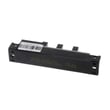
Kenmore frequently sourced ranges from multiple OEMs; as a result, many Kenmore Elite parts cross to OEM part families. For example, this model’s parts list includes components labeled for LG, such as the lg range oven burner igniter MEE61841401.
Quick reference: brand vs. manufacturer
| What you see | What it means | Why it matters |
|---|---|---|
| Kenmore Elite on the front | Retail brand | Does not identify the OEM by itself |
| 721.7603* in the guide | Model family format | Helps match the correct manual and parts |
| Part IDs like MEE…, EBR…, EBG… | OEM part family | Helps ensure correct fit and wiring |
Why it matters
Knowing the OEM helps when you are troubleshooting ignition, temperature accuracy, or control issues because diagnostic steps and replacement parts (igniter, sensor, control board) often follow the OEM’s design conventions. For operating and care details, use the owner's manual.
Last updated: February 2026
Why is my Kenmore Elite oven not working?
If your Kenmore Elite gas range model 72176033610 oven is not working, the most common causes are a power supply problem, incorrect control settings (including lockout), or a failed ignition or temperature-sensing component. Start with the basic checks in the 72176033610 owner's manual before replacing parts.
Quick checks that fix many “dead oven” complaints
- Confirm the range is plugged into a live, properly grounded outlet.
- Check the home fuse or reset the circuit breaker (the clock and timer can fail when power is missing).
- Make sure the oven door is fully closed (broil and some functions will not operate correctly with the door ajar).
- Verify the oven is not in a lockout mode; review the lockout steps in the manual.
- Re-enter the cooking mode (Bake or Broil) and set a temperature; improper control settings can prevent operation.
If the oven won’t heat (but the display works)
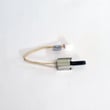
On this model, a weak or failed igniter is a top cause of “no heat” in Bake or Broil. If the igniter does not glow or the burner never lights, replacing the lg range oven burner igniter MEE61841401 is a common repair.
Other likely causes include:
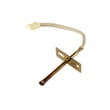
- A bad sensor causing incorrect temperature feedback; consider the range oven temperature sensor EBG61305805.
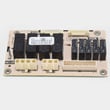
- A control problem if the oven never commands heat; the range oven control board EBR78931709 can be involved.
Symptom-to-cause guide
| What you notice | Most likely cause | What to do first |
|---|---|---|
| No display, no oven response | No power to range | Check outlet, breaker/fuse |
| Display works, no heat | Igniter not lighting gas | Watch for igniter glow, then test/replace |
| Temperature too hot/too cold | Thermostat calibration or sensor issue | Follow temperature adjustment steps in manual |
| Self Clean won’t start | Oven too hot or settings issue | Let cool to room temp; reset controls |
Why it matters
Gas ovens rely on safe ignition and accurate temperature feedback. Fixing power and settings first prevents unnecessary part replacement, and addressing ignition or sensor issues restores reliable baking and broiling.
Last updated: February 2026
Why is my Kenmore gas oven clicking but not lighting?
If your Kenmore Elite gas range model 72176033610 is clicking but not lighting, the most common causes are a weak oven igniter, a gas supply issue (shutoff or regulator not fully open), or burner parts that are wet or mispositioned after cleaning. Use the steps below to pinpoint which one applies.
First, confirm what the clicking means
The manual notes that electric spark igniters create the clicking sound; on the cooktop, multiple igniters may click even when you light just one burner. For oven ignition problems, clicking with no flame usually points to ignition strength or gas flow.
- Clicking is the ignition system trying to light gas
- No flame means gas is not reaching the burner, or it is not igniting
- After cleaning, moisture or misaligned parts can prevent ignition
Quick checks that fix many “clicks but won’t light” complaints
Follow these in order:
- Make sure the main gas shutoff is fully open (and the range gas pressure regulator valve behind the range is fully open)
- Try a different bake or broil cycle to confirm it is not a control setting issue
- If you recently cleaned, ensure burner components are completely dry and seated correctly
- Restore power: unplug or switch off the breaker for 5 minutes, then retry
- Stop and follow gas-safety steps immediately if you smell gas (see the 72176033610 owner’s manual)
Parts that commonly cause this on a gas oven
If gas supply is confirmed and the oven still will not light, these parts are frequent culprits:
| Symptom | Most likely cause | Related part for this model |
|---|---|---|
| No ignition, long wait, no heat | Weak or failed igniter | Lg range oven burner igniter MEE61841401 |
| Oven heats erratically or shuts off | Temperature sensing issue | Range oven temperature sensor EBG61305805 |
| No bake even though controls respond | Control not sending heat command | Range oven control board EBR78931709 |
Why it matters
A gas oven that does not light can leave you with no heat, poor baking performance, or repeated ignition attempts. Confirming gas flow first prevents unnecessary part replacement and helps you focus on the igniter and ignition circuit next.
Last updated: February 2026