Owner’s manual
 Error Codes



Is the NE63T8311SS oven a smart oven?
Yes. The Samsung NE63T8311SS electric range is designed as a smart-capable oven, meaning you can typically connect it to your home Wi-Fi and use Samsung’s SmartThings app for features like remote monitoring and notifications; confirm the exact setup steps in the NE63T8311SS owner’s manual.
What “smart oven” means on this model
Smart features vary by configuration, but on ranges like the NE63T8311SS they commonly include:
- Connecting the range to Wi-Fi for app control
- Remote status checks (preheating, cook time remaining, temperature)
- Alerts and notifications (for example, when preheat is complete)
- Guided setup and feature explanations through the app
- Basic troubleshooting prompts tied to error codes
How to confirm and set it up
Use these quick checks to verify smart functionality and get connected:
- Look for Wi-Fi or SmartThings indicators in the control panel menus
- Confirm your home network is 2.4 GHz if the range requires it
- Follow the pairing steps and button sequence listed in the manual
- Keep the range powered on during pairing (do not use Sabbath mode during setup)
- If you see an error code, reference the Samsung freestanding electric range error codes guide for what it points to
Smart features vs. non-smart features (quick comparison)
| Feature | Smart-capable (typical) | Non-smart (typical) |
|---|---|---|
| Remote monitoring | Yes | No |
| Notifications | Yes | No |
| On-range cooking modes | Yes | Yes |
| Basic baking/broiling | Yes | Yes |
Why it matters
Smart connectivity helps you monitor oven status and catch issues sooner (like repeated error codes or abnormal preheat behavior) without changing how the range cooks day to day.
Last updated: February 2026
What is the life expectancy of a Samsung electric range?
Most Samsung electric ranges, including model NE63T8311SS, typically last 10 to 15 years with normal household use. Consistent cleaning, avoiding overheating, and fixing small issues early can push service life toward the high end of that range; see the NE63T8311SS owner's manual for care guidance.
Typical lifespan and what affects it
A range’s life depends more on usage and heat stress than the brand name alone.
- Heavy daily baking and high-heat broiling shortens component life
- Power surges can damage the control board and display
- Spills that seep under the cooktop can damage switches and wiring
- Poor airflow around the range increases heat buildup
- Skipping cleaning can cause hot spots and premature element failure
Parts that commonly limit service life
These are the components we most often see replaced as a range ages.
| Component | What you’ll notice | Example part for NE63T8311SS |
|---|---|---|
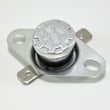
| Oven temperature sensor | Oven temp swings, underbakes/overbakes | Range oven temperature sensor DG32-00002B |
| Broil element | No broil heat, uneven browning | Range broil element DG47-00068A |
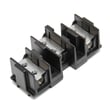
| Surface element switch | Burner won’t regulate heat, stuck on high/low | Range surface element control switch DG44-01009B |
Maintenance that helps you reach 15 years
We recommend these habits for Samsung electric ranges.
- Keep the cooktop clean and dry; wipe up boilovers quickly
- Use flat-bottom cookware sized to the element to reduce cycling stress
- Avoid slamming the oven door; it protects hinges, glass, and alignment
- Run self-clean only when needed; high heat is hard on electronics
- If the oven seems off-temperature, test with an oven thermometer before replacing parts
Why it matters
Knowing the expected 10 to 15 year lifespan helps you decide whether to repair (often cost-effective for a sensor, element, or switch) or plan for replacement if multiple major components are failing.
Last updated: February 2026
What are the common problems with Samsung ranges?
Common problems we see on Samsung electric ranges like model NE63T8311SS include an oven that will not heat or heats unevenly, surface elements that do not turn on or cycle correctly, error codes, and control panel or door-lock issues. Your NE63T8311SS owner's manual helps match symptoms to settings, error messages, and basic checks.
Most common symptoms (and what they usually point to)
- Oven not heating or long preheat: failed broil or bake circuit, wiring issue, or a bad temperature sensor.
- Baking unevenly: sensor drift, convection fan problem, or airflow blocked by foil or oversized cookware.
- One surface burner not working: failed radiant element, infinite switch, or a loose/burned wire connection.
- Burner too hot or won’t regulate: surface element control switch stuck or out of calibration.
- Display issues or beeping/error codes: control problem, sensor fault, or keypad/control panel issue.
- Door won’t unlock after self-clean: latch/lock mechanism problem or control not sensing lock position.
Quick checks we recommend before replacing parts
- Power reset: turn the breaker off for 1 minute, then back on.
- Confirm settings: verify Bake vs Broil vs Convection mode and temperature selection.
- Look for error codes: use Samsung freestanding electric range error codes to interpret the code and the next step.
- Inspect cookware and placement: flat-bottom pans, centered on the element, no foil blocking vents.
- Visual inspection (power off): check for burned terminals at elements and switches.
Parts that commonly solve these problems on NE63T8311SS
| Symptom | Common suspect part | Example from available parts |
|---|---|---|
| Oven temperature inaccurate | Oven temperature sensor | Samsung range oven temperature sensor DG32-00002B |
| Broil not working | Broil element | Samsung range broil element DG47-00068A |
| Surface element won’t regulate | Surface element control switch | Samsung range surface element control switch DG44-01006C |
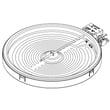
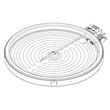
| One radiant burner dead | Radiant surface element | Range radiant surface element, 6-in DG47-00060A |
Why it matters
Accurate temperature control and properly cycling surface elements prevent undercooking, overcooking, and overheating. Catching a failing sensor, switch, or element early also helps avoid damage to wiring and the control.
Last updated: February 2026