Installation guide
 Owner’s manual




Do all GE microwaves use the same mounting bracket?
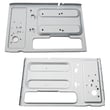
No. GE over-the-range microwaves (including model JVM1440BH04) do not all use the same mounting bracket; the wall plate and top-cabinet hardware are model-specific, so we recommend installing the bracket and screws that come with the replacement microwave.
To avoid fit and leveling problems, we install the new unit using the new mounting plate (wall bracket) and the new top-cabinet bolts that ship with it.
- Use the new microwave’s mounting bracket (wall plate), not the old one
- Use the new screws/bolts and exhaust adapter that come with the new microwave
- Confirm the cabinet bottom is level; the microwave must be level
- If the cabinet has a recessed bottom or front overhang, follow the wall-plate positioning steps exactly
- After hanging the unit, tighten the top-cabinet screws in the correct order (center, then outer screws)
Even within the same brand, mounting plates vary by:
- Hole pattern and spacing
- Tab locations that set the microwave height and level
- Venting configuration alignment (top, rear, or recirculating)
- Cabinet style allowances (flat bottom, recessed, framed, overhang)
| Item | Old microwave hardware | New microwave hardware |
|---|---|---|
| Mounting bracket (wall plate) | Often won’t match hole pattern | Matches the new model exactly |
| Top-cabinet bolts | Length and thread can differ | Sized for the new chassis |
| Exhaust adapter | Can misalign with duct | Fits the new blower outlet |
We recommend following the bracket placement and mounting sequence shown in the installation guide. It covers wall-plate location under different cabinet bottoms and the correct order for tightening the top-cabinet screws.
Using the wrong bracket can leave the microwave out of level, stress the cabinet and wall fasteners, and cause venting misalignment. Installing the model-specific bracket helps the microwave sit square, latch properly, and vent as designed.
Last updated: February 2026
What are common problems with GE JVM1440BH04 microwaves?
Common problems with the GE JVM1440BH04 microwave/hood combo include not starting (often a power, door, or control lock issue), not heating, turntable not rotating, vent fan behavior that seems unusual but is normal, and interior arcing from improper items in the cavity. For model-specific operating checks, use the owner's manual.
- Microwave will not start: door not fully latched, control lock on, or a home fuse/breaker issue.
- Runs but does not heat: a high-voltage component problem is common (diagnosis should be done carefully).
- Turntable not turning: failed motor or coupler, or the tray support is mis-seated.
- Vent fan will not turn off: the fan can run to cool internal parts while the microwave is operating.
- Arcing, sparks, or burn marks: metal in the cavity (twist ties, foil, gold-trim dishes) or damage/soil on interior surfaces.
- Confirm the door closes firmly and re-close it; the manual lists an unsecured door as a common no-start cause.
- Check for “LOC” on the display; press and hold CLEAR/OFF about 3 seconds to unlock.
- Verify the plug is fully seated; if the unit is dead, reset the home breaker.
- Remove any metal items and avoid running the microwave empty (this can overheat components).
- If the turntable is the issue, reseat the tray support and coupler before replacing parts.
If troubleshooting points to a failed component, these are common replacements for this model:
| Symptom | Likely part area | Example part for this model |
|---|---|---|
| Won’t start, door must be slammed | Door interlock system | Micro-switch WB24X830 |
| Door won’t actuate switches reliably | Interlock lever | Microwave door interlock switch lever WB06X10128 |
| Turntable not rotating | Turntable drive | Microwave turntable motor WB26X10038 |
| No heat (runs but food stays cold) | High-voltage circuit | Microwave high-voltage diode WB27X1160 |
Door interlock and high-voltage problems can look similar (for example, a unit that “runs” but does not cook). Starting with the manual checks helps you avoid replacing the wrong part and reduces the chance of repeat failures.
Last updated: February 2026
What is the average lifespan of a GE microwave?
Most GE microwaves, including the GE JVM1440BH04 microwave/hood combo, typically last about 8 to 10 years with normal household use and basic care. Heavy daily use, poor ventilation, and repeated door slamming can shorten lifespan; keeping filters clean and the door latching properly helps it last longer.
A microwave’s life is mostly driven by heat stress, door-interlock wear, and how hard the high-voltage system has to work.
- Light to moderate use (1 to 5 cycles/day): commonly 9 to 10 years
- Heavy use (many cycles/day): commonly 6 to 8 years
- Poor airflow or grease buildup: reduces life by overheating internal components
- Door wear or misalignment: can cause no-start issues and repeated switch failures
- Power surges/outages: can damage electronic components over time
If your JVM1440BH04 is within the typical lifespan window, a repair is often worthwhile when the problem is a common wear item.
| Symptom | Common cause | Example part on this model |
|---|---|---|
| Won’t start, clicks, or runs only with door pressure | Door interlock switch or lever wear | Micro-switch WB24X830 or microwave door interlock switch lever WB06X10128 |
| Runs but does not heat | High-voltage component issue | Microwave high-voltage diode WB27X1160 or microwave high-voltage capacitor WB27X10240 |
| Turntable not rotating | Motor or coupler issue | Microwave turntable motor WB26X10038 or microwave turntable motor coupler WB06X10420 |
Knowing the expected lifespan helps you decide between maintenance, repair, or replacement. For example, door-interlock issues are common and usually repairable, while repeated no-heat problems can involve higher-cost high-voltage parts.
Use these habits to reduce wear on the door switches, magnetron system, and ventilation.
- Clean or replace the grease filter regularly (example: microwave grease filter WB06X10596)
- Avoid running the microwave empty; it overheats components
- Keep the vent grille clear so the cooling airflow is not restricted
- Close the door gently so the interlock switches stay aligned
- Follow the care and operating guidance in the owner's manual
Last updated: February 2026