Owner’s manual
 Error Codes


Why does my LG freezer keep icing up at the bottom?
On the LG LRFXC2416S, ice building up on the freezer floor is most often caused by a defrost drain that is partially or fully blocked, so meltwater cannot flow to the drain pan and instead refreezes at the bottom. Clearing the drain and fully defrosting the freezer usually fixes it.
- Remove the freezer drawer and look for a solid ice sheet on the floor; that pattern strongly points to a drain issue.
- Check for water droplets or a frozen “waterfall” on the back wall of the freezer.
- Confirm the freezer door closes tightly and the gasket is sealing all the way around.
- Make sure food packages are not holding the drawer slightly open.
- Verify the freezer is set near 0°F (a warmer setting can increase melt and refreeze cycles).
For model-specific component locations and disassembly steps, use the LRFXC2416S owner's manual.
- Unplug the refrigerator (or switch off power at the breaker).
- Empty the freezer and protect the floor with towels.
- Defrost the ice completely (leave the drawer open; use bowls/towels to catch water).
- Clear the drain path once the ice softens:
- Flush the drain opening with warm water.
- Remove any debris or slush that re-freezes in the drain trough.
- Restore power and monitor for 24 to 48 hours.
A recurring ice sheet can also happen when warm, humid air leaks into the freezer and creates excess frost that overwhelms normal defrost drainage.
| Symptom you see | Most likely cause | What to do |
|---|---|---|
| Ice sheet only on freezer floor | Drain blocked/frozen | Fully defrost and clear drain |
| Heavy frost on walls and food | Door not sealing or left ajar | Inspect/clean gasket, re-load items |
| Frost plus temperature swings | Airflow restriction or defrost system issue | Check vents; consider service diagnosis |
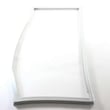
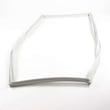
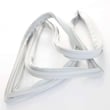
If you find gaps, tears, or a loose seal, replacing the gasket can help; the correct part for this model is the LG refrigerator freezer door gasket MDS38201426.
When defrost water cannot drain properly, it refreezes into a thick ice layer that can block airflow, reduce cooling performance, and eventually cause leaks when it melts.
Last updated: January 2026
Why is my LG bottom freezer not working?
If your LG LRFXC2416S bottom-mount refrigerator freezer isn’t cooling, the most common causes are Display (Demo) Mode being on (cooling disabled), an airflow problem (fan or blocked vents), or a cooling-system problem such as a failed compressor. Start with the checks in the LRFXC2416S owner's manual.
- Look at the control panel: if it shows OFF, the refrigerator is in Display Mode and won’t cool.
- Confirm the freezer set temperature is 0°F (-18°C).
- Make sure the freezer drawer closes fully and isn’t held open by packages.
- Check for heavy frost on the freezer back wall (often points to airflow/defrost trouble).
- If it was recently installed or moved, allow up to 24 hours to reach temperature.
| What you notice | Most likely cause | Next step |
|---|---|---|
| Controls work but display shows OFF | Display Mode | Turn Display Mode off using the manual’s button sequence |
| Freezer and fridge both warm | Cooling system not running effectively | Check condenser area airflow; listen for compressor/fans |
| Frost buildup and warming temps | Airflow or defrost issue | Check for blocked vents; inspect for abnormal frost pattern |
| Frost at edges, drawer not sealing | Air leak | Clean/inspect gasket; replace if torn or deformed |
If your checks point to a failed component, these model-matched parts are often involved:
- LG refrigerator compressor TCA36811409: drives the sealed cooling system; failure can cause no cooling.
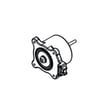
- Refrigerator condenser fan motor EAU65058502: cools the condenser; a failed fan can reduce cooling.
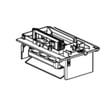
- LG refrigerator freezer air duct cover and fan assembly AEB75844605: supports freezer airflow.
A warm freezer can spoil food quickly and may force the refrigerator to run longer than normal. Ruling out Display Mode and door sealing issues first can prevent unnecessary parts replacement.
If you’re seeing an error code, use our LG bottom freezer refrigerator error codes guide to narrow the problem.
Last updated: January 2026
How to reset LG freezer not cooling?
For LG model LRFXC2416S, the practical “reset” for a freezer not cooling is a control reboot (power cycle) and confirming cooling is not disabled by Display Mode (the control panel shows OFF when this mode is active). Use the LRFXC2416S manual for the exact control-panel steps.
- Power cycle the refrigerator: Unplug (or switch the breaker off) for 5 minutes, then restore power.
- Check for Display Mode: If OFF is shown on the control panel, turn Display Mode off using the model’s button sequence.
- Verify temperature settings: Set freezer to 0°F (default) and refrigerator to 37°F (default).
- Allow time to recover: After power is restored, cooling and temperatures can take up to 24 hours to fully stabilize.
These checks apply directly to how LRFXC2416S is designed to cool and circulate air.
- Air vents blocked: Move packages away from vents so cold air can circulate.
- Doors not sealing: Make sure doors close fully and gaskets are clean and not folded.
- Condenser area clogged: Dust buildup can prevent heat from leaving the system.
- Fan not running: If you do not hear normal airflow, a fan issue can stop cooling.
| What you notice | Likely area to inspect | Model-listed part that may be involved |
|---|---|---|
| Warm temps and poor heat removal, little airflow at back/bottom | Condenser fan system | Refrigerator condenser fan motor EAU65058502 |
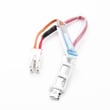
| Heavy frost on evaporator cover, cooling comes and goes | Defrost sensing/defrost system | Refrigerator defrost sensor assembly 6615JB2005R |
A reboot can clear a temporary control issue, but if Display Mode is on or airflow is restricted, the freezer can stay warm and food can thaw.
Last updated: January 2026
Why is my LG refrigerator not making ice on the lower part?
On LG model LRFXC2416S, “lower” ice typically means the freezer icemaker in the bottom drawer. Most no-ice issues come from the icemaker being OFF, the freezer being too warm, or restricted water flow. Use the LRFXC2416S owner’s manual to confirm the freezer icemaker switch location and normal ice-making timing.
- Confirm the freezer icemaker power switch is set to ON.
- Make sure the freezer is set to 0°F (-18°C) and has had time to stabilize.
- Verify the water shutoff valve is fully open and the supply line is not kinked.
- If the refrigerator was just installed or reconnected, allow up to 48 hours for ice production.
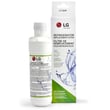
- If you recently changed the filter, purge air by dispensing water and discarding the first bin of ice.
If water flow is weak, the freezer icemaker may not fill properly.
| What you notice | Likely cause | What to do |
|---|---|---|
| Small cubes or slow ice | Low water pressure or clogged filter | Replace the filter and confirm 20-120 psi supply |
| No ice and no water at dispenser | Supply valve closed or line kinked | Open valve, straighten line |
| Ice stopped after filter change | Air in the line | Flush water for several minutes |
If you suspect the valve is not opening, testing or replacing the refrigerator water inlet valve MJX64471402 is a common repair.
If the freezer is cold enough and water supply is good, the icemaker module or sensor may be failing. At that point, replacing the refrigerator ice maker AEQ73449909 is often the next step.
The freezer icemaker on LRFXC2416S will not run until the freezer is cold enough; warm temperatures, low water pressure, or air in the line can stop ice production even when the controls look normal.
Last updated: January 2026