 Owner’s manual

What are the 5 most common mistakes people make with a random orbital sander?
The 5 most common mistakes with a random orbital sander like the Craftsman 315277140 are pressing down too hard, skipping grit steps, sanding without controlling dust, lifting the tool while the pad is still spinning, and using the wrong technique at edges. These lead to swirl marks, uneven sanding, and faster pad wear.
The 5 mistakes (and what to do instead)
- Pressing too hard: Let the sander’s weight do the work; heavy pressure stalls the pad and creates pigtails.
- Skipping grits: Move in steps (for example, 80 to 120 to 180); big jumps leave deep scratches that show after finishing.
- Poor dust control: Empty/clean the dust collection path often and keep the work surface clean; trapped grit causes circular scratches.
- Lifting while running: Keep the pad flat on the surface when starting and stopping; lifting a spinning pad can gouge and swirl.
- Rushing edges and corners: Ease off pressure near edges; edges sand faster and can round over quickly.
Quick technique checklist
- Start the tool with the pad flat on the work.
- Keep the sander moving slowly (about 1 inch per second) with 50% overlap.
- Change discs when they stop cutting cleanly (glazed discs burnish and swirl).
- Keep the cord managed; the manual warns to keep extension cords away from the sanding area so they do not snag during operation.
Common symptoms and the likely cause
| What you see | Most likely mistake | Fast fix |
|---|---|---|
| Swirl marks | Too much pressure, dirty disc, poor dust control | Lighten pressure, replace disc, clean surface |
| Uneven sheen after finish | Skipped grits | Re-sand with intermediate grits |
| Rounded edges | Too much time on edges | Back off pressure, keep pad flatter |
| Random deep scratches | Grit contamination | Vacuum/wipe between grits |
Why it matters
Random orbital sanders are designed to remove material efficiently with light, even pressure. When we force the tool or skip steps, we trade speed for rework, and the final finish quality drops.
Model-specific safety note
The Craftsman 315277140 is double insulated; follow the safety and operating guidance in the 315277140 owner’s manual to avoid cord snags, reduce dust exposure, and keep the tool operating smoothly.
If you need repair parts for the Craftsman 315277140, we recommend starting with the model parts list, then searching by model number on Sears PartsDirect.
Last updated: February 2026
Which is better, an orbital sander or a detail sander?
For most sanding jobs, an orbital sander is better because it removes material faster and leaves a more even finish on larger surfaces; a detail sander is better for tight corners, edges, and small profiles. Your Craftsman 315277140 is a 4-1/2 inch palm grip random orbit sander, so it is built for general-purpose sanding rather than corner work (see the owner's manual).
Quick comparison: orbital vs. detail sander
| Feature | Orbital (random orbit) sander | Detail sander |
|---|---|---|
| Best for | Large, flat areas and gentle curves | Corners, edges, tight spaces |
| Finish quality | Smooth, low swirl when used correctly | Good in tight spots; can leave more visible pattern |
| Speed | Faster stock removal | Slower; more precise |
| Sandpaper | Round hook-and-loop discs (common) | Triangular sheets/pads |
How we recommend choosing
Pick the tool based on the surface you sand most often:
- Furniture tops, cabinet doors, tabletops: orbital sander
- Paint or finish removal on broad areas: orbital sander
- Inside corners, trim profiles, spindles, small parts: detail sander
- Mixed projects: orbital first, then detail sander for corners
Getting the best results with the Craftsman 315277140
This model is designed to run on 120 volts, 60 Hz AC household power and is suitable for coarse, medium, and fine grit sanding discs.
For cleaner sanding and fewer swirl marks:
- Start with the least aggressive grit that still cuts (often 80 to 120 for leveling)
- Move up through grits (for example 120 to 150 to 220) without skipping too far
- Keep the pad flat and use light pressure; let the sander do the work
- Keep the disc clean and replace it when it loads up
- Sand with overlapping passes and keep the tool moving
Why it matters
Using the right sander saves time and prevents rework. A random orbit sander like the Craftsman 315277140 levels surfaces quickly and consistently, while a detail sander prevents you from rounding over corners or missing tight areas.
If you need replacement parts for your Craftsman 315277140, use the model number when searching on Sears PartsDirect.
Last updated: February 2026
Do you push down when using an orbital sander?
No. On the Craftsman orbital sander model 315277140, you should not push down; the tool’s own weight provides the right pressure. Extra pressure slows the motor, wears the sanding disc faster, reduces sanding speed, and can overheat the motor (see the 315277140 owner's manual).
How to sand correctly (pressure and movement)
- Keep the sanding disc flat on the work so the full disc surface contacts the material.
- Start the sander, then move it slowly in parallel lines, circles, or crosswise passes.
- Let the sander’s weight do the work; guide it instead of forcing it.
- Avoid staying in one spot too long; rapid action can remove too much material and leave an uneven surface.
- Secure the workpiece with clamps so it cannot shift while sanding.
What happens if you press down too hard
| What you do | What the sander does | What you see on the work |
|---|---|---|
| Light, steady guidance | Runs at proper speed | More even scratch pattern |
| Heavy downward pressure | Motor slows, heats up | Slower cutting, swirl marks, uneven spots |
Quick setup checks that improve results
- Use the right grit progression (coarse to fine) instead of adding pressure.
- Keep air vents clear; do not let your hand cover the vents.
- Keep the cord positioned away from the sanding area so it does not snag.
Why it matters
Random orbit sanders are designed to remove material efficiently with controlled motion and consistent disc contact. Forcing the tool reduces speed and control, which hurts finish quality and can shorten motor life.
If you need repair parts for the Craftsman 315277140, start with the model’s parts list, or search by model number on Sears PartsDirect.
Last updated: February 2026
How many watts is a random orbital sander?
A random orbital sander typically draws about 200 to 500 watts; heavy-duty, pro-grade models often run above 500 watts. For the exact electrical rating and specifications for your Craftsman 315277140 sander, check the 315277140 owner's manual.
Typical wattage ranges (what to expect)
Most random orbital sanders fall into these buckets:
- Light-duty sanding: ~200 to 300 W (small projects, light stock removal)
- General-purpose sanding: ~300 to 500 W (most DIY and workshop use)
- Professional/high-removal sanding: 500 W+ (faster removal, longer duty cycles)
How wattage relates to sanding performance
Wattage is only one part of how a sander feels and performs. These factors matter just as much:
- Orbit size (stroke): larger orbits remove material faster but leave a rougher finish
- OPM (orbits per minute): higher speed sands faster but can increase swirl marks
- Pad condition: a worn backing pad reduces sanding efficiency and control
- Sandpaper grit and quality: coarse grits remove faster; finer grits finish smoother
- Dust collection: better dust removal keeps the abrasive cutting instead of clogging
Quick guide: choosing watts for the job
| Job type | Typical grit range | Typical watt range |
|---|---|---|
| Paint removal, leveling filler | 60 to 120 | 300 to 600+ |
| General smoothing | 120 to 180 | 250 to 500 |
| Finish sanding before stain/paint | 180 to 320 | 200 to 400 |
Why it matters
Matching wattage to the work helps you avoid slow sanding, overheating, and premature wear. A higher-watt sander generally maintains speed better under pressure, but the right grit, pad, and dust control often make a bigger difference than raw watts.
Where to find the exact watt rating on this model
Use the data plate on the motor housing and the specifications section in the 315277140 owner's manual. The plate commonly lists electrical details such as volts, amps, and sometimes watts.
You can also search by model number on Sears PartsDirect if you are looking up specifications or replacement parts listings for Craftsman 315277140.
Last updated: February 2026
Can you replace the pad on a Sander?
Yes. On the Craftsman 315277140 random orbit sander, the sanding disc attaches to the backing pad with pressure-sensitive adhesive, so you replace the “pad surface” by peeling off the old disc and pressing on a new adhesive-backed disc after unplugging the tool; see the owner's manual.
What you can replace on this model
On model 315277140, there are two common “pad” items people mean:
- Sanding disc (adhesive-backed): the consumable abrasive you change often
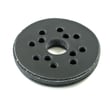
- Backing pad: the round pad the disc sticks to (replaced when worn, torn, or no longer holds discs well)
- Pad face condition: if it is glazed, torn, or uneven, sanding quality drops fast
How to replace the sanding disc (the normal “pad” change)
- Unplug the sander.
- Peel the old sanding disc off the backing pad.
- Peel the adhesive backing off the new disc.
- Align the dust holes in the disc with the holes in the backing pad.
- Press the disc down firmly so it bonds evenly.
Quick checks before you start
- Use pressure-sensitive adhesive-backed discs (this model is designed for them).
- Keep hands clear of the sanding area.
- Never use this sander for wet sanding or liquid polishing.
When the backing pad itself needs replacement
Replace the backing pad when you see any of these:
- The pad face is ripped, melted, or chunked out
- Discs won’t stick or fly off during use
- The pad is warped, causing swirl marks or uneven sanding
- Excess vibration that is not caused by a damaged disc
| Symptom | Most likely cause | What to do first |
|---|---|---|
| Disc won’t stay on | Pad face worn or dirty | Clean pad, then try a fresh disc |
| Uneven sanding | Disc not centered or pad damaged | Reinstall disc aligned to holes |
| Heavy vibration | Torn disc or warped pad | Replace disc; inspect backing pad |
Why it matters
A flat, intact backing pad and properly aligned sanding disc help the sander run smoother, reduce swirl marks, and improve dust collection through the pad holes.
To find the correct replacement parts for your Craftsman orbital sander, use the model-based parts lookup on this page or search by model number at Sears PartsDirect.
Last updated: February 2026